215626 19 Revision A
2.4 Installing Linkage
The linkage is the main structural component securing the Double Windrow Attachment (DWA) to the windrower.
To install the linkage, proceed to the section that applies to your windrower:
• 2.4.1 Installing Linkage – M150/M155/M155E4, page 19
• 2.4.2 Installing Linkage – M200, page 22
• 2.4.3 Installing Linkage – M205, page 26
2.4.1 Installing Linkage – M150/M155/M155E4
Attach the Double Windrow Attachment (DWA) support and linkage to the frame. The procedure will differ slightly
depending on the type of header you intend to use with your M150/M155/M155E4 windrower.
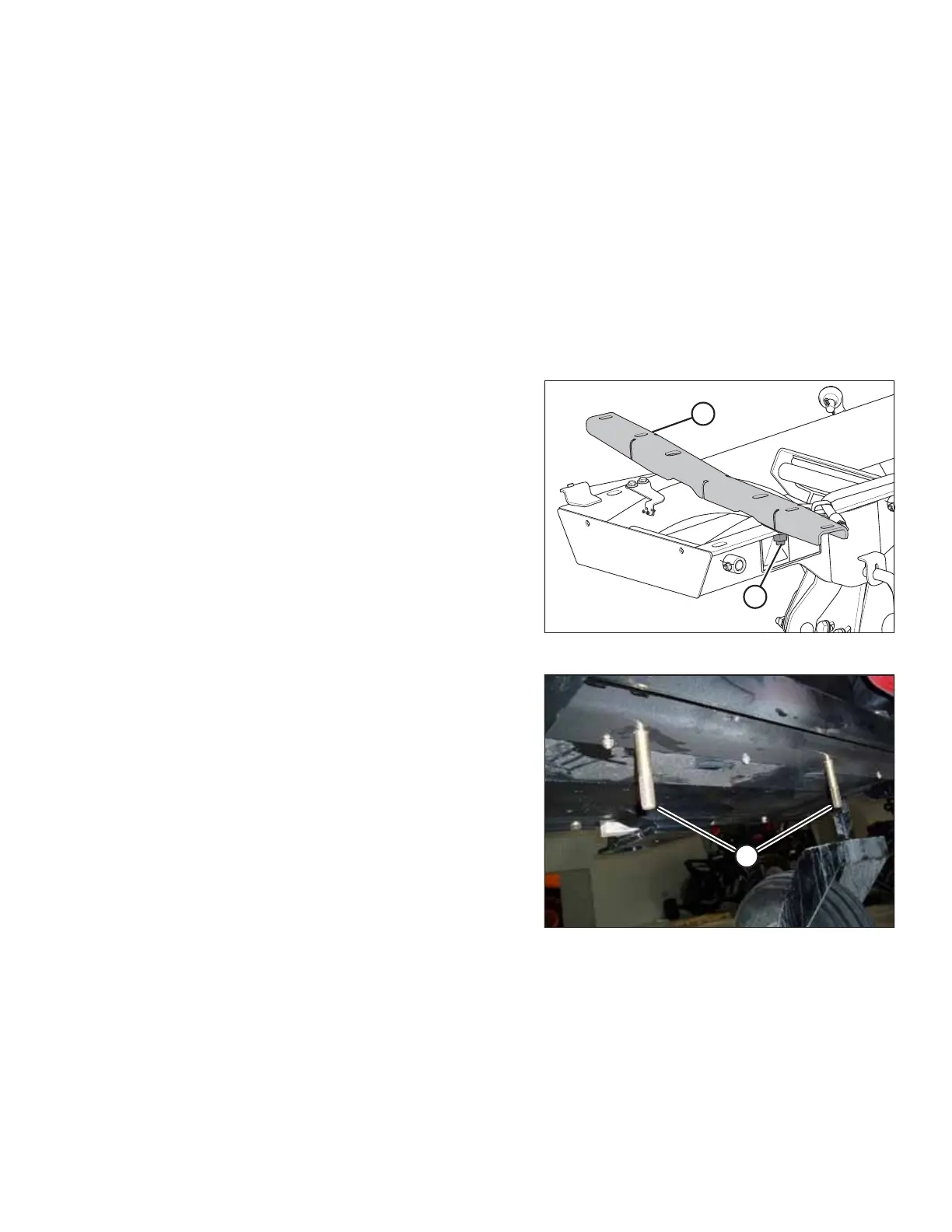
Figure 2.16: Linkage Support
1. Remove support (A) from the DWA linkage by removing
nut (B).
Figure 2.17: Frame Member under Windrower
2. Install two 3/4 in. x 4 1/2 in. long carriage head bolts (A) in
the windrower frame member located between the engine
and the caster wheels.
NOTE:
Move the hoses located above the frame member in order
to install the bolts.
SETUP INSTRUCTIONS



 To Next Page