215626 43 Revision A
2.8 Installing Electrical System
To install the Double Windrower Attachment’s (DWA) electrical system, the plugs on the wiring harness must be connected
to the draper drive block, the ring terminal on the harness fuse connected to the windrower’s F-M1 fuse, and the switches
in the cab must be installed and connected.
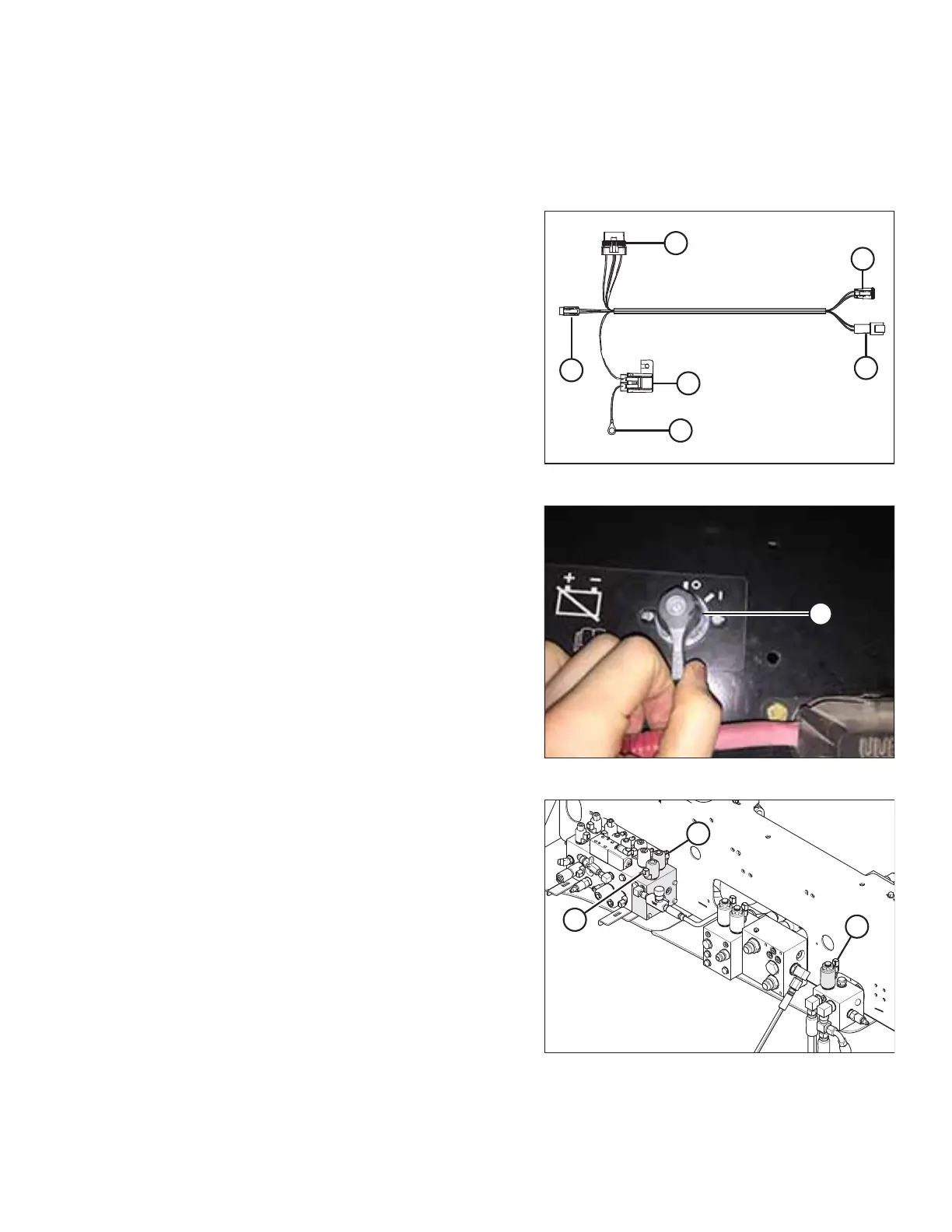
Figure 2.72: DWA Wiring Harness Connectors
Refer to this diagram when installing the wiring harness. The
connectors on the DWA wiring harness connectors are as
follows:
• P74A (A)
• P74B (B)
• P74C (C) (already connected)
• Relay connector (D) (already connected)
• Fuse holder P74D (2 amp fuse) (E)
• Ring terminal T74 (F)
NOTE:
The wiring harness illustration is not to scale.
Figure 2.73: Battery Disconnect Switch
1. Locate battery disconnect switch (A) beside the batteries.
Turn battery disconnect switch (A) to the off position (O).
Figure 2.74: Electrical Connections – M205 Similar
2. Connect plug P74B from the DWA harness to plug (A) on
the draper drive block.
3. Connect plug P74A from the DWA harness to plug P74 on
the windrower harness, located near the valve block.
NOTE:
On some 2012 and earlier M205 windrowers, the P74
branch of the windrower harness will not be long enough
to connect to the DWA harness. A harness extension is
provided in the DWA hydraulic kit.
4. Connect plug P73 on the windrower harness to plug (B) on
the lift block valve 4C.
5. Connect plug P72 on the windrower harness to plug (C) on
the lift block valve 2C.
SETUP INSTRUCTIONS



 To Next Page