215626 22 Revision A
$
%
%
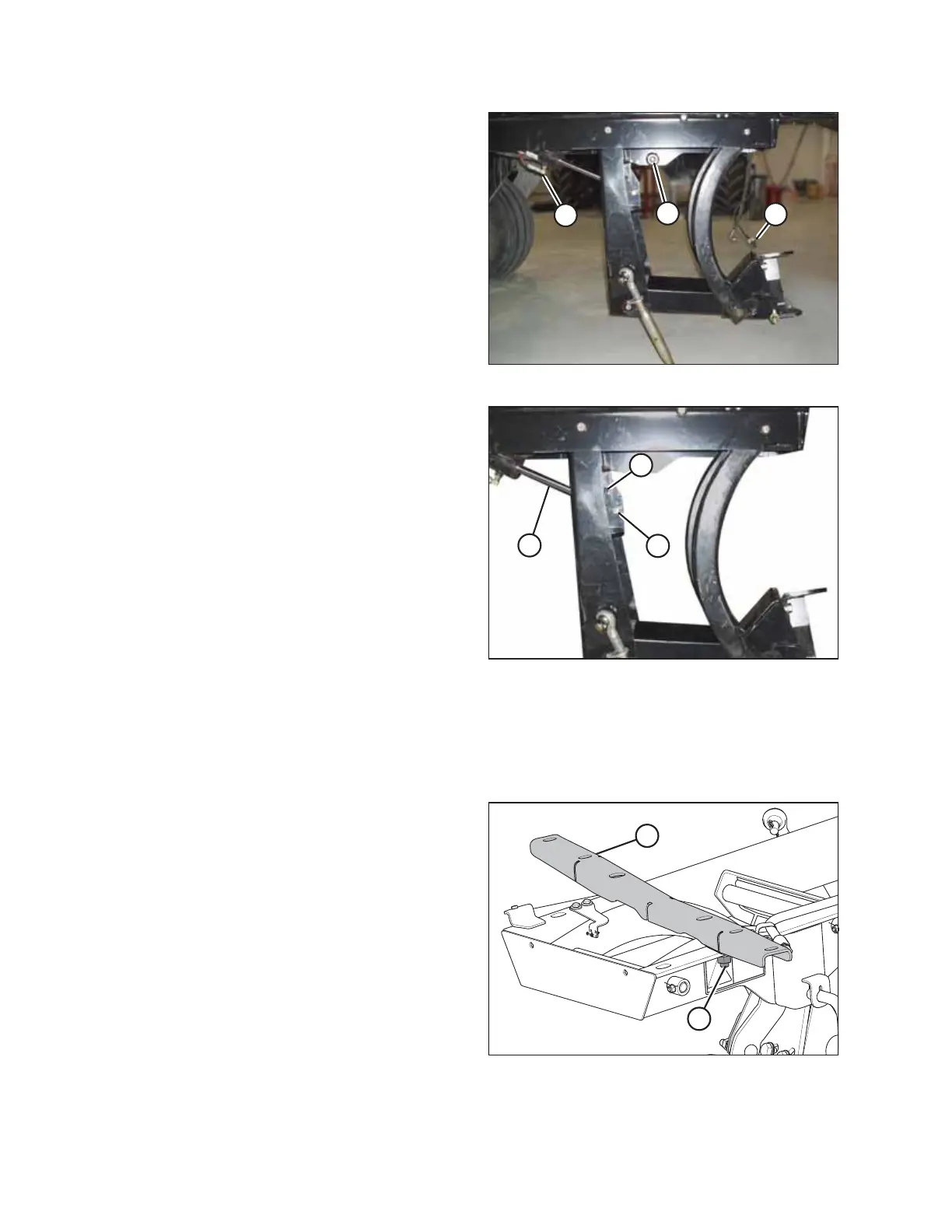
Figure 2.24: DWA Linkage
12. Lower the linkage by pulling on safety pin (A) on the left
side of linkage.
13. If the linkage does not lower, remove the plugs at the end
of lift cylinder hoses (B) to remove the air from the hoses.
$
%
&
Figure 2.25: Lift Cylinder Pivot
14. Secure lift cylinder pivot (A) into the correct hole for your
header type:
• For R Series header: insert the pivot in upper hole (B).
• For A Series or D Series header: insert the pivot in
lower hole (C).
2.4.2 Installing Linkage – M200
Attach the Double Windrow Attachment (DWA) support and linkage to the frame. The procedure will differ slightly
depending on the type of header you intend to use with your M200 windrower.
$
%
Figure 2.26: DWA Support
1. Remove support (A) from the DWA linkage by removing
nut (B).
SETUP INSTRUCTIONS



 To Next Page