43
© 2013 McNeilus Truck and Manufacturing, Inc.
Contender Front Loader
Operation
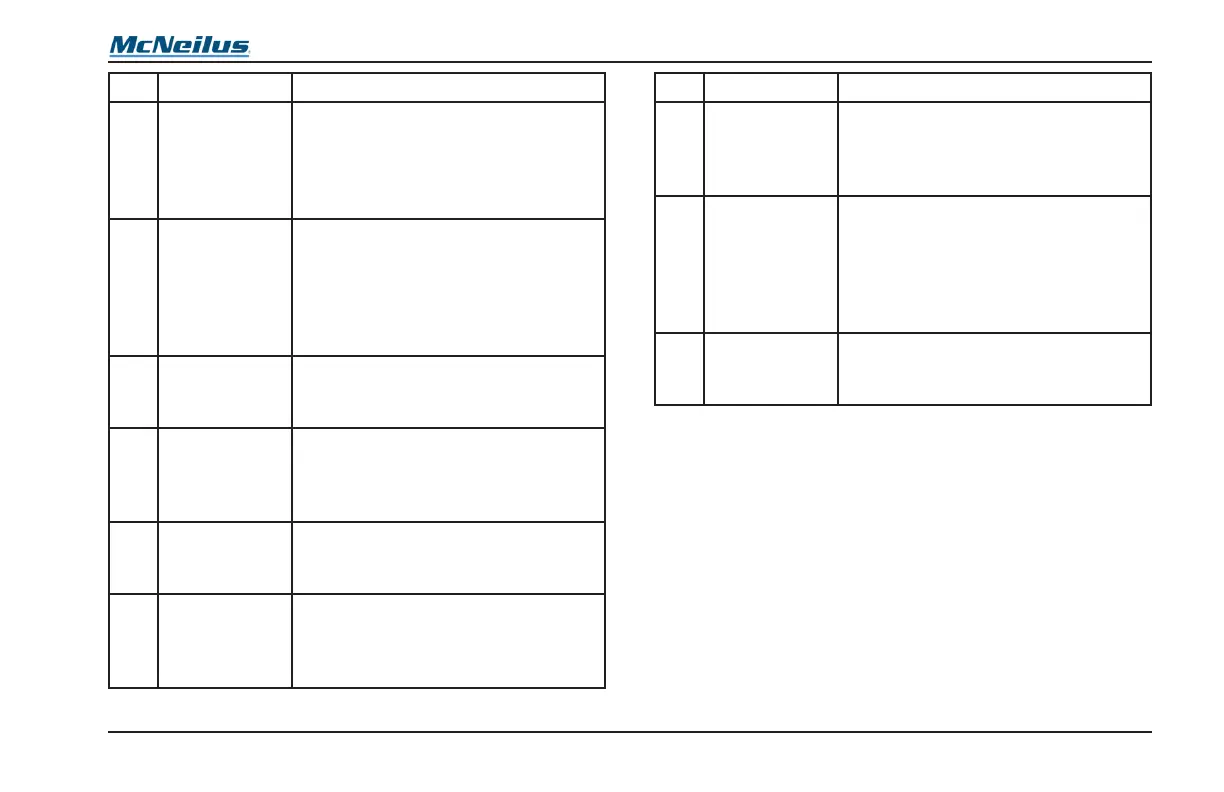
No. Position Normal Use or Reading
12
RESIDENTIAL
MODE Button
Press the button to enable the auto
dump and residential controls when
using the Dual Lever Joysticks.
Press the button again to disable the
auto dump.
13
REAR WORK
LIGHT Button
(OPTIONAL)
Press the button to turn on the rear
work lights. Press the button again
to turn off the rear work lights. The
truck must be moving less than 10
mph for the rear work lights to come
on.
14
TAG AXLE
RAISE Button
(OPTIONAL)
Press the button to raise the tag
axle.
15
TAG AXLE
LOWER
Button
(OPTIONAL)
Press the button to lower the tag
axle.
16
WORK
LIGHT Button
(OPTIONAL)
Press the button to turn on the work
lights. Press the button again to turn
off the work lights.
17
PUSHER
AXLE RAISE
Button
(OPTIONAL)
Press the button to raise the pusher
axle.
No. Position Normal Use or Reading
18
PUSHER
AXLE LOWER
Button
(OPTIONAL)
Press the button to lower the pusher
axle.
19
STROBE
LIGHT Button
(OPTIONAL)
Press the button to turn on the
strobe lights. Press the button again
to turn the strobe lights off. With the
“strobes on with pump” option, the
button will not turn the strobe lights
off when the pump is on.
20
SIDE DOOR
Button
None functional button. Warning light
only. See 2.2.2 LED Indicator Light
Functions for more information.



 To Next Page