52
© 2013 McNeilus Truck and Manufacturing, Inc.
Contender Front Loader
Operation
2.3.3 Single Lever Joystick Control (Optional)
The joystick is spring loaded and will automatically return to
the middle (neutral) position when released.
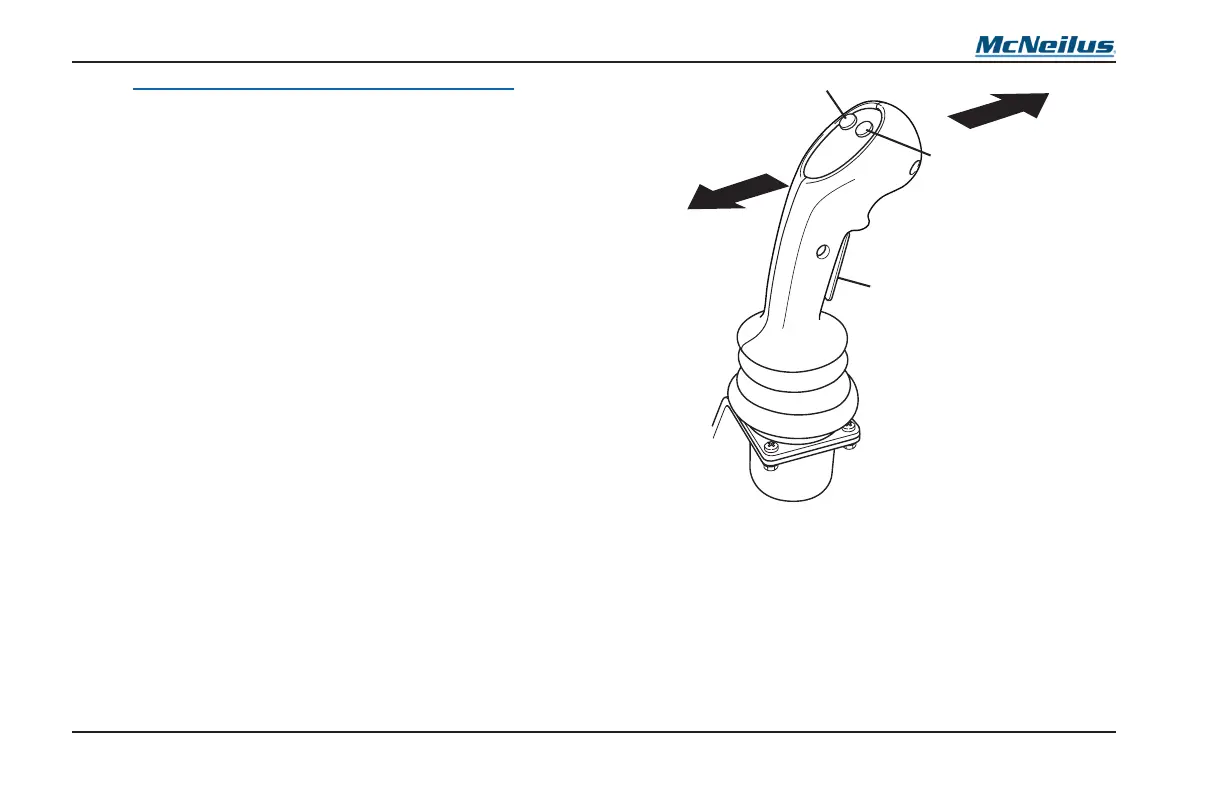
The single lever joystick (Figure 20) controls the movement of
both the arm and fork assemblies.
Move the Street Side/Curb Side switch to the position the
controls will be operated from and activate the Residential
Controls switch.
Press in and hold the CENTER (Operator Presence) switch
(Figure 20, Item 5) to activate the joystick.
Pull the joystick BACK (Figure 20, Item 2) to raise the arm
assembly.
Push the joystick FORWARD (Figure 20, Item 1) to lower the
arm assembly.
Push the forks LOWER button (Figure 20, Item 4) to lower the
fork assembly.
Push the forks RAISE button (Figure 20, Item 3) to raise the
fork assembly.
Figure 20
RAISE
LOWER
CENTER BUTTON
ACTIVATE
FORKS
4
5



 To Next Page