MDS 05-2806A01, Rev. A MDS iNET 900 User’s Guide 111
6.2 FUSE REPLACEMENT
PROCEDURE
An internal fuse protects the iNET 900 unit. The fuse will be blown by
a reverse polarity of the primary DC power, an over-voltage transient or
an internal failure. The fuse should not be replaced until you are certain
you are in a safe environment.
4. Disconnect the primary power source and all other connections to
the unit.
5. Place the iNET unit on its back and remove the four Phillips screws
on the bottom cover.
6. Carefully separate the top and bottom covers. There is a flat ribbon
cable between the top cover’s LEDs and the unit motherboard. You
do not need to disconnect the ribbon cable.
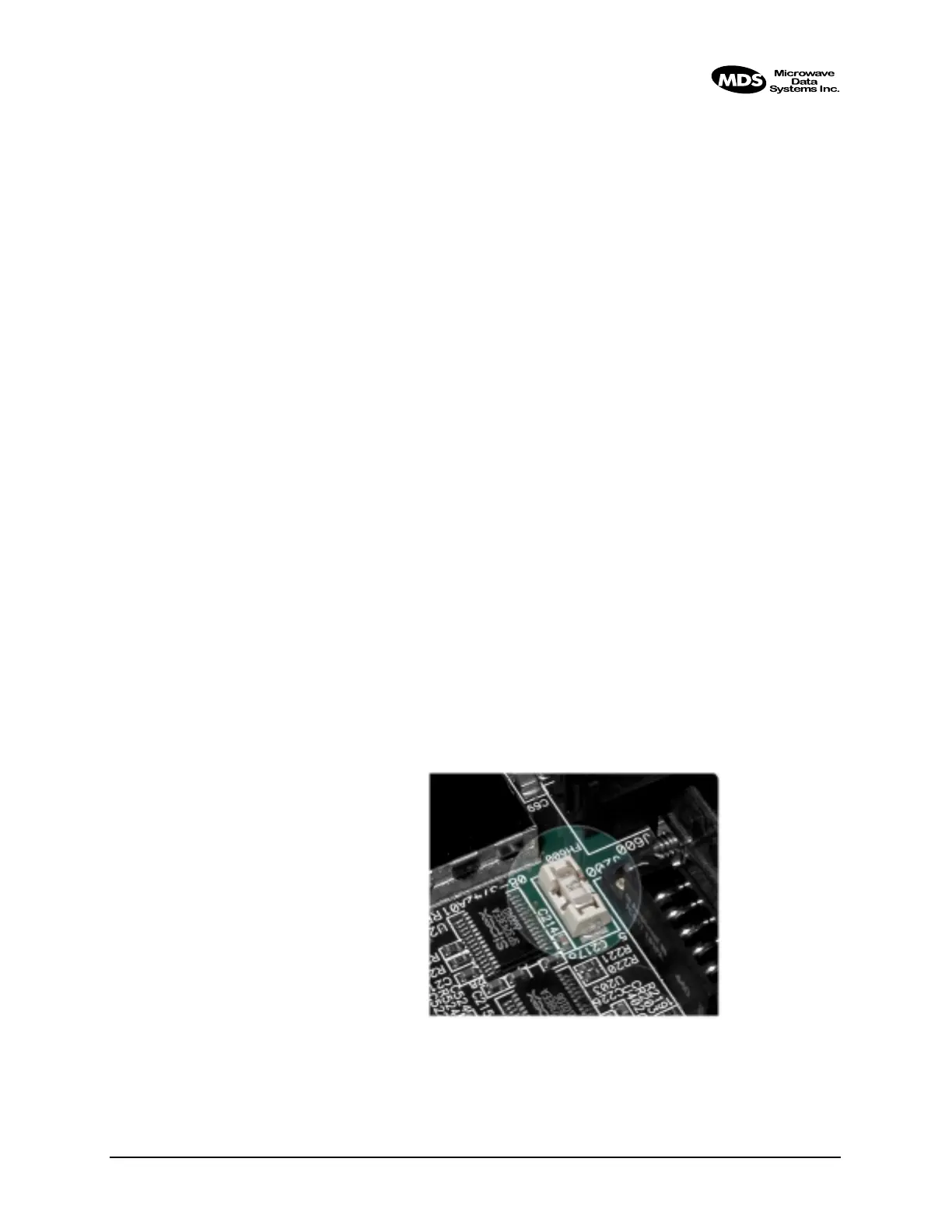
7. Locate the fuse and fuse holder between the
COM1 port and the
power connector. See Figure 6-4 for details.
8. Loosen the fuse from the holder using a very small screwdriver. Use
a small pair of needle-nose pliers to pull the fuse straight up and
remove it.
9. Install a new fuse by reversing the process.
Littelfuse P/N: 0454002; 452 Series, 2 Amp SMF Slo-Blo
MDS P/N: 29-1784A03
10.Install the covers and check the iNET unit for proper operation.
Invisible place holder
Figure 6-4. Fuse Location



 To Next Page