40 MDS iNET 900 User’s Guide MDS 05-2806A01, Rev. A
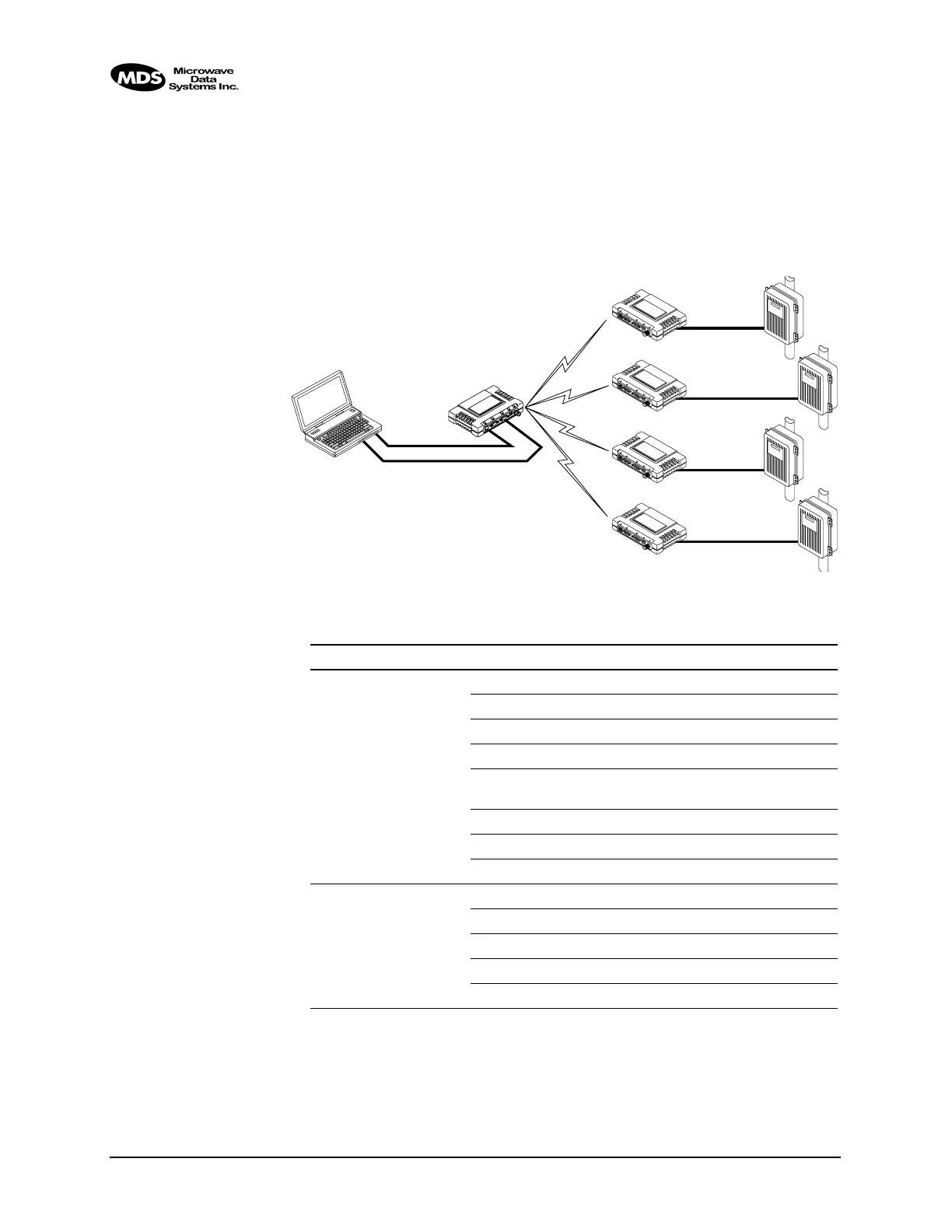
Operation and Data Flow
• Communicate with RTU A by Telneting to Remote 1, port 30011.
• Communicate with RTU B by Telneting to Remote 2, port 30011.
• Communicate with RTUs C and D by sending and receiving data
from the Access Point’s
COM port.
• All communication paths can be used simultaneously.
Invisible place holder
Figure 2-19. Mixed-Modes Connection Diagram
EIA-232
Terminal
or Computer
RTU–C
EIA-232
EIA-232
EIA-232
RTU–D
EIA-232
L
A
N
C
O
M
1
C
O
M
2
P
W
R
L
IN
K
iNET 900
Remote 4
Ethernet
Crosssover
RTU–B
RTU–A
iNET 900
Access Point
L
A
N
C
O
M
1
C
O
M
2
P
W
R
L
IN
K
iNET 900
Remote 1
L
A
N
C
O
M
1
C
O
M
2
PW
R
L
IN
K
iNET 900
Remote 2
L
A
N
C
O
M
1
C
O
M
2
P
W
R
L
IN
K
iNET 900
Remote 3
Table 2-4. Serial Port Configuration Example
iNET Unit Location Menu Item Setting
Access Point Enable Enabled
Mode Serial-to-Serial
Baud Rate 9,600
Flow Control None
Send to Address A multicast IP address such as
224.254.1.1
Send to Port 30011
Receive on Port 30011
Receive on Address 0.0.0.0
Remote Units 1 & 2 Enable Enabled
Mode IP-to-Serial
Baud Rate 2,400
Flow Control X-ON/X-OFF
Receive on Port 30011



 To Next Page