18 MDS iNET 900 User’s Guide MDS 05-2806A01, Rev. A
2.1.1 Menu Structure
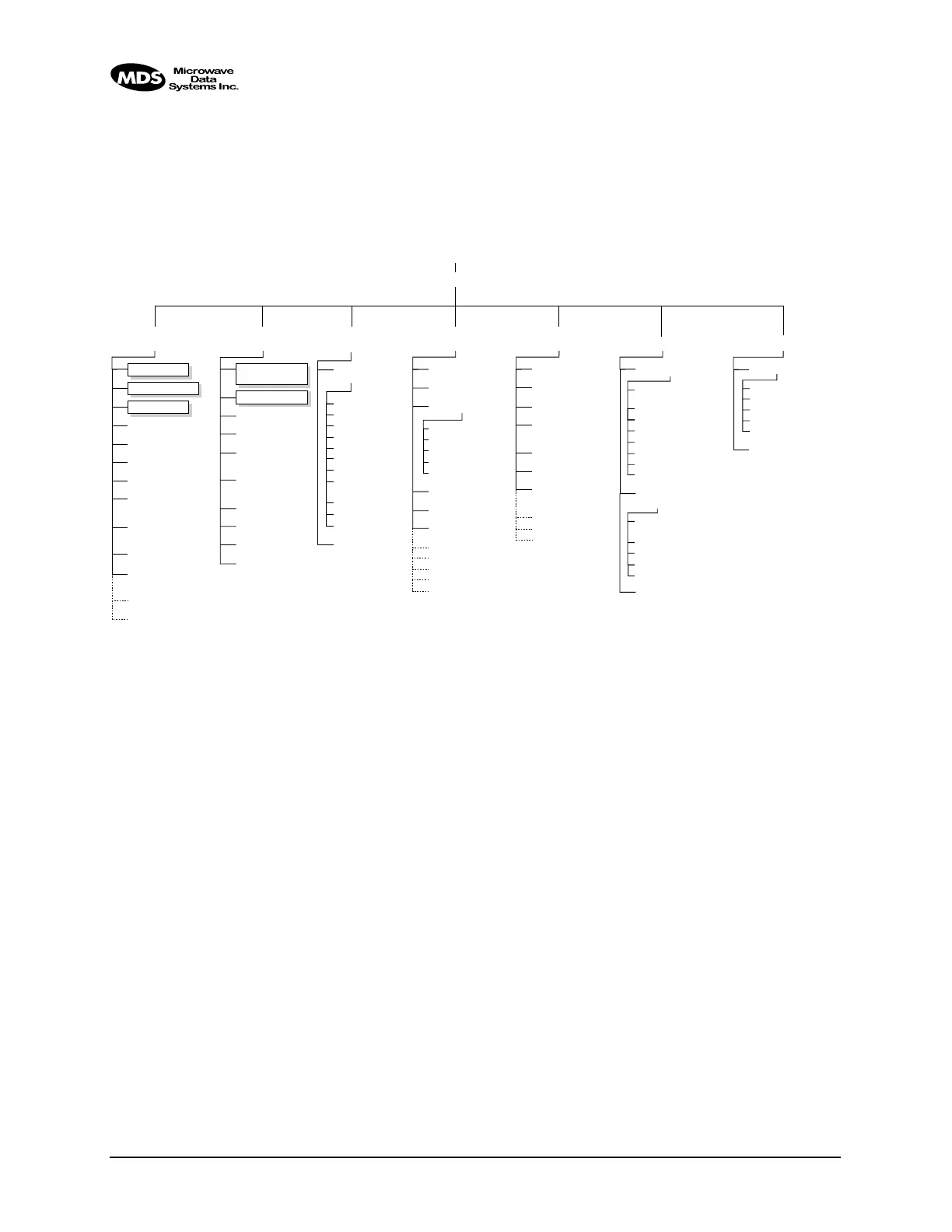
Below is a flowchart that displays the basic organization of the iNET
Management System (iNET MS). This chart does not show the fourth
level menu items but it shows the general structure of the system and
where to find key items. (All menu items are discussed in this manual.)
Figure 2-1. MDS iNET 900 Embedded Management System Organization
User Password
Console Baud Rate
Device Names
Device Name
Owner
Contact
Description
Location
Date
Time
Date Format
Model Number
Serial Number
Hardware Version
Firmware Version
Uptime
NOTES
• Not all items are user configurable
• Some menu items depend on Device Mode
• Dotted lines indicate read-only items
• Basic configuration parameters are shown in boxes • RMT = Remote Only
• Use keyboard’s spacebar to make some menu selections • AP = Access Point Only
Network
Configuration
Radio
Configuration
Serial Gateway
Configuration
Device
Information Maintenance Diagnostic Tools
Performance
Information
RSSI by Zone
Event Log
Packet Statistics
Wireless Network
Status
(RMT)
Remote Listing (AP)
Endpoint Listing (AP)
Remote Perf.
Listing
(AP)
RF Power Output
Signal-to-Noise
RSSI
Reprogramming
TFTP
Host Address
TFTP Timeout
Filename
Retrieve File
Image Verify
Image Copy
Active Image
Reboot Device
Configuration
Scripts
TFTP Host
Address
Filename
TFTP Timeout
Retrieve File
Send File
Authorization Key
Radio Test
Test Mode
Frequency
TX Output Power
TxKey
RSSI
Ping Utility
COM1 & COM2
Serial Data Port
Enable
Mode
Data Baud Rate
Flow Control
Send to Address
Sent to Port
Receive on Port
Receive on
Address
Seamless Mode
Delimiter Chars
Latency Chars
Serial Data
Statistics
STARTING INFORMATION SCREEN
MAIN MENU
RF Output
Power
Data Rate
Dwell Time
Beacon Period
Hop Pattern
Seed
(AP)
Fragmentation
Threshold
RTS Threshold
RSSI Threshold
SNR Threshold
Skip Zone Options
Device Mode
Network Name
IP Address
IP Netmask
IP Gateway
SNTP Server IP
DHCP Enable
SNMP Config.
Menu
Max. Allowed
Remotes
(AP)
Required AP (RMT)
Backup Network
Name (RMT)
Ethernet Address
Wireless Address



 To Next Page