MDS 05-2806A01, Rev. A MDS iNET 900 User’s Guide 19
2.1.2 Differences in the embedded management
system’s browser and text-based user
interfaces
There are slight differences in navigation, but for the most part, the con-
tent is the same. You will find a few differences in capabilities—the
communications tool is driven by limitations of the access channel.
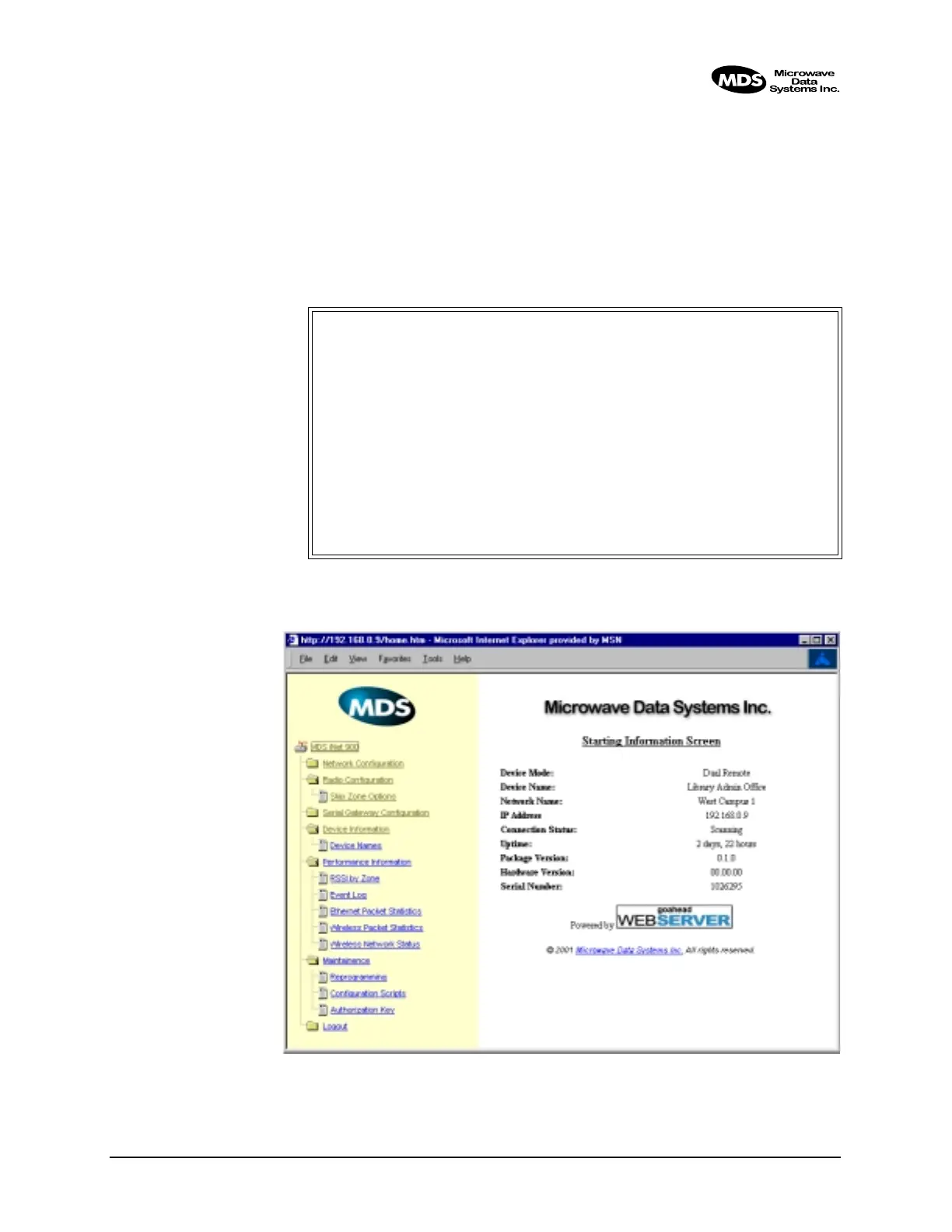
Below are samples of the Starting Information Screen seen through a
terminal and a Web-browser.
Figure 2-2. View of iNET MS with a text-based program—
(terminal or Telnet)
Invisible place holder
Figure 2-3. View of the iNET MS with a Browser
MDS iNET 900
Starting Information Screen
-==========================================================================-
Device Mode: Dual Remote
Device Name: Library Admin Office
Network Name: West Campus
IP Address: 192.168.0.9
Device Status: Scanning
Uptime: 2 days, 20 hours
Firmware Version: 1.1.0
Hardware Version: 00.00.00
Serial Number: 1026295
Press 'G' to go to Main Menu



 To Next Page