Initial System Configuration
48 03-11-24 1004en01
6.3 Setting up the CA620-CellGuard
for PLT Concentrate
The CA620-CellGuard used as a monitor for PLT concentrates, accepts the sam-
ple at the open aspiration pipette.
Normal range values andl floating discriminator settings are as default the most
common and correct settings.
Parameters that are not valid are as default blocked from the display (e.g. HGB
and related parameters are not displayed and printed). Hence, no extra settings
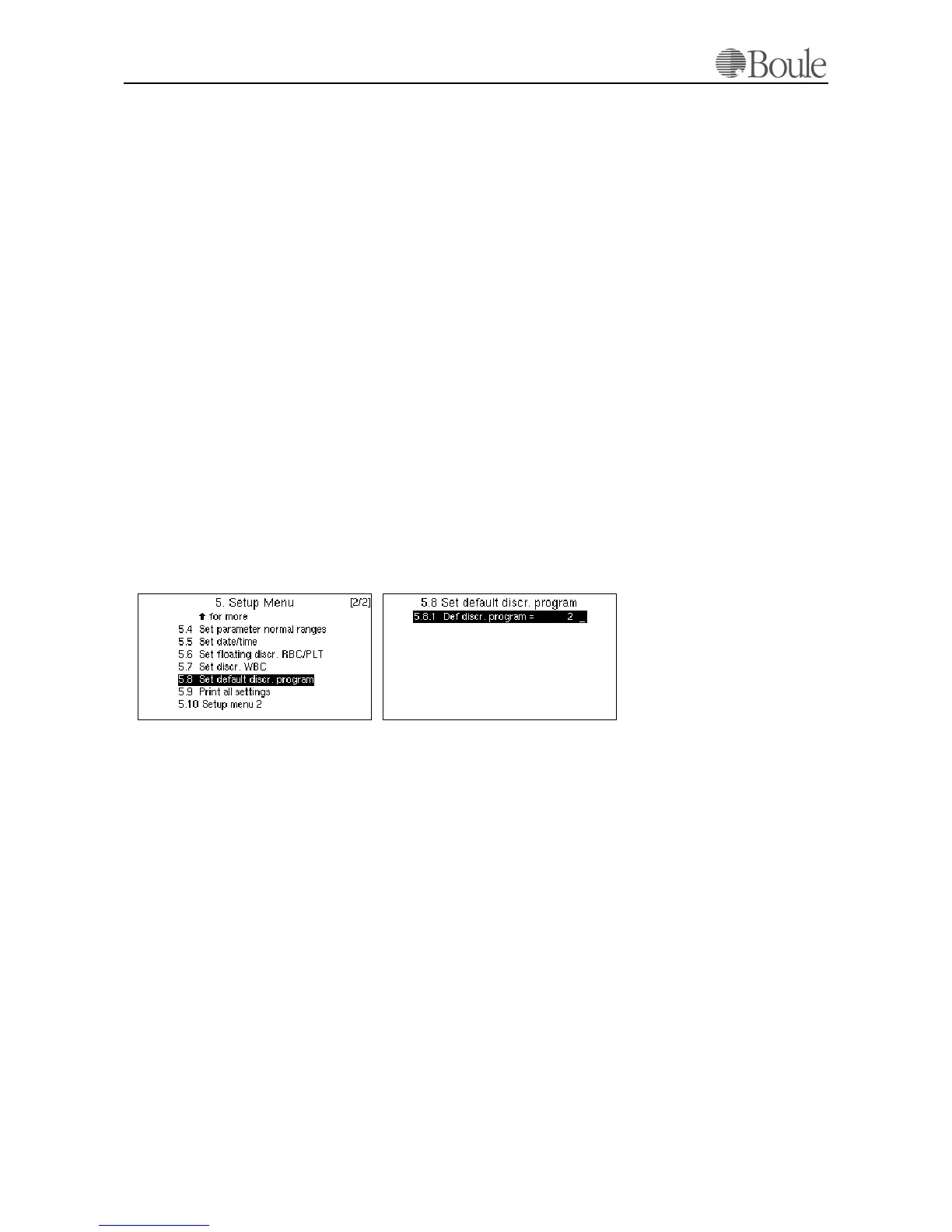
are needed except that the instrument must be programmed as default in 'PLT
concentrate mode'.
To do so:
1. Press [Menu] until the main menu is displayed.
2. Scroll with the up-down arrow keys to line 5.
3. Press [Enter]
4. Scroll to line 5.8
5. Press [Enter]
6. Press digit [2]
7. Press [Enter]
This sets the CA620-CellGuard to PLT concentrate operational mode as default.
6.4 CA620/530
The CA620/530 is configured as default to the most common use. This applies
to “Normal Ranges”, “Floating Discriminator Settings” and “Units”. Default set-
tings of the instrument can be printed out after the installation procedure by se-
lecting menu 5.9.
Menu 5.8 is set to ‘1’ as shown in Setting up the CA620-CellGuard for Pre-
Donor Screening on page 47.
1038en.gif 1041en.gif



 To Next Page