Calibration and controls
84 03-11-24 1009en01
The following calibration procedure is used for the CA620 and the CA620-Cell-
Guard, using a Boule certified whole blood calibrator:
1. Run the calibrator 5 times at the open tube inlet. Follow the guidelines
shown in Use of Calibrators and Controls on page 81 above. Enter the
ID 888+ for each run; entered as 888 and terminated with the right-arrow
key. See Print control blood id:s on page 70. In case the calibrator was read
by a bar-code reader as outlined in Initializing the Levey-Jennings Plots
and Functions on page 87, use the calibrator ID instead of the 888+ entry.
To display a quick overview which controls and calibrators are defined, go
to menu 5.10.9 and press [Enter] to print a list with control/calibrator def-
initions.
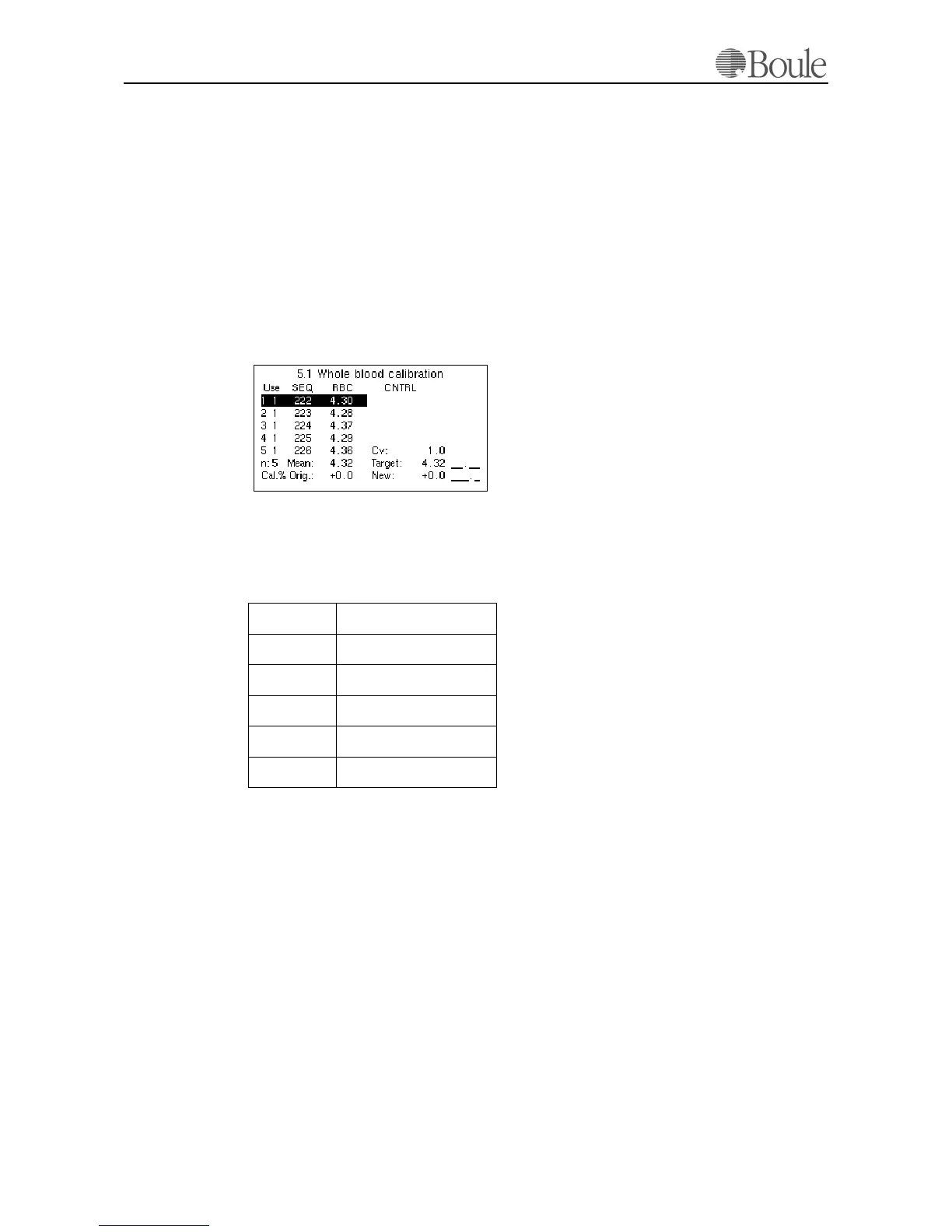
2. Go to menu 5.1. The following is displayed:
The mean value and CV of the last 5 samples are shown.
3. Scroll with the “left/right” key to the parameter that has to be calibrated and
check that the shown CV values
1
are less than:
In case one run should be excluded from the auto calibration to reduce the CV,
move the cursor to the specific sample and press [Enter]. The display of “Use”
will show “0” on such sample, indicating that it is not included in the auto cali-
bration.
It is also possible to print out a sample by moving the cursor to a sample line and
pressing the [Print] button.
WBC < 4%
RBC < 1.8%
PLT < 6%
MCV < 1%
HGB < 1.8%
MPV < 5% (if applicable)
1. The CV values are stated higher than the typical CV of the instrument due to
the limited number of sample runs.
1139en.gif



 To Next Page