03-11-24 61
8 User Interface
This section describes the function of each available menu in the instrument that
is not described in any other section of this manual.
The service menu is described in the service manual and is available in English
only to your authorized distributor.
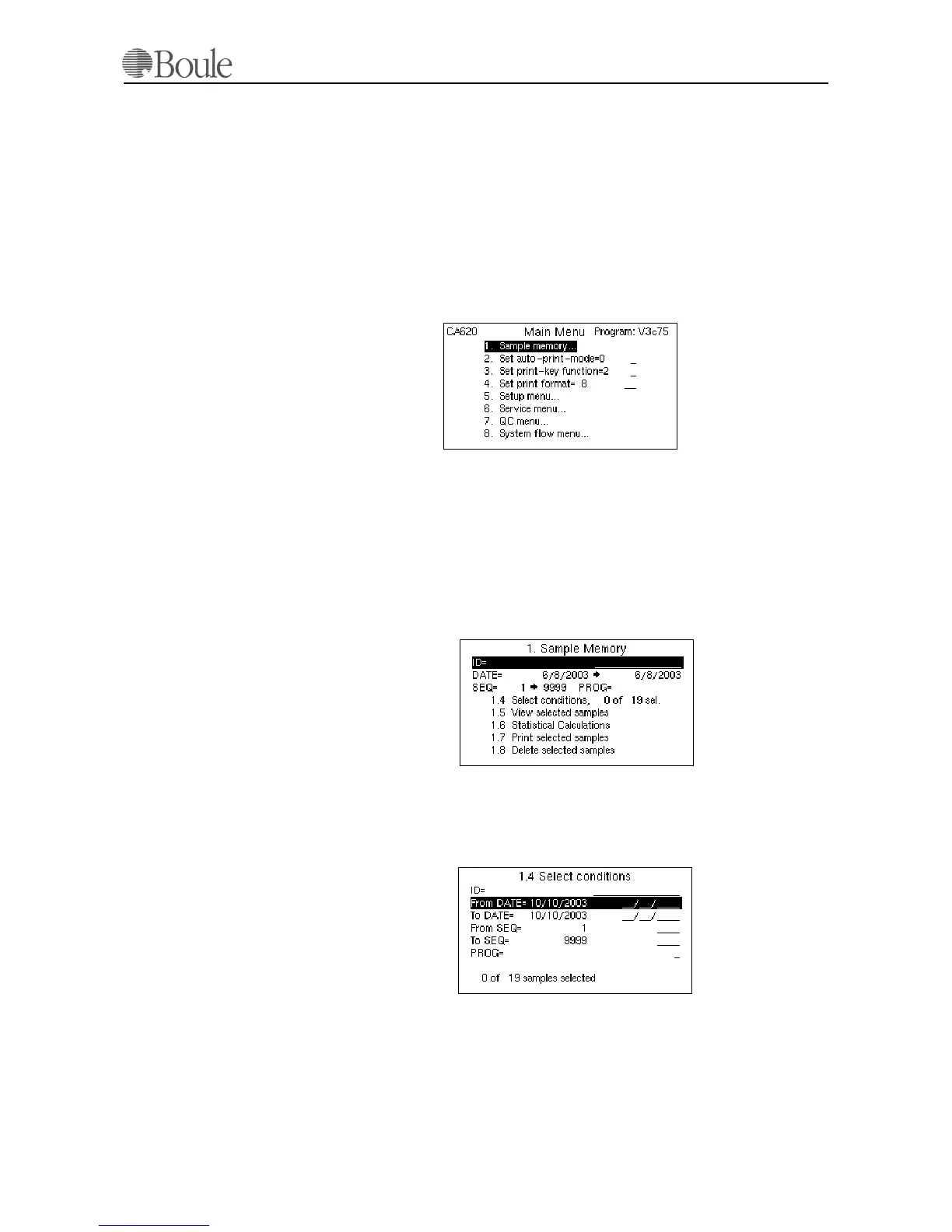
The main menu is used to directly select the most commonly used functions. Di-
rect access to the Sample memory, as well as easy access to the System flow menu,
is provided.
8.1 Sample Memory
Entering position 1 from the main-menu gives access to the sample memory.
View, print Statistical calculations and delete functions are selected by ID#, SEQ
#, Date or PROG in any combination. In case the memory is full, the oldest sam-
ple is automatically deleted. As default, the current date is used, giving direct ac-
cess to all samples during the current day.
In the display example above it is seen that a total of 19 samples are in memory
but none (0) during the current date. The whole memory, in this example 19 sam-
ples, is selected by just pressing [Enter] at the “From Date” line in menu 1.4.
Use the arrow down key to select other condition-selections. The selected num-
ber of samples is always displayed as well as the total number in memory. Press
[Menu] to return to the previous menu 1.4 to 1.8.
Please find below some examples how the sample memory can be used.
1071en.gif
1072en.gif
1073en.gif
1006en01



 To Next Page