03-11-24 87
11 QC and Blood Controls
11.1 Introduction
The CA620 is equipped with a QC memory capable of displaying and printing X-
B and Levey-Jennings plots. The X_B algorithm is defined as the Bull's weighted
moving average model. Long term drift in the sample parameters MCV, MCH
and MCHC are monitored.
Levey-Jennings Plots are used to monitor the short term stability of the instru-
ment using blood controls. To use the L-J function, Boule's blood controls must
be used and the bar-code reader must be installed to define the parameter ranges
and to identify the control.
Note:
Refer to section “Calibration” how to handle the blood control and how to dry
the aspiration pipette manually in order not to contaminate the blood controls.
See Use of Calibrators and Controls on page 81.
CA620 and CA530 without bar-code reader.
Blood controls must be identified with the ID number 777+ (low), 888+(norm)
and 999+ (high). The “+” sign is entered by pressing the right arrow key.
PROG8 (CNTRL8) is used for the definition of discriminator settings and “nor-
mal range” settings. Note that the Levey-Jennings plots are not available in case
the bar-code reader is not installed.
11.2 Initializing the Levey-Jennings Plots
and Functions
To initialize the L-J functions for the blood control(s), the bar-code reader must
be installed.
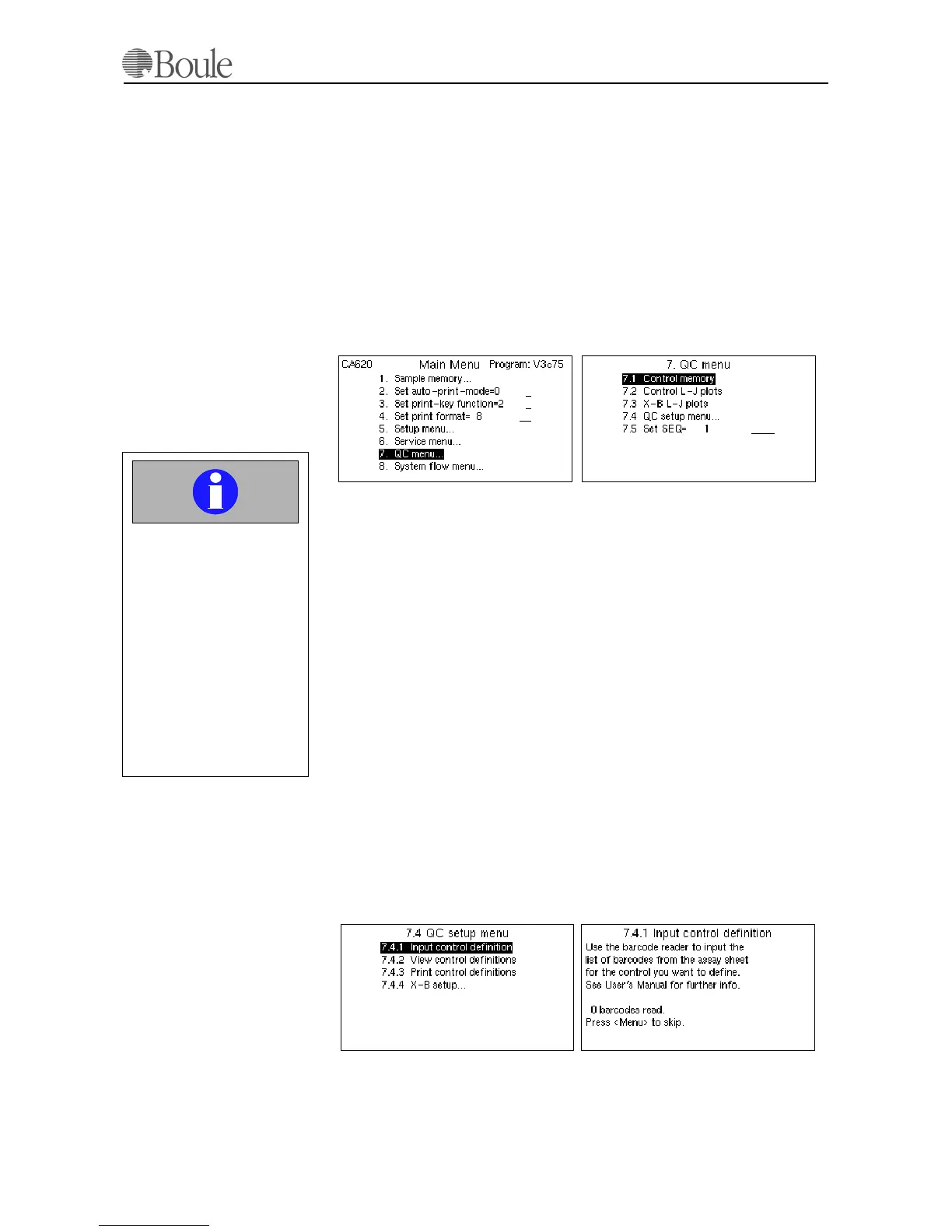
Enter menu 7.4 and 7.4.1.
Follow the instructions on the control assay sheet how to read the blood control
data.
1158en.gif
1157en.gif
Important
Do not forget to dry the
aspiration pipette manually
on the outside at each con-
trol blood run and do not
push the control sample
tube against the upper
washing device.
Not following this disci-
pline might give dropping
values for the RBC, HGB,
PLT and WBC parameters.
1160en.gif
1159en.gif
1156en01



 To Next Page