Installation
44 03-11-24 1003en01
Printer installation (optional)
In case the DPU411-type II/DPU414 printer is used as supplied through Boule,
connect the printer to the print outlet as shown below.
Follow the instructions as shown in the DPU411-type II/DPU414 user manual
how to insert paper and how to set the printer 'on-line'
In case an IBM compatible printer Epson or HP printer is used, please refer to
Printer and Serial Output on page 93.
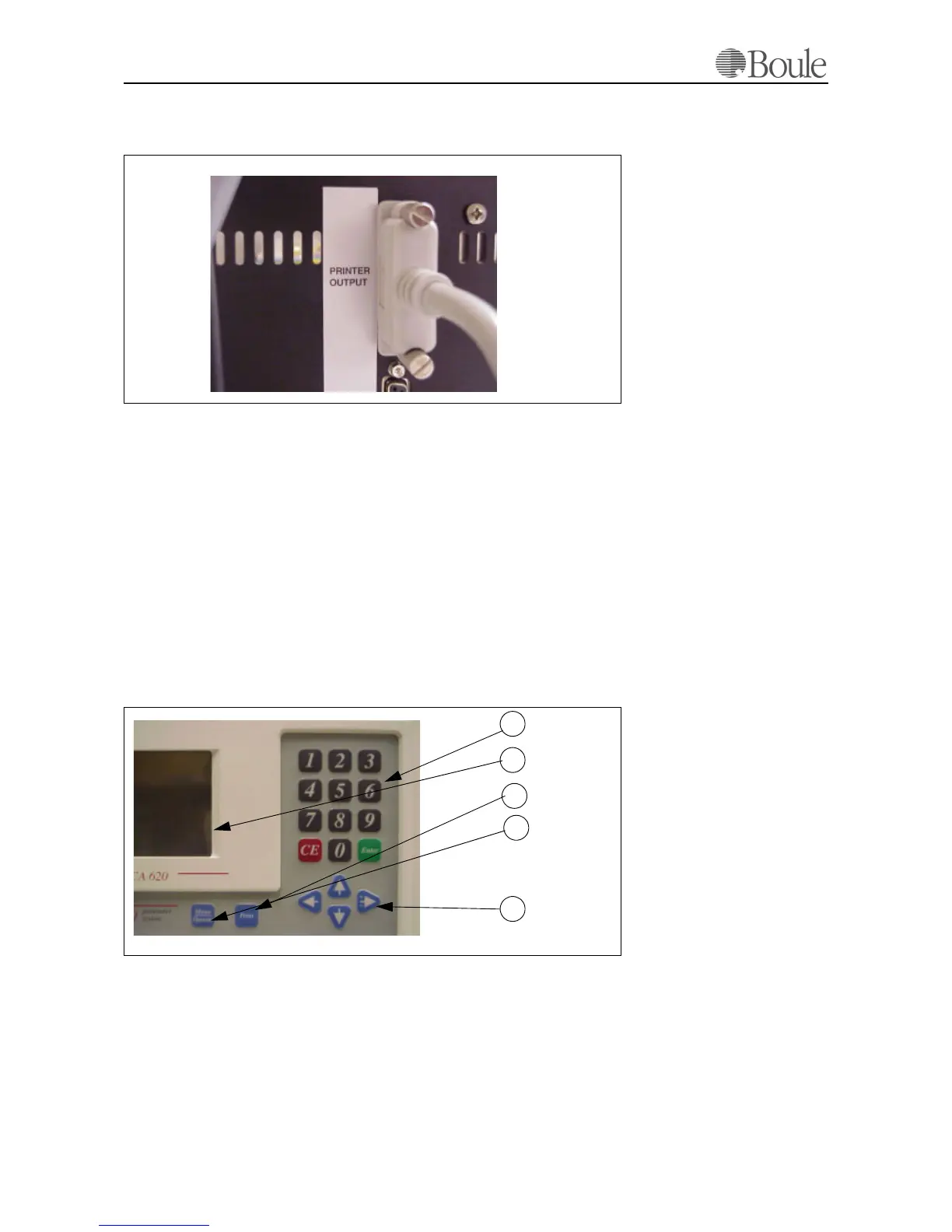
5.4 Front Panel and Command Keys
The front panel of the instrument consists of:
1. Numerical keyboard
2. Display
3.
[Print]
4. [Menu] button
5. Arrow keys,
1030.tif
1031.tif
1
4
3
2
5



 To Next Page