Calibration and controls
1009en01 03-11-24 83
5. Check that the CV values
1
of the measured parameters are within the fol-
lowing ranges:
6. Calculate the difference as per cent between the mean of the results ob-
tained by the instrument and the known values of the sample.
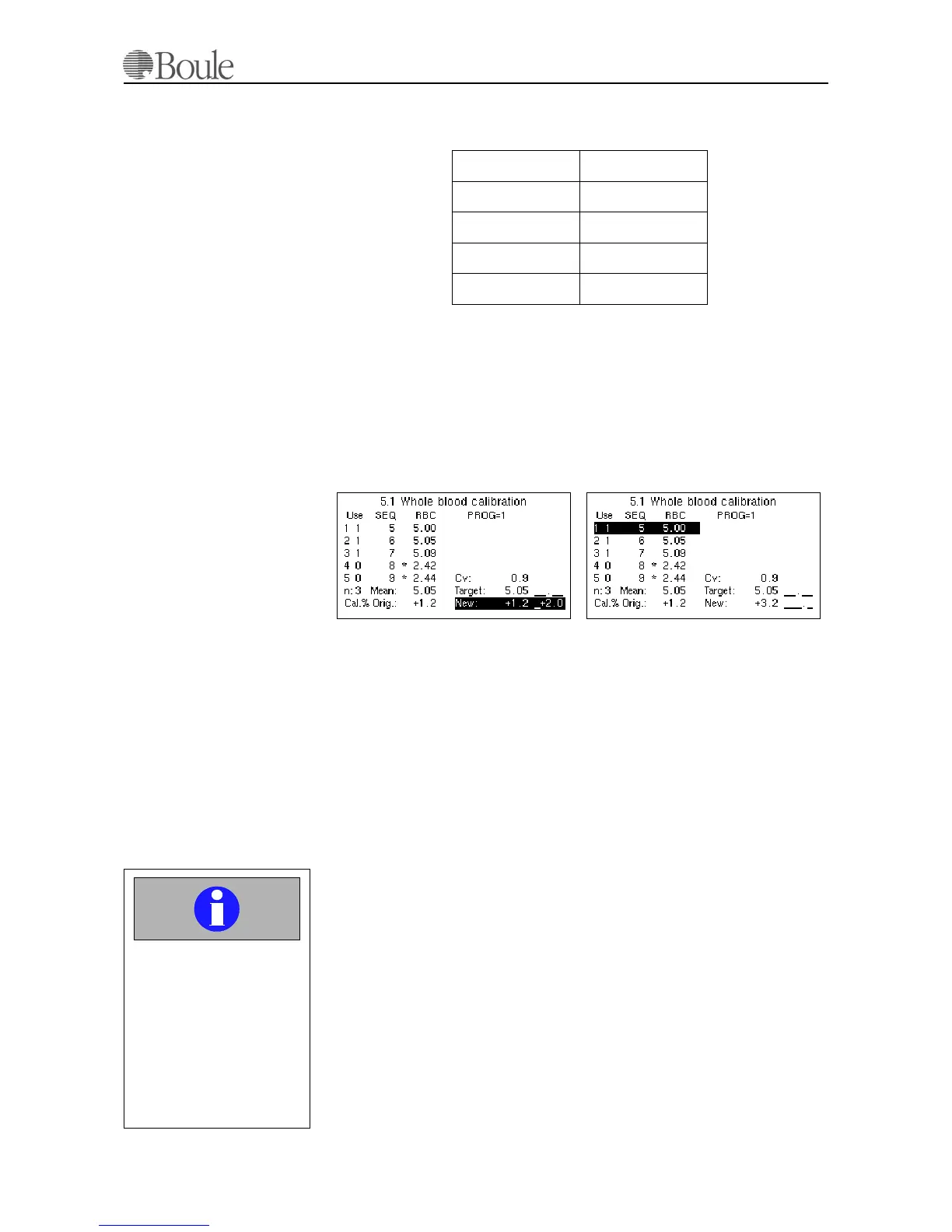
7. Select “Calibration Whole Blood” from the “Setup menu”.
8. Scroll to the parameter that has to be adjusted and enter the percentage that
was calculated. Use the -/+ key (=right arrow key) to select a - or a + cor-
rection.
In the example below, the RBC is adjusted with +2.0%
Hence, the direct calibration method is performed by selecting the parameter to
be adjusted with the arrow keys, move the cursor to the field “New” (cursor field
in case of a CA530) and enter the calculated percentage.
9. The last run sample will be recalculated and can be printed on the selected
printer output.
10.4 Calibration Through a Certified
Calibrator
Recommended calibration periods is twice a year with a “Hematology Blood Cal-
ibrator” certified by Boule.
Good laboratory practice involves regular daily checks with blood controls to as-
sure the analyzer and reagents are fully functional. Calibration procedures are car-
ried out to minimize any possible drift caused by tolerances in reagents,
environment- changes or instrument.
Please note that calibration is only possible on measured parameters e.g.:
RBC, WBC, MCV, HGB and PLT.
Use a Boule certified PLT-Concentrate calibrator to calibrate the CA620-Cell-
Guard for PLT concentrates on the PLT-C and MPV-C parameters. The proce-
dure is identical as described below.
1. The CV values are stated higher than the typical CV of the instrument due to
the limited number of sample runs.
WBC < 2.8%
RBC < 1.2%
PLT < 5.5%
MCV < 0.8%
HGB < 1.2%
1137en.gif
1138en.gif
Important
Do not calibrate the in-
strument using commer-
cial controls or calibrators
with values given for other
analyzers.
This might lead to incor-
rect calibration of the in-
strument.



 To Next Page