Calibration and controls
86 03-11-24 1009en01
10.7 Calibration of RDW, LYMF and GRAN
The calibration of the RDW parameter is performed in a different way due to the
calculation of this parameter. The RDW is calibrated only on the last run sample.
In case no calibrator with known RDW values is available it is recommended to
run 5 normal samples and to calculate the mean of the RDW values. Adjust the
RDW calibration menu 5.1 so that the mean value of these 5 samples is 12.5-14%.
If RDW values for the calibrator are available, set the RDW to the target value.
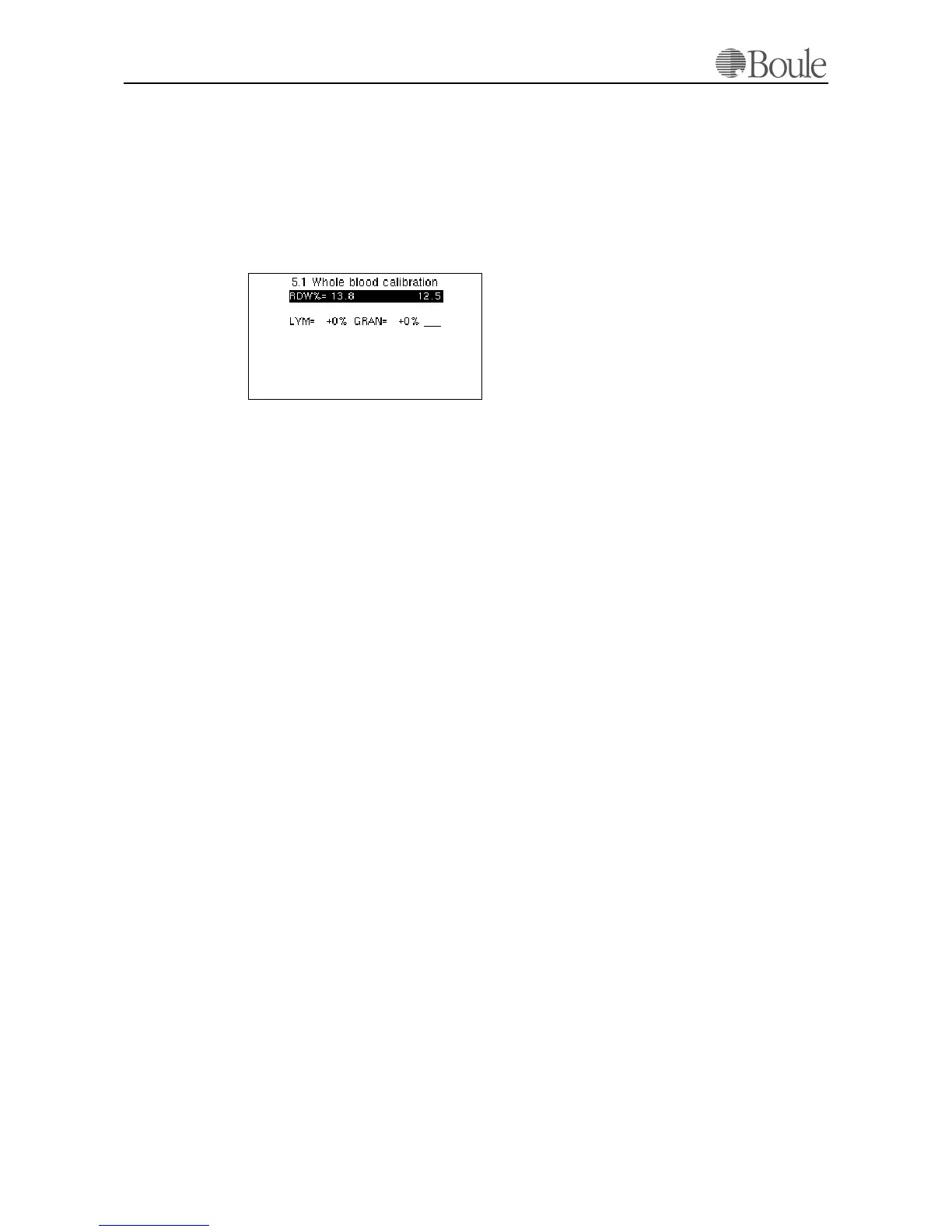
An example of the CA620 display:
In the example above, the last sample showed RDW=13.8. The new target value
is entered as 12.5%. The last sample is recalculated to the target value.
Please note that RDW% obtained from blood samples is depending on:
a) How the blood was collected.
b) Temperature conditions in the lab.
c) Mixing conditions of the sample.
d) Type and condition of EDTA in the sample tube.
It is therefore recommended to adjust the RDW calibration within the local en-
vironment.
LYMF and GRAN calibration
In this menu line a correction factor for LYMF/GRAN can be entered. For ex-
ample if we want to increase all GRAN readings with +10%, enter +10 and press
[Enter]. Lymphocytes will be than be adjusted with -10% and Granulocytes to
+10% in respect to the original settings. It is not recommended to use this 'cali-
bration' without instructions from the manufacturer.
1142en.gif



 To Next Page