User Interface
66 03-11-24 1006en01
c) PLT conc. mode is set to “0” as PROG 1 is assigned to “Blood mode” only.
PLT concentrate mode
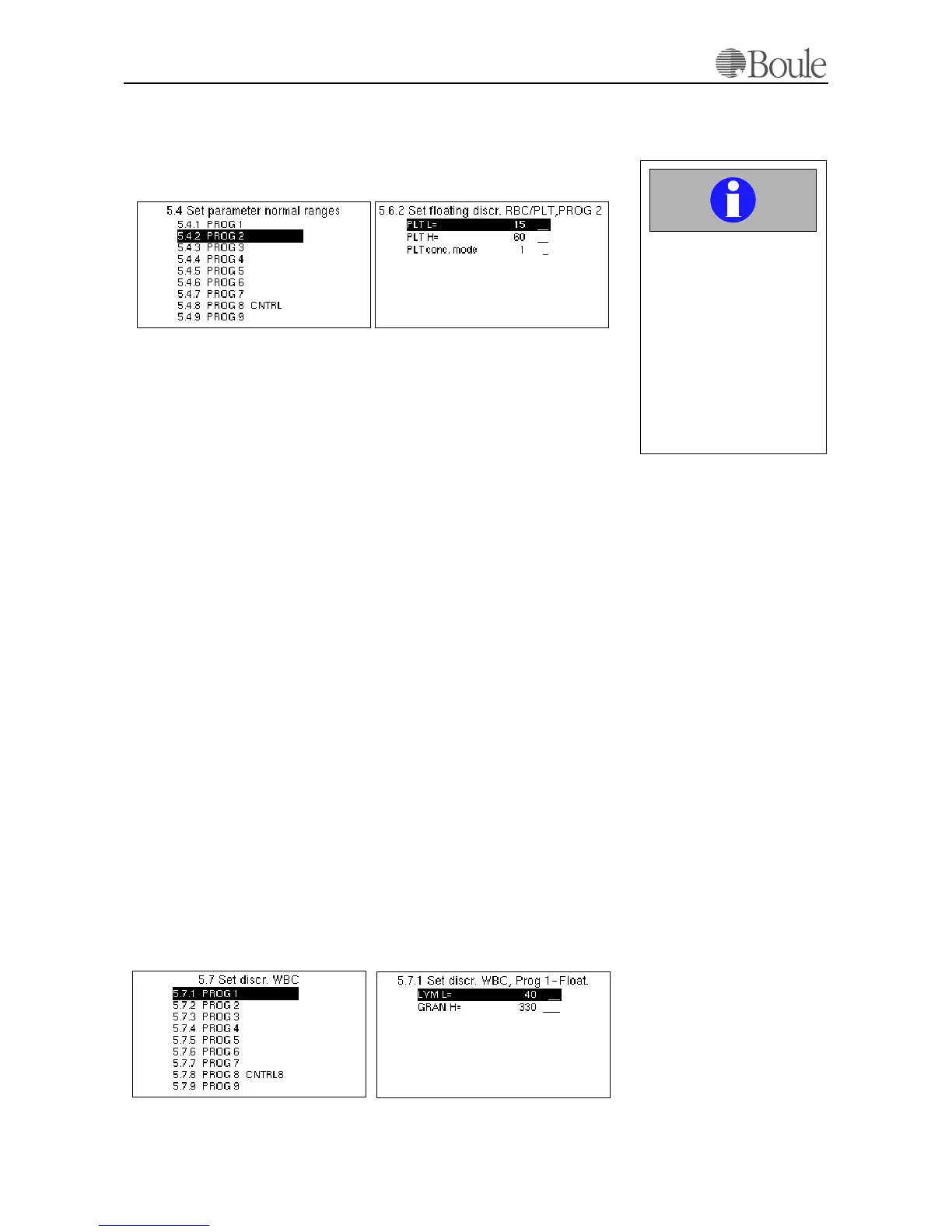
The example below shows the default values set for PROG 2, which is assigned
to “PLT concentrate mode”.
The displayed fields are:
a) PLT-L. The lowest possible setting for the floating threshold between PLT
and RBC in fl (=
µm
3
). As default this is set to 15 fl
b) PLT-H. The highest possible setting for the floating threshold between PLT
and RBC in fl (=
µm
3
). As default this value is set to 60 fl, which is the max-
imum level available in this menu.
c) PLT conc. Mode is set to “1” as PROG 2 is assigned to “PLT concentrate
mode” only. Setting this menu to “1” enables the PLT-H setting to a maxi-
mum level of 60 fl. This setting (60fl) is chosen as default in PLT concen-
trate mode to include possible macro PLTs in the total PLT count.
This setting “1” also enables the aspiration mode to switch to a time aspiration
instead of using the Blood detector.
Also, if PLT-H is set to 30 fl instead of 60 fl, all PLTs larger than 30 fl will be
reported by the system as RBCs, which might introduce a slightly false RBC pa-
rameter value. Therefore, it is recommended not to change this setting without a
compelling reason.
Set discr. WBC
Scroll with the arrow keys to menu 5.6 and press [Enter].
In this menu the total range is set in fl, for which the mathematics are applied to
check for a valid LYMF and GRAN population within the 3 part differential.
The settings in all PROGs are the same and set as default to 40-330 fl. Hence, the
software will look for a valid population where 2 main modes (peaks in the his-
togram) is found within this volume range.
It is not recommended to alter these settings without written instructions from
Boule.
The following is displayed.
1088en.gif1083en.gif
Important
Do not alter PLT conc.
mode. This must be “1” to
enable the correct sample
aspiration mode.
Setting PLT conc. mode to
“0” will aspirate the sam-
ple for 10 seconds and
macro Platelets up to 60fl
will not be counted.
1090en.gif1089en.gif



 To Next Page