User Interface
62 03-11-24 1006en01
Question 1 (example):
To-days date is 20 July 2003. We have a sample in memory tagged as ID = 1021.
This sample was analyzed 9 times during this day. We want to determine the CV
of this sample.
Answer:
1. Enter the “Sample Memory”.
2. Scroll to “ID =”
3. Type 1021
4. Press [Enter]
Now, the display shows SEL “9 of 75”, confirming that 9 samples with this ID
were found in memory of total 75 samples.
5. Scroll down to “Statistical Calculations”.
6. Press [Enter]
7. Press [Print] if a printout is required.
Note:
Statistical calculations are done on both Normal+Abnormal and Normal param-
eter values only.
“Abnormal parameter values” are defined as being all values except 0 or out of
measuring range.
Normal parameter values are values within the parameter normal range as set in
menu 5.4.
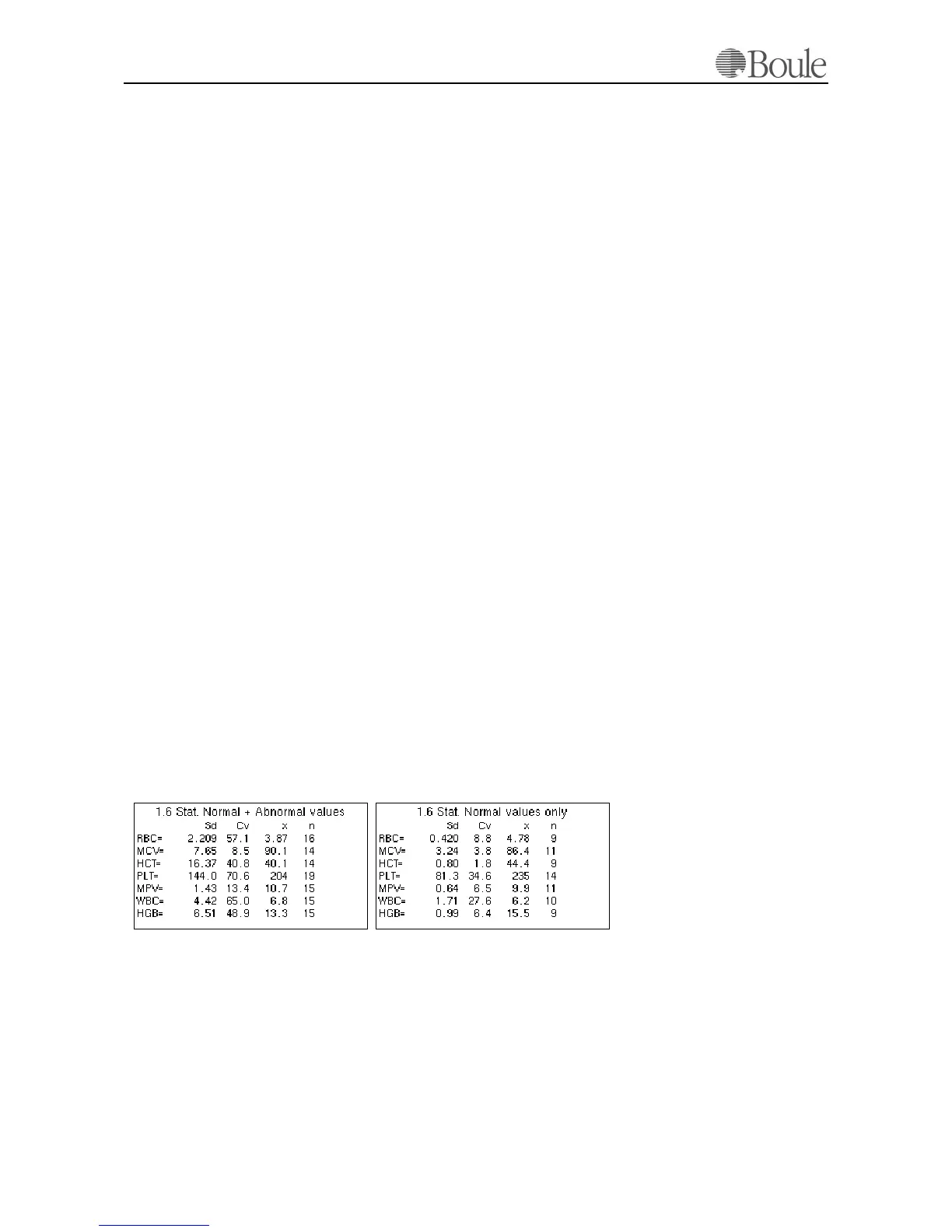
SD, CV, X and n are displayed for each parameter.
Use the “left/right”- keys to scroll between the parameters and use the “up/
down”-keys to select SD, CV, X or n for NORM+ABN or NORM values only.
Pressing [Print] will print all available data to the selected printer. This is the rec-
ommended way of listing the statistical calculations.
Below is an example of a Statistical calculations display with no specific ID selec-
tion:
The example above shows that on RBC, 16 samples are present in the selected
memory whereof 9 within the normal range.
Question 2 (example)
We want to have access to all samples in memory and scroll backwards through
all samples.
1075en.gif
1074en.gif



 To Next Page