User Interface
1006en01 03-11-24 69
Applicable for CA620 CellGuard
Scroll down with the arrow key to menu line 5.10.4.2.
In this menu line “Blood det. PLT-C” the aspiration time is set in seconds. As the
Blood detector cannot detect PLT concentrate, this function is disabled and the
aspiration of the sample is based on a time set in this menu. To check that this
time is correct, observe the flow of the PLT-concentrate during the sample aspi-
ration. The aspiration should stop when the PLT concentrate has passed the
blood detector with at least 3 cm. If not, adjust the setting accordingly.
An aspiration time of 1.5 seconds is set as default as seen above.
Hence; the text “0=ON” means that the blood detector is enabled. If set to a val-
ue > 0, the aspiration timer is enabled and the display shows the aspiration time
in seconds.
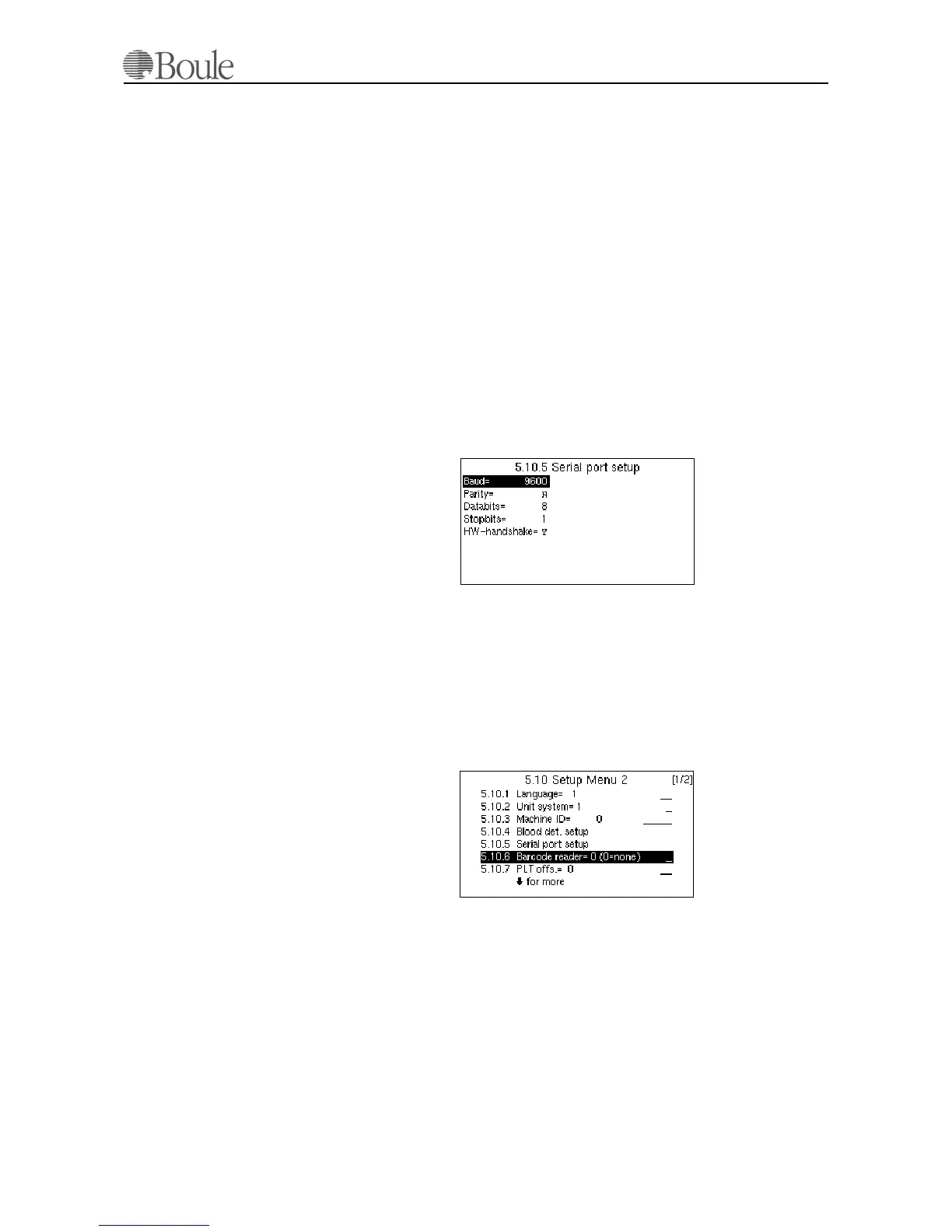
Serial port setup
In case the instrument is connected to an external computer, the serial data flow
has to be set. Scroll to this menu line with the arrow keys and press [Enter].
The following is displayed.
Change the setting, if required, by using the “left/right” arrow keys and jump to
another line within this menu with the “up/down” arrow keys.
See further in section Printer and Serial Output on page 93.
Barcode reader
In case a Barcode reader is connected (available from Boule as optional device),
the device must be enabled in this menu.
Scroll with the “up/down” arrow keys to line 5.10.6.
If no Barcode reader is connected, this line must read “0”. The available Barcode
reader from Boule is enabled by setting this line to “2”.
In case the ISBT code is used as standard in blood banks, select “4” instead. This
will cancel all leading “=” and “&” signs.
1096en.gif
1097en.gif



 To Next Page