3.3 Connecting the Manual Dosing Controller
■■■■■■■■■■■■■■■■■■■■■■
10
■■■■■■■■
876 Dosimat plus
CAUTION
Make sure that the flat side of the plug matches the marking on the
socket.
3.3 Connecting the Manual Dosing Controller
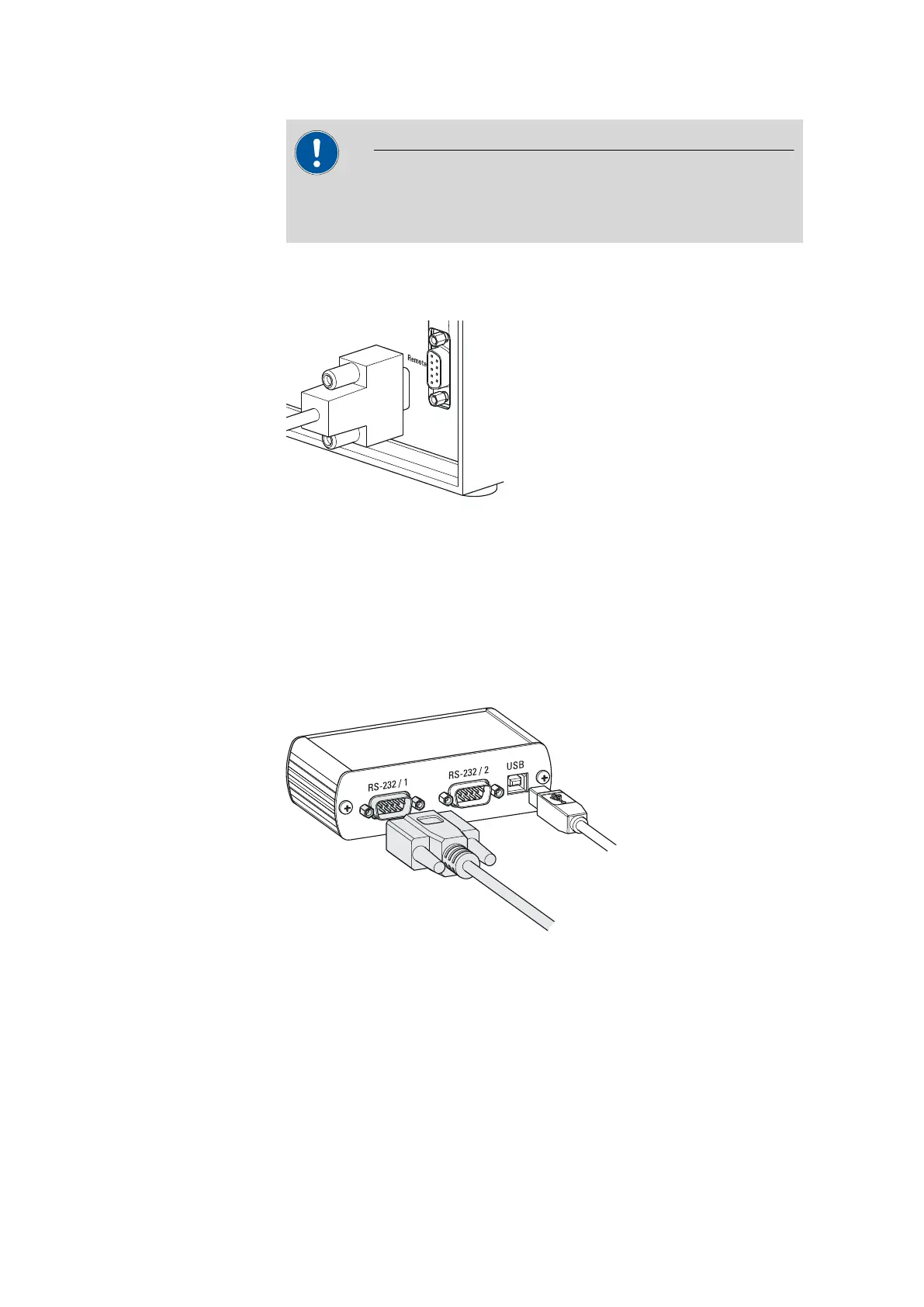
Figure 5 Connecting the Manual Dosing Controller
The Manual Dosing Controller is connected to the remote connector on
the rear of the instrument.
3.4 Connecting a balance
Balances are equipped with a serial RS-232 interface as a rule. To connect
a balance, you require a 6.2148.030 RS-232/USB Box.
Figure 6
Connecting a balance
When a 6.2151.020 USB cable is used, then the 6.2148.030 RS-232/USB
Box can be connected to the 876 Dosimat plus by means of a USB hub or
a 6.2151.100 adapter (see chapter 3.5, page 11).
Connect the 9-pin plug of the respective balance connecting cable to the
RS 232/1 connector. Consult the user manual of the balance in order to
select the correct connecting cable.













 To Next Page