Chapter 3 Operation
3-86
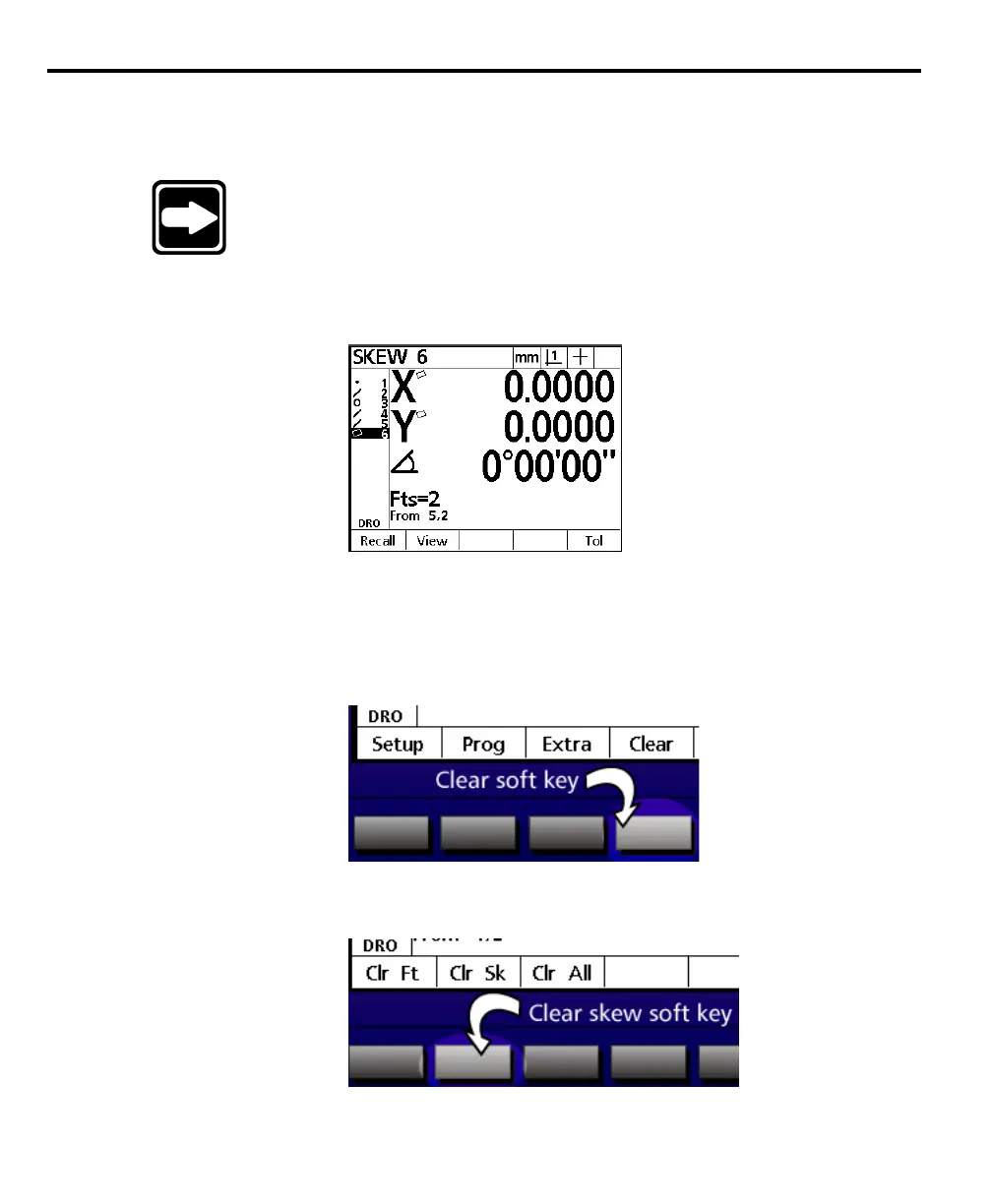
Deleting a Skew
Use the clear soft key to delete a skew. Skew features compensate for part misalign-
ment.
NOTENOTE
NOTENOTE
NOTE
Deleting the skew restores the QC200 to machine coordinates.Deleting the skew restores the QC200 to machine coordinates.
Deleting the skew restores the QC200 to machine coordinates.Deleting the skew restores the QC200 to machine coordinates.
Deleting the skew restores the QC200 to machine coordinates.
All features remaining in the features list display machineAll features remaining in the features list display machine
All features remaining in the features list display machineAll features remaining in the features list display machine
All features remaining in the features list display machine
coordinates after the skew is deleted.coordinates after the skew is deleted.
coordinates after the skew is deleted.coordinates after the skew is deleted.
coordinates after the skew is deleted.
To delete a skew
Step 1
Press the menu key.
Step 2
Press the clear soft key.
Step 3
Press clear skew (clr sk) soft key.



 To Next Page