Quadra-Chek
®
QC200
3-17
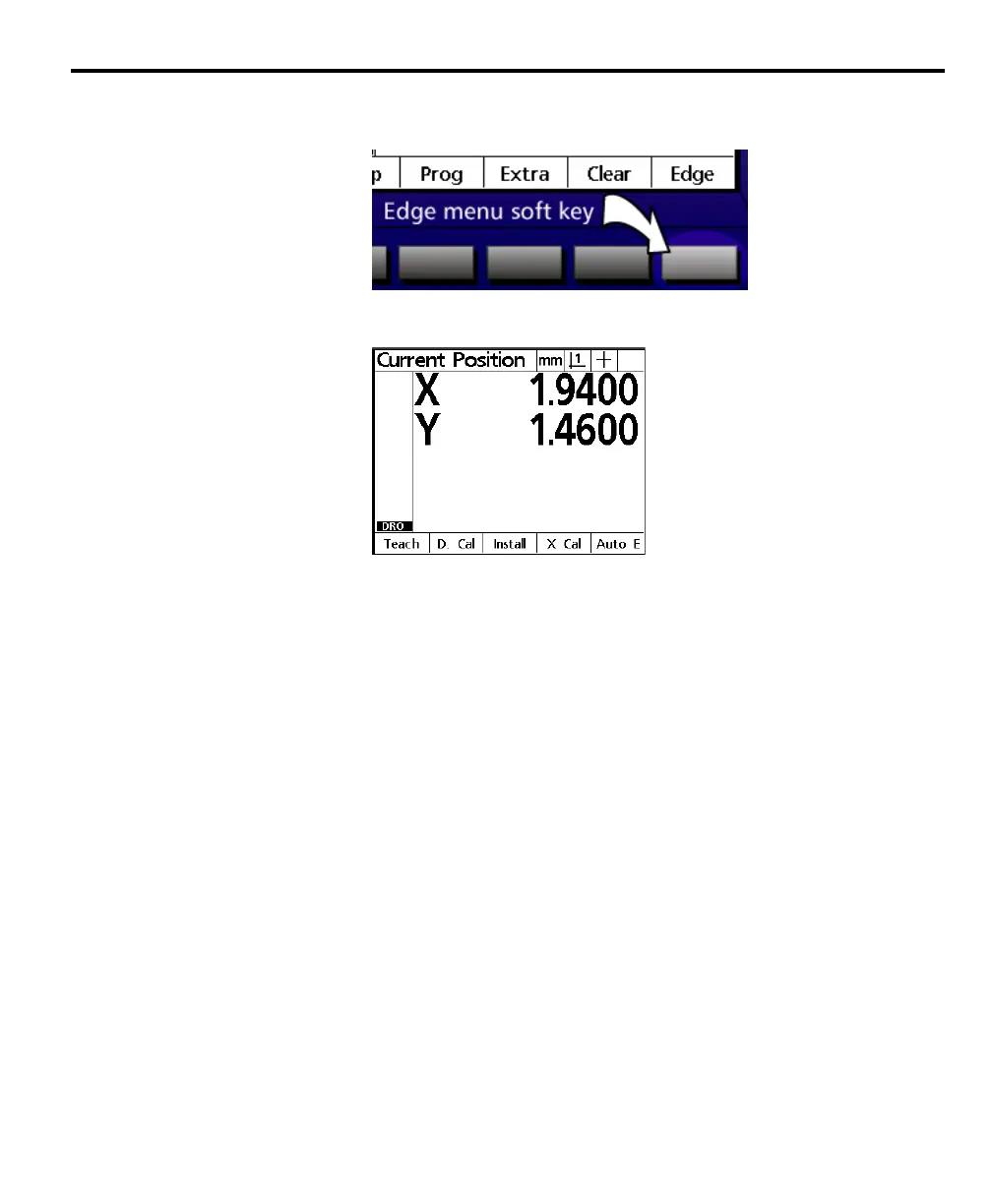
Edge menu
Pressing the edge soft key to display the edge detector soft keys.
There are five edge detector soft keys:
Teach
Use the teach soft key to ‘teach’ the edge detector to recognize light-to-dark or
dark-to-light transitions.
D cal
Distance calibrations (d cal) are performed by supervisors or dealer representa-
tives during the installation of edge detector systems. Users should not use the
d cal soft key unless directed to by qualified personnel.
Install
Supervisors and dealer representatives use the install soft key to install the edge
detector system. Users should not use the install soft key unless directed to by
qualified personnel.
X cal
Cross calibrations (x cal) are performed by supervisors or dealer representatives
during the installation of edge detector systems. Users should not use the x cal
soft key unless directed to by qualified personnel.
Auto e
Use the auto e soft key to toggle auto edge detection on and off when edge
detection is used in place of crosshairs.



 To Next Page