Chapter 3 Operation
3-30
Skewing the part
Accurate measurements require the part to be perfectly aligned on the coordi-
nate measuring system. An imperfectly aligned part yields inaccurate measure-
ments. Use the skew function to convert machine coordinates to part coordi-
nates and compensate for part misalignment. Measure a skew each time a new
part is mounted on the measuring system.
Measure a skew line by probing a straight edge of known orientation. Use a
minimum of 2 points and a maximum of 100 when probing the line. Remem-
ber that more points means greater accuracy.
Construct a skew line from previously measured features. For example, con-
struct a skew line using two circles. Keep in mind that the more points probed
on features used in the construction of a skew line, the greater the accuracy.
NOTENOTE
NOTENOTE
NOTE
Place the part within 45 degrees of the measuring machine’sPlace the part within 45 degrees of the measuring machine’s
Place the part within 45 degrees of the measuring machine’sPlace the part within 45 degrees of the measuring machine’s
Place the part within 45 degrees of the measuring machine’s
true orientation.true orientation.
true orientation.true orientation.
true orientation.
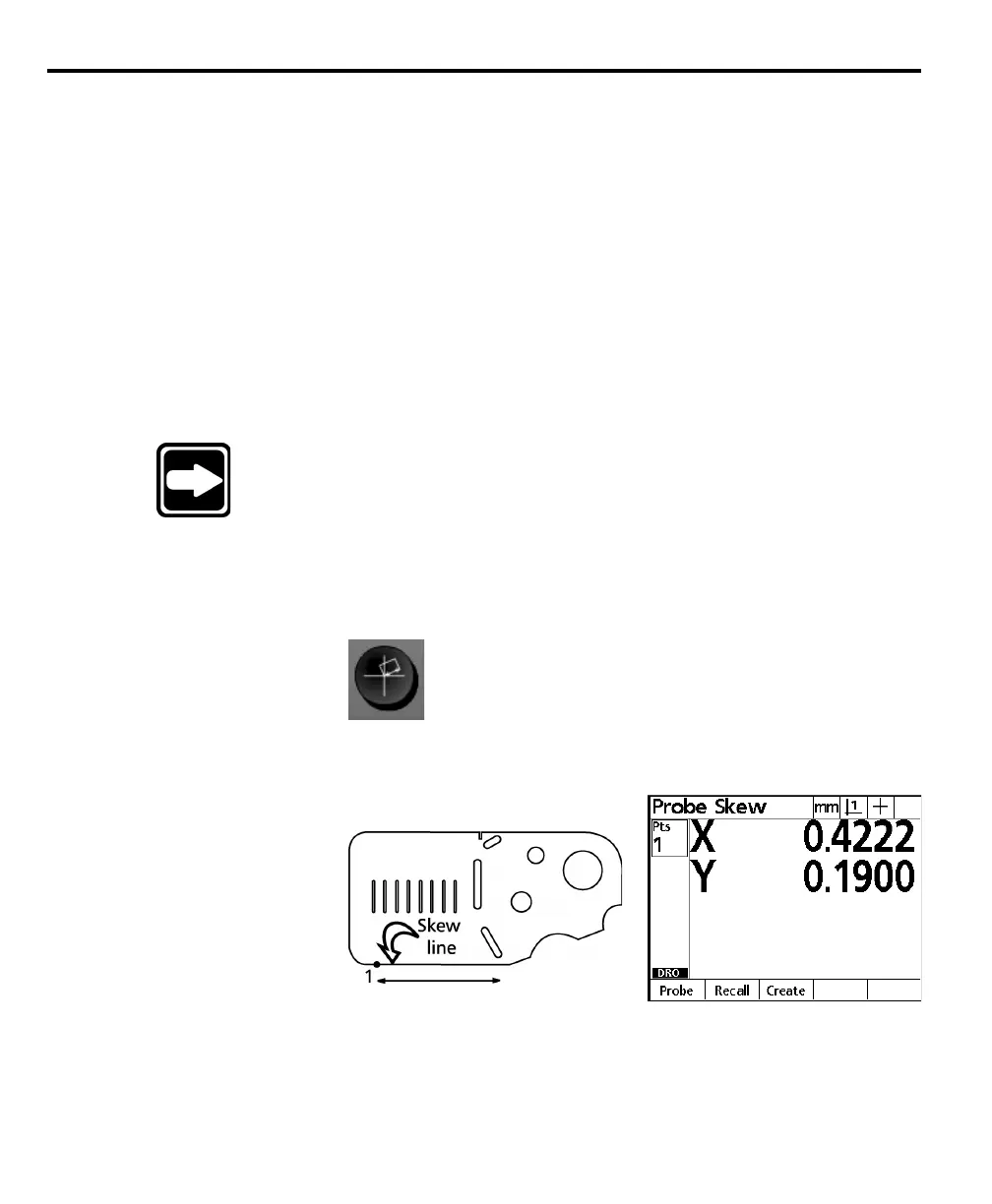
To skew a part
Step 1
Press the skew key.
Step 2
Probe the first point as shown.
Step 3
Press the enter key.



 To Next Page