Chapter 2 Quick-Start Demonstration
2-10
Set the Datum
All measurements are relative to the datum. The datum is the zero point or origin
of the coordinate system. Establish a datum once the part is skewed. The
simplest way to establish a datum is to zero the X and Y axes on a point. In the
example below, the skew line and a second line are used to construct a point.
Both axes (X and Y) are zeroed on that point which then becomes the datum.
The QC200 allows users to construct two reference datums for measurements.
Datum 1 is the original datum and datum 2 is a temporary datum useful for
incremental measurements. See chapter 3: operations for more details.
To construct a datum
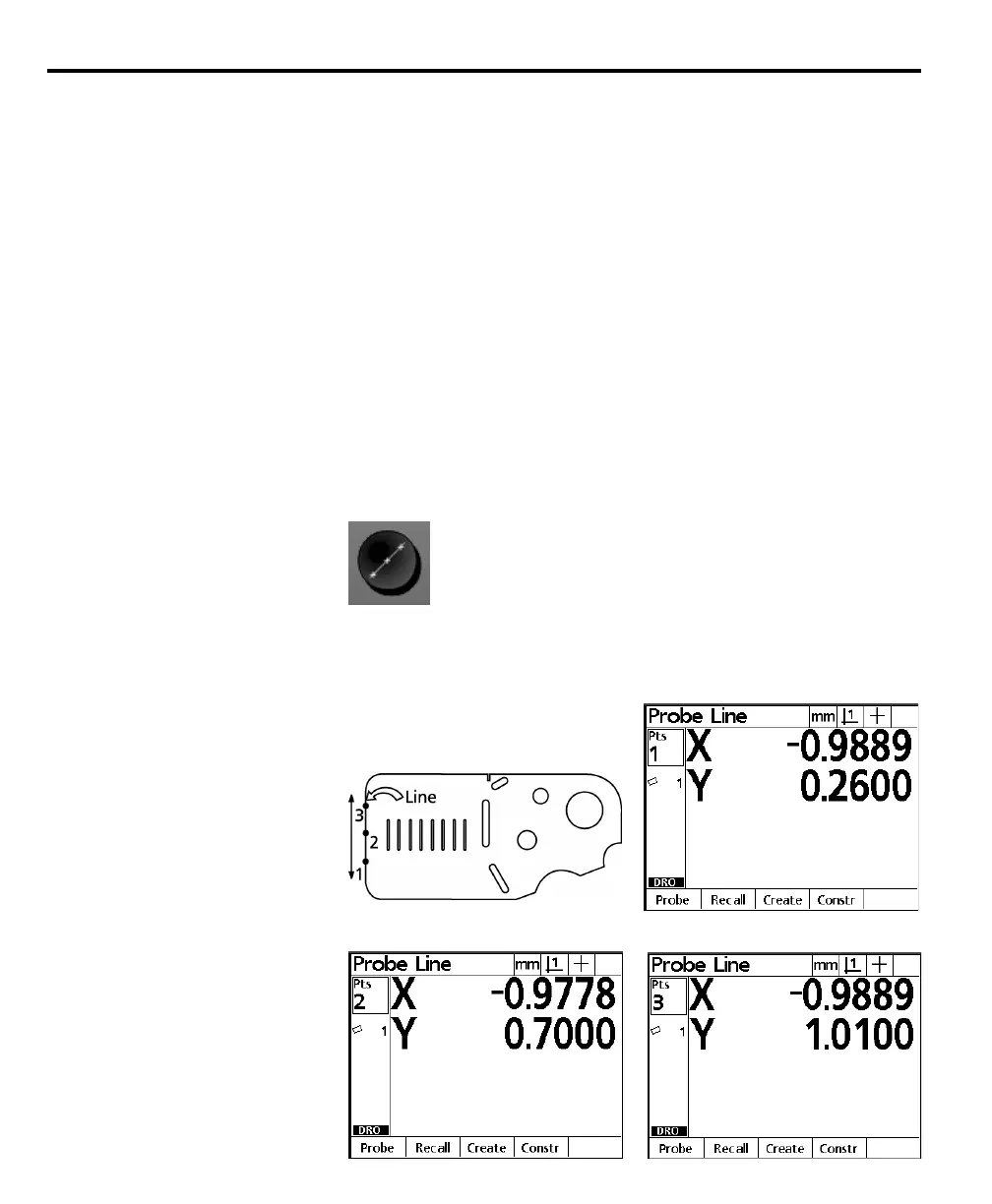
Steps 1 through 3 measure a second line. This line and the skew line will be used
to construct a point.
Step 1
Press the line key.
Step 2
Probe a minimum of two points along the line as shown. Press the enter key after
each point.



 To Next Page