Quadra-Chek
®
QC200
3-29
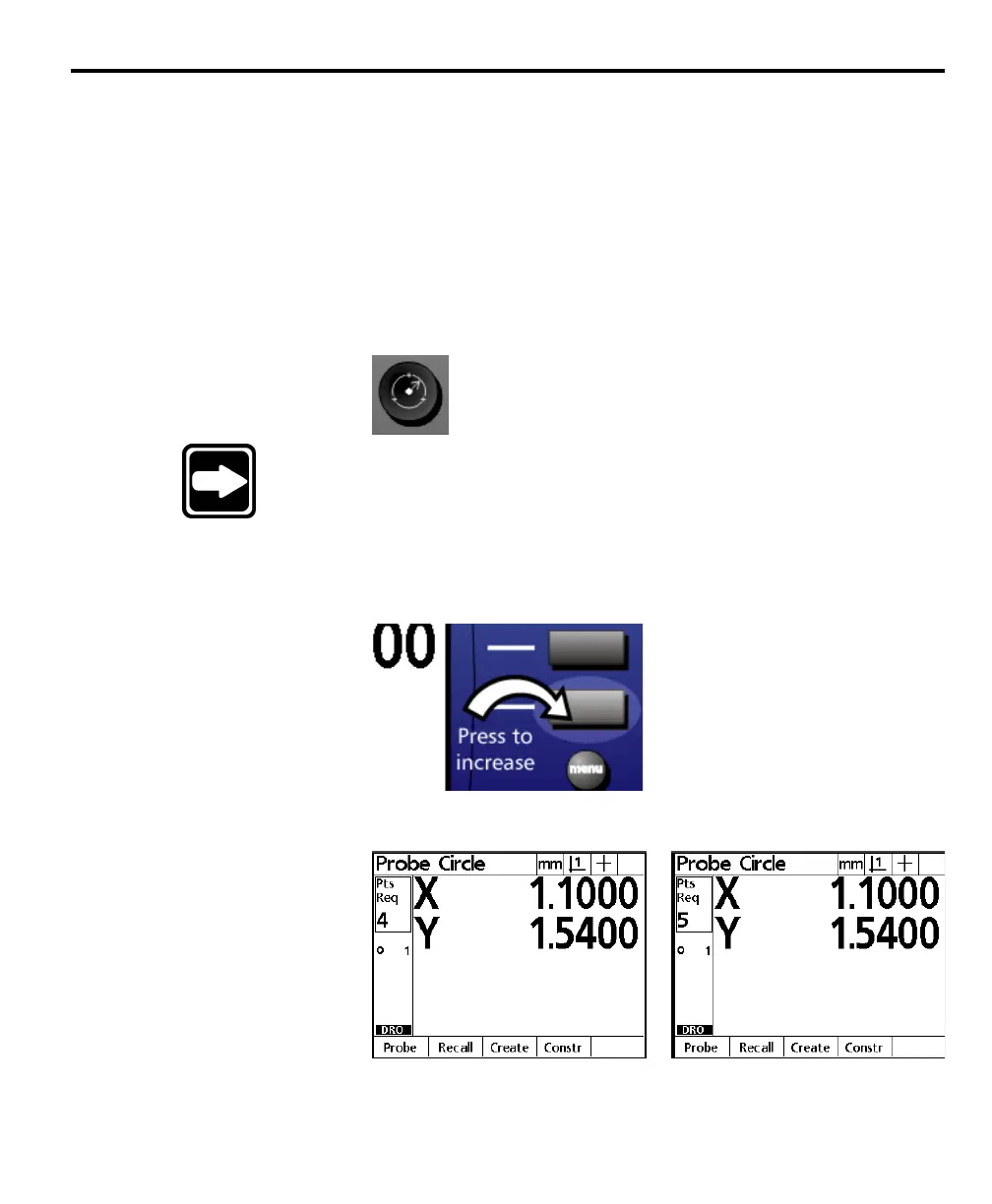
If a feature requires a few additional points to ensure accuracy, press the bottom
zero axis key to increase the required number of points for that measurement.
Increasing the required points with the zero axis affects only the current measure-
ment. Subsequent measurements will require the number of points defined on
the measure setup screen. See chapter 7: setup for more information.
To increase the required number of points (forward
annotation only)
Step 1
Press the desired feature selection key.
NOTENOTE
NOTENOTE
NOTE
This example shows a circle measured with forward annotationThis example shows a circle measured with forward annotation
This example shows a circle measured with forward annotationThis example shows a circle measured with forward annotation
This example shows a circle measured with forward annotation
but the basic procedure is the same for any feature measuredbut the basic procedure is the same for any feature measured
but the basic procedure is the same for any feature measuredbut the basic procedure is the same for any feature measured
but the basic procedure is the same for any feature measured
with forward annotation.with forward annotation.
with forward annotation.with forward annotation.
with forward annotation.
Step 2
Press the bottom zero axis key as shown.
The number of required points increases by one for each key press.
Begin the measurement when the desired number of required points is set.



 To Next Page