Chapter 3 Operation
3-98
Step 4
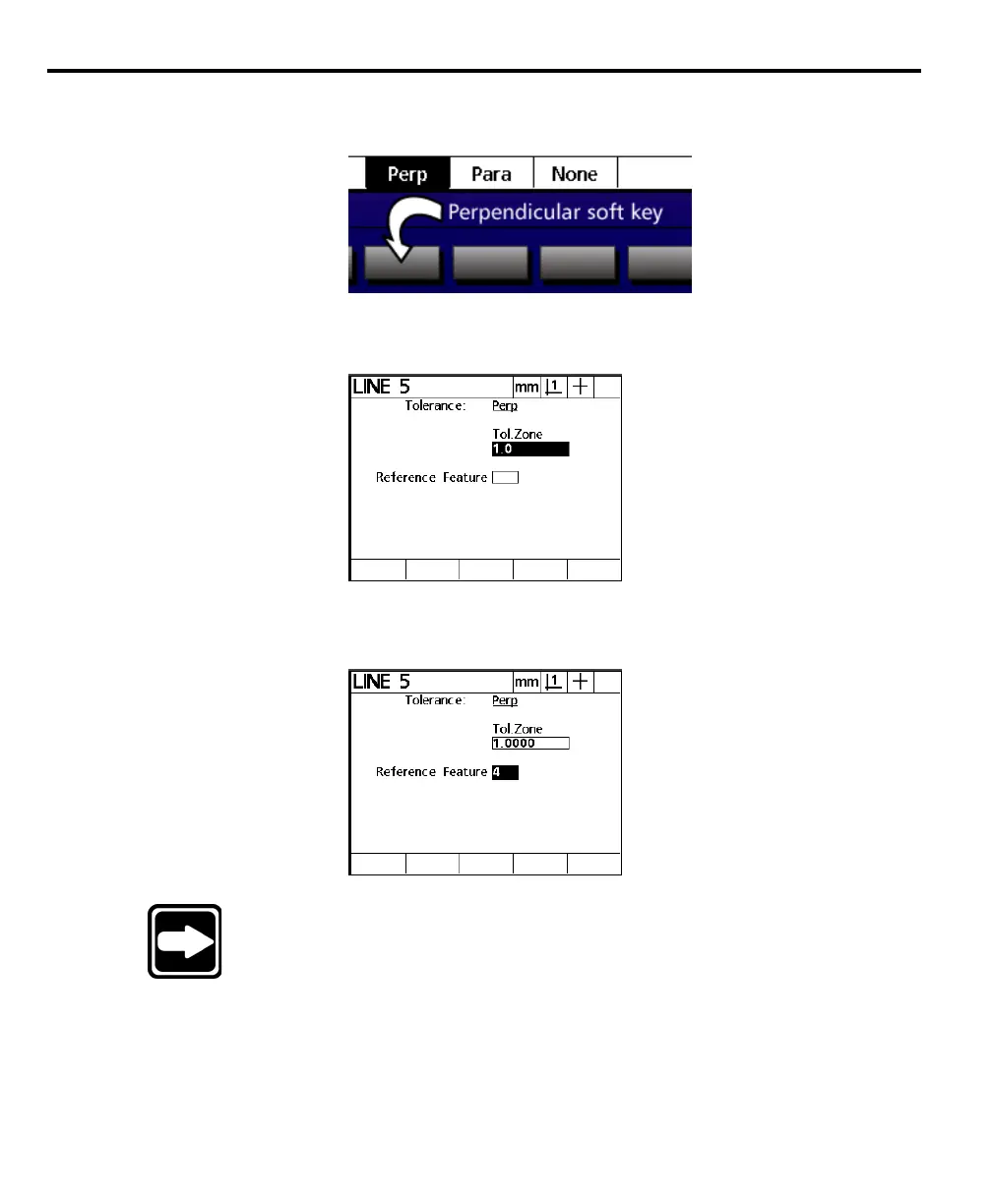
Press the perpendicular (perp) soft key.
Step 5
Enter the desired tolerance zone value.
Step 6
Enter the feature number of the desired reference feature.
NOTENOTE
NOTENOTE
NOTE
A reference feature must be measured before the feature to beA reference feature must be measured before the feature to be
A reference feature must be measured before the feature to beA reference feature must be measured before the feature to be
A reference feature must be measured before the feature to be
toleranced. Reference features must be of the right type. Fortoleranced. Reference features must be of the right type. For
toleranced. Reference features must be of the right type. Fortoleranced. Reference features must be of the right type. For
toleranced. Reference features must be of the right type. For
example, a feature cannot be perpendicular to a point thereforeexample, a feature cannot be perpendicular to a point therefore
example, a feature cannot be perpendicular to a point thereforeexample, a feature cannot be perpendicular to a point therefore
example, a feature cannot be perpendicular to a point therefore
points cannot be used as reference features for perpendicularitypoints cannot be used as reference features for perpendicularity
points cannot be used as reference features for perpendicularitypoints cannot be used as reference features for perpendicularity
points cannot be used as reference features for perpendicularity
..
..
.



 To Next Page