Quadra-Chek
®
QC200
3-43
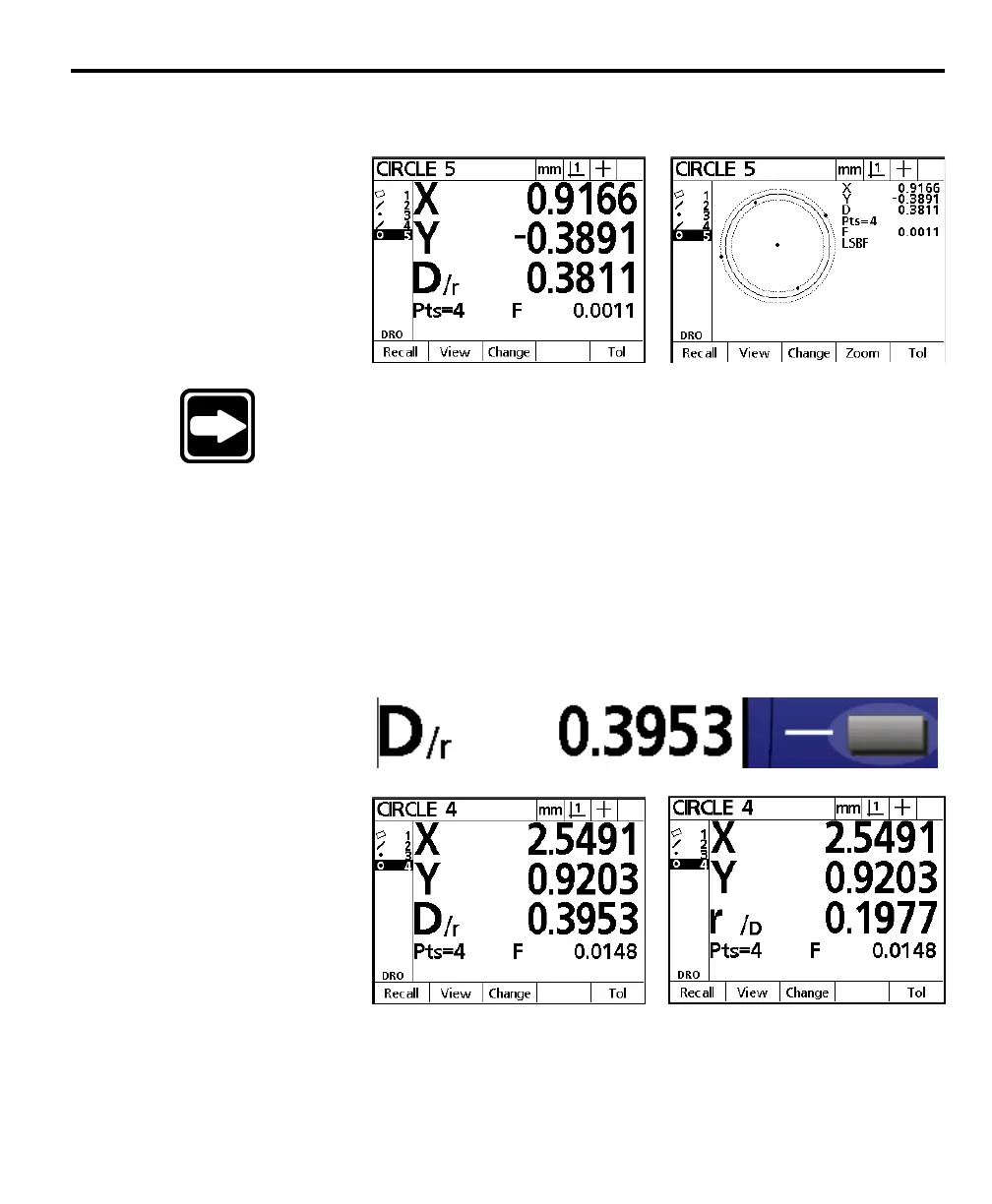
The circle feature data is displayed on the screen and added to the feature list.
Press the view soft key for a graphic representation of the circle feature.
NOTENOTE
NOTENOTE
NOTE
Press the Press the
Press the Press the
Press the
change soft keychange soft key
change soft keychange soft key
change soft key
to change the best-fit algorithm used to change the best-fit algorithm used
to change the best-fit algorithm used to change the best-fit algorithm used
to change the best-fit algorithm used
to calculate the circle if desired. Fit algorithms used by theto calculate the circle if desired. Fit algorithms used by the
to calculate the circle if desired. Fit algorithms used by theto calculate the circle if desired. Fit algorithms used by the
to calculate the circle if desired. Fit algorithms used by the
QC200 for circle are as follows:QC200 for circle are as follows:
QC200 for circle are as follows:QC200 for circle are as follows:
QC200 for circle are as follows:
•
LSBF:LSBF:
LSBF:LSBF:
LSBF:
Fit determined by minimizing the sum of theFit determined by minimizing the sum of the
Fit determined by minimizing the sum of theFit determined by minimizing the sum of the
Fit determined by minimizing the sum of the
squared point deviation from the form fit.squared point deviation from the form fit.
squared point deviation from the form fit.squared point deviation from the form fit.
squared point deviation from the form fit.
•
ISO:ISO:
ISO:ISO:
ISO:
Fit determined by minimizing the formFit determined by minimizing the form
Fit determined by minimizing the formFit determined by minimizing the form
Fit determined by minimizing the form
deviation. deviation.
deviation. deviation.
deviation.
•
Outer:Outer:
Outer:Outer:
Outer:
Yields the biggest circle.Yields the biggest circle.
Yields the biggest circle.Yields the biggest circle.
Yields the biggest circle.
•
Inner:Inner:
Inner:Inner:
Inner:
Yields the smallest circle.Yields the smallest circle.
Yields the smallest circle.Yields the smallest circle.
Yields the smallest circle.
Press the view soft key to return to the circle data screen. Use the zero axes key next
to the diameter/radius display to toggle the display between diameter and radius.



 To Next Page