Description of PC Recorder parts
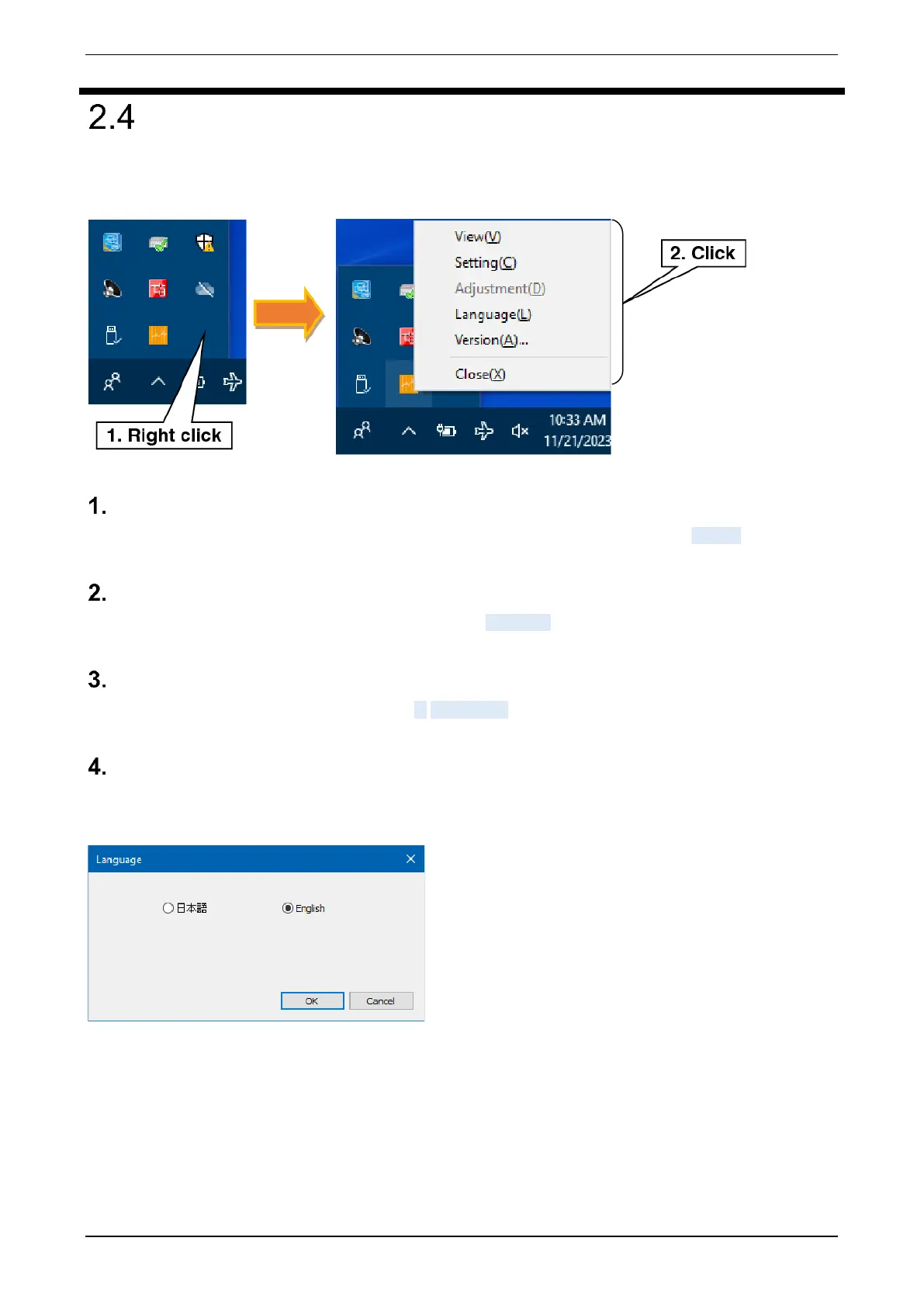
PC Recorder stays resident in the task tray after startup. Right-click the “PC Recorder” icon in the task tray to
open the menu.
View (V)
Starts the default browser and displays the Trend display. For more information, refer to 5. View.
Setting (C)
Displays the Setting dialog. For more information, refer to 3. Setting.
Adjustment (D)
Adjusts analog input channels 1 to 16. Refer to 6. Adjustment.
Language(L)
Switches the language displayed on PC Recorder. Japanese and English are selectable. Click the [OK] button
to apply.



 To Next Page