Trigger recording
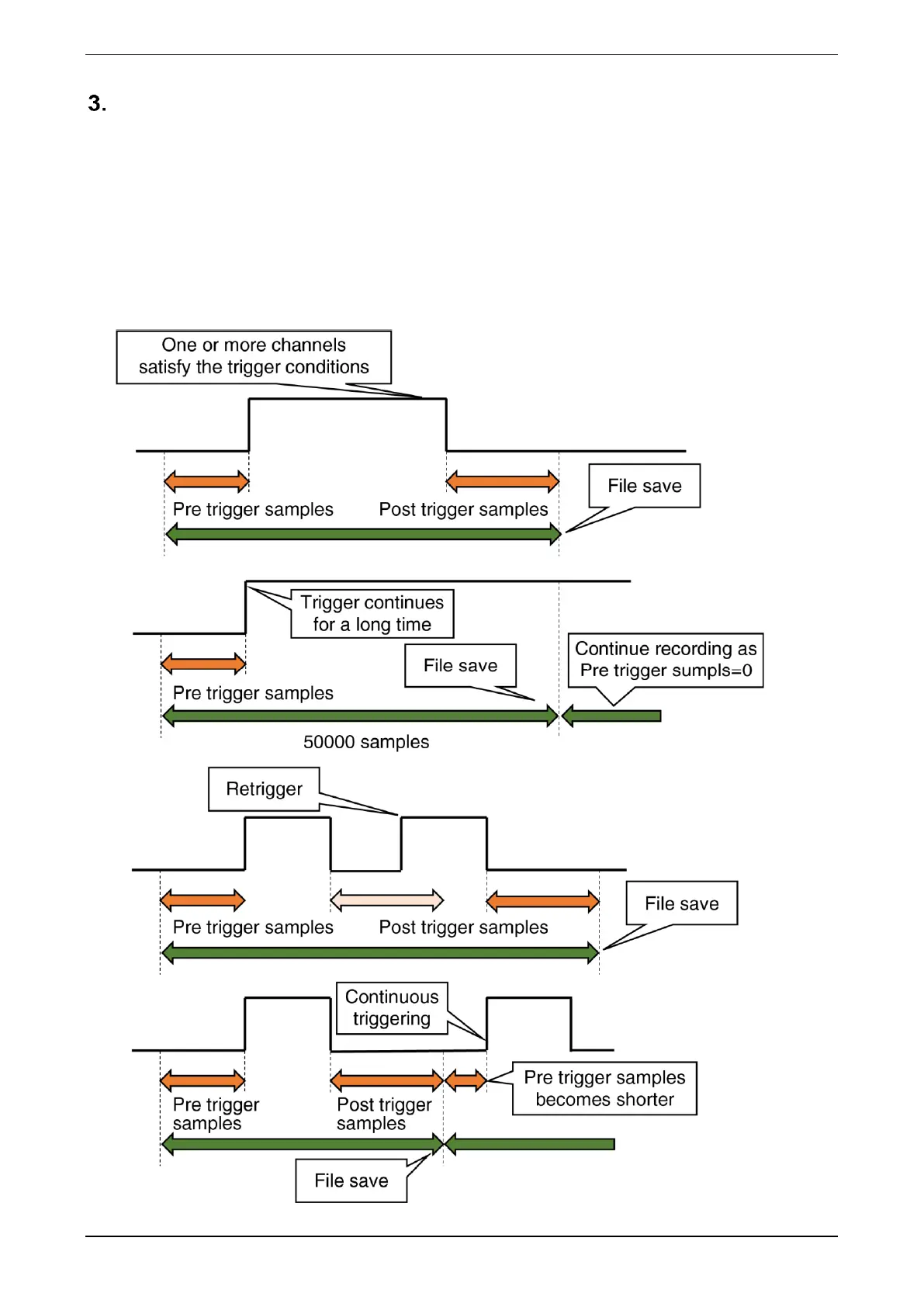
When trigger recording is set in [Auto Start] on the “Trend” display, the trend is recorded for each channel of
AI, DI, and OI according to the conditions set for the trigger.
(1) Mode: Level
When Level is set in [Mode] of the trigger recording on the “Trend” display, the trend is recorded as long
as one or more of the AI, DI, or OI channels with trigger settings satisfy the trigger conditions. The data
samples to be saved in the trend file should be set in [Pre trigger samples] and [Post trigger samples]. The
data sample interval is determined by the [Common] storing rate. For details, refer to the following:



 To Next Page