Write of comments
Comments can be written in the trend graph. Comments are shared and displayed on all pages.
The list of comments written can be viewed on the “Trend” display (Comments summary). ->5.4 Trend display
(Comments summary)
(1) Click the “Menu ” button.
(2) On the submenu, click the “Write comment ”.
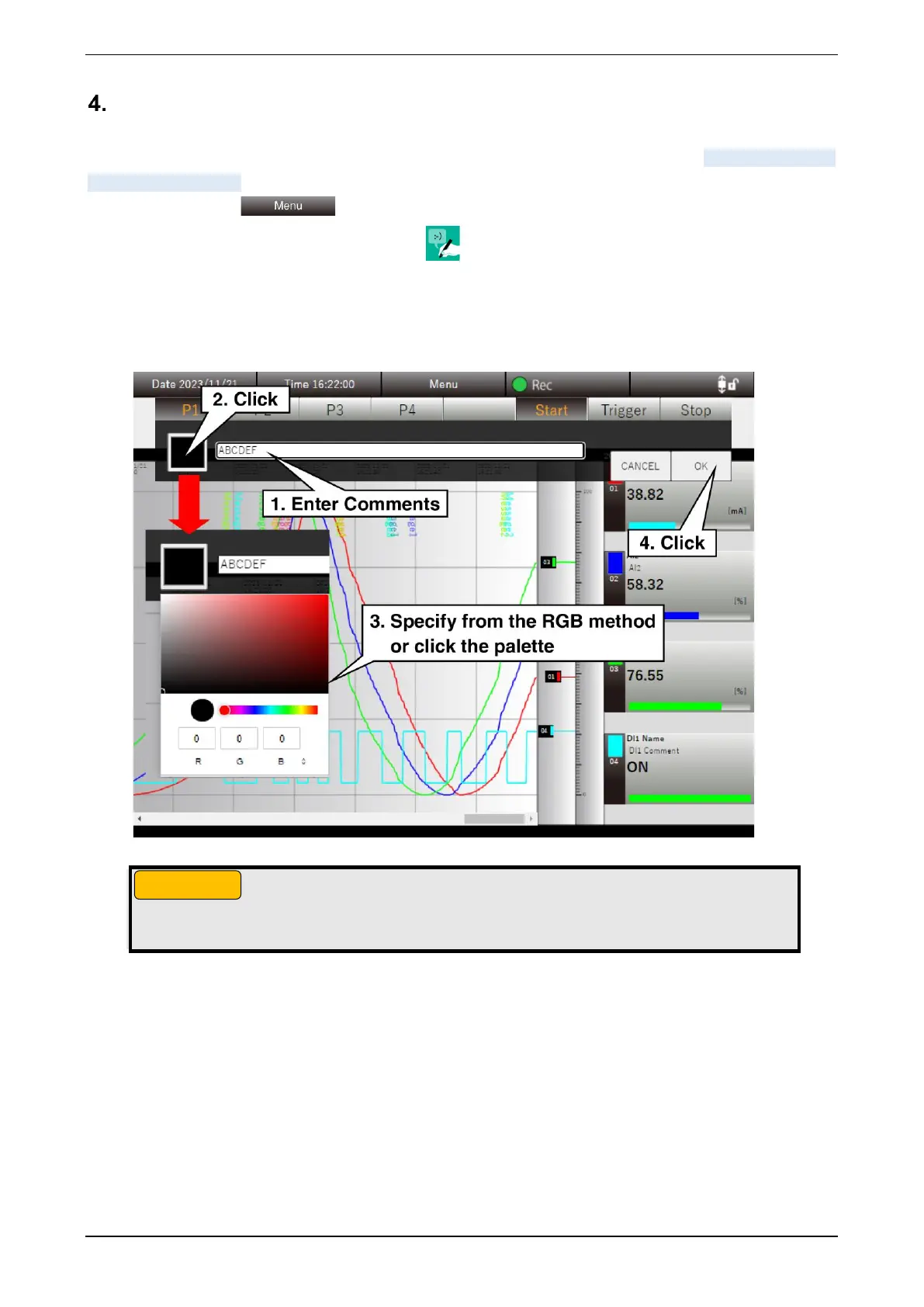
(3) Specify the text color of comments. Specify it from the color palette.
(4) Write comments and click the [OK] button. The comments are written to the point on the time axis where
the [OK] button is pressed.
● Comments are recorded when the [OK] button click is successfully accepted.
● The color palette display depends on the browser.



 To Next Page