3. Setting
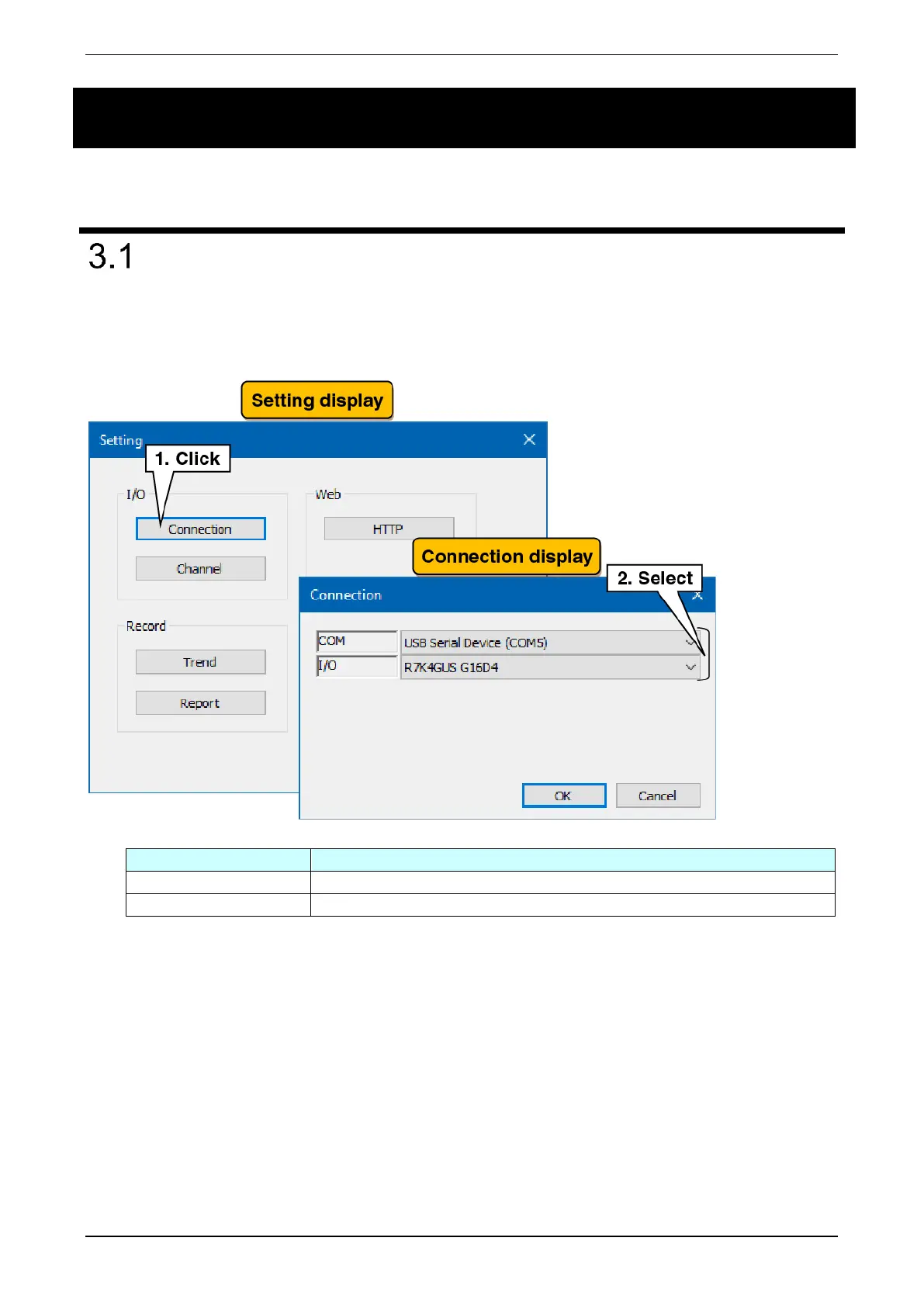
Right-click the “PC Recorder” icon in the task tray and click “Setting (C).” The Setting dialog is displayed.
I/O connection setting
The setting for connection with the I/O unit are made as follows:
(1) In the “Setting” display, click the “Connection” button to show the “Connection” display.
(2) Select the connection port between the I/O unit and the PC.
(3) Select the operation mode with the I/O unit.



 To Next Page