5. View
Right-click the “PC Recorder” icon in the task tray and click on “View (View (V).” The Trend display is showed
as the initial screen on the Web browser.
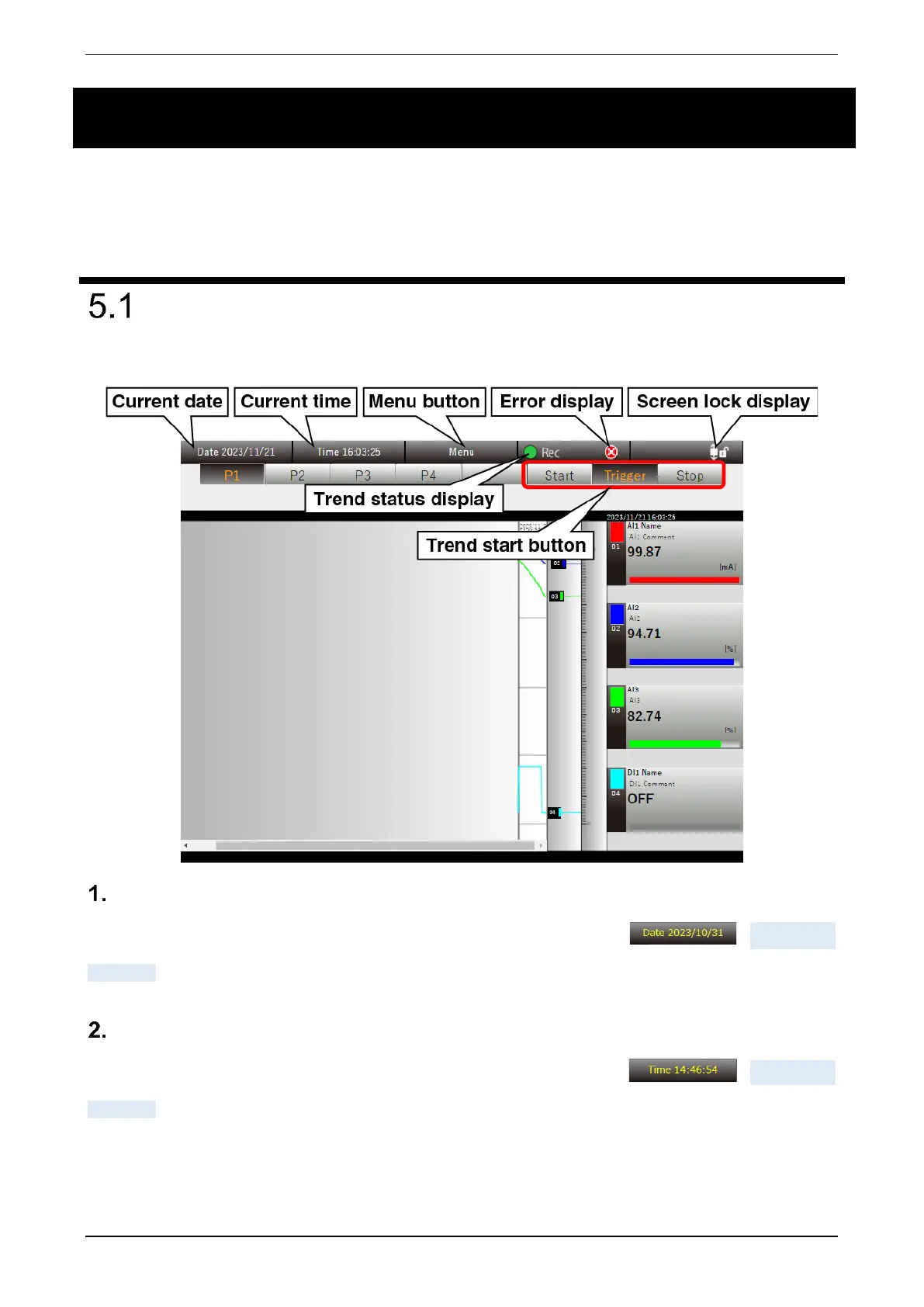
Description of display
The shared content is always showed at the top of each display.
Current date
Displays the current date. During the time correction, this is displayed in yellow ( ). -> 4.12 Time
correction
Current time
Displays the current time. During the time correction, this is displayed in yellow ( ). -> 4.12 Time
correction



 To Next Page