Trend display
Click the “Menu ” button and select “Trend ” to go to the “Trend” display.
5.2.1 Display items
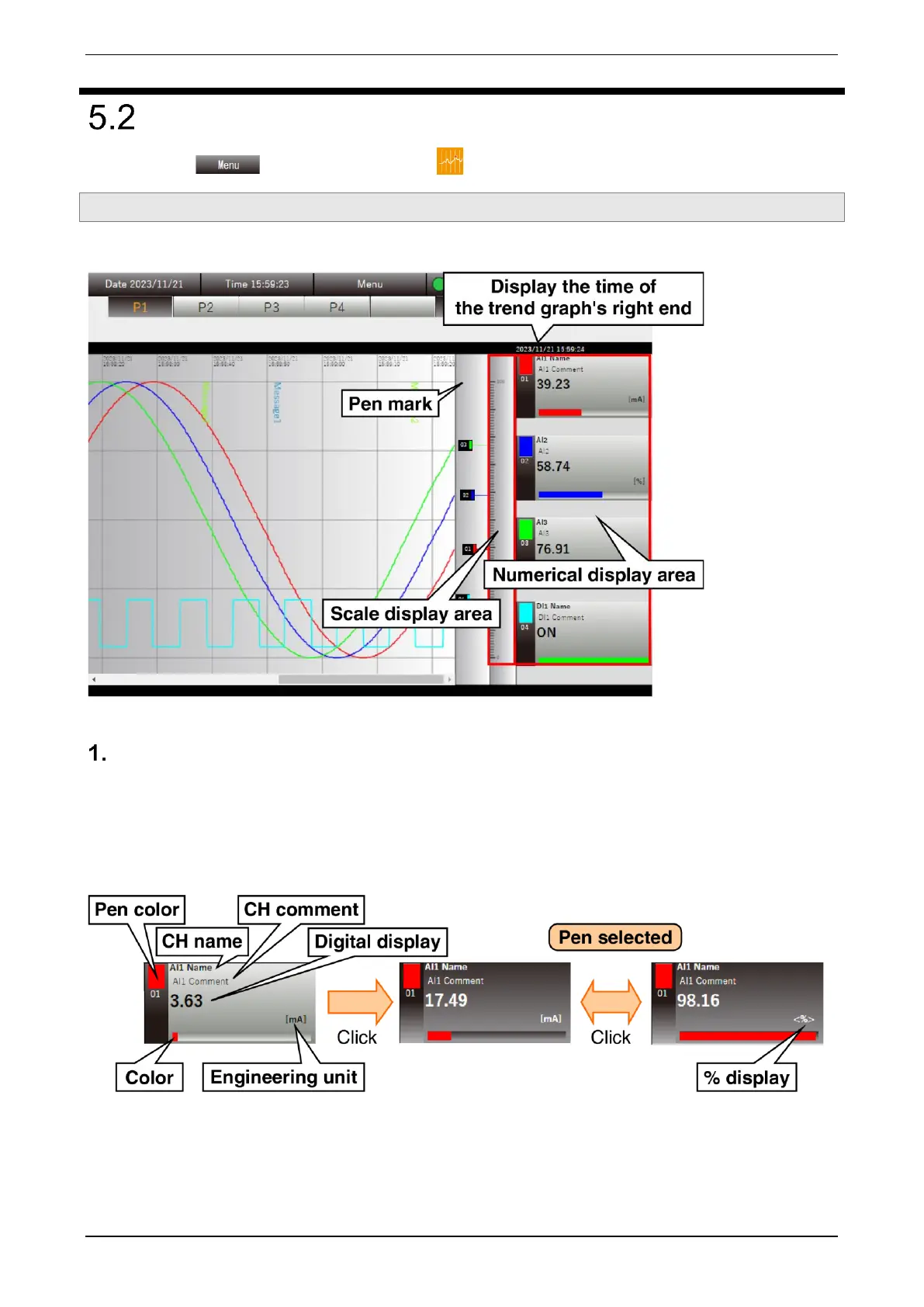
The “Trend” display largely consists of the “Menu bar,” “Page switching button,” and “Trend area.”
Numerical display
Black text indicates the current value.
Scrolling the trend graph shows the values on the right end of the graph and the text turns blue.
Clicking the “numerical display area” selects the pen and deepens the background color.
To deselect the pen, click “Scale display area.”



 To Next Page