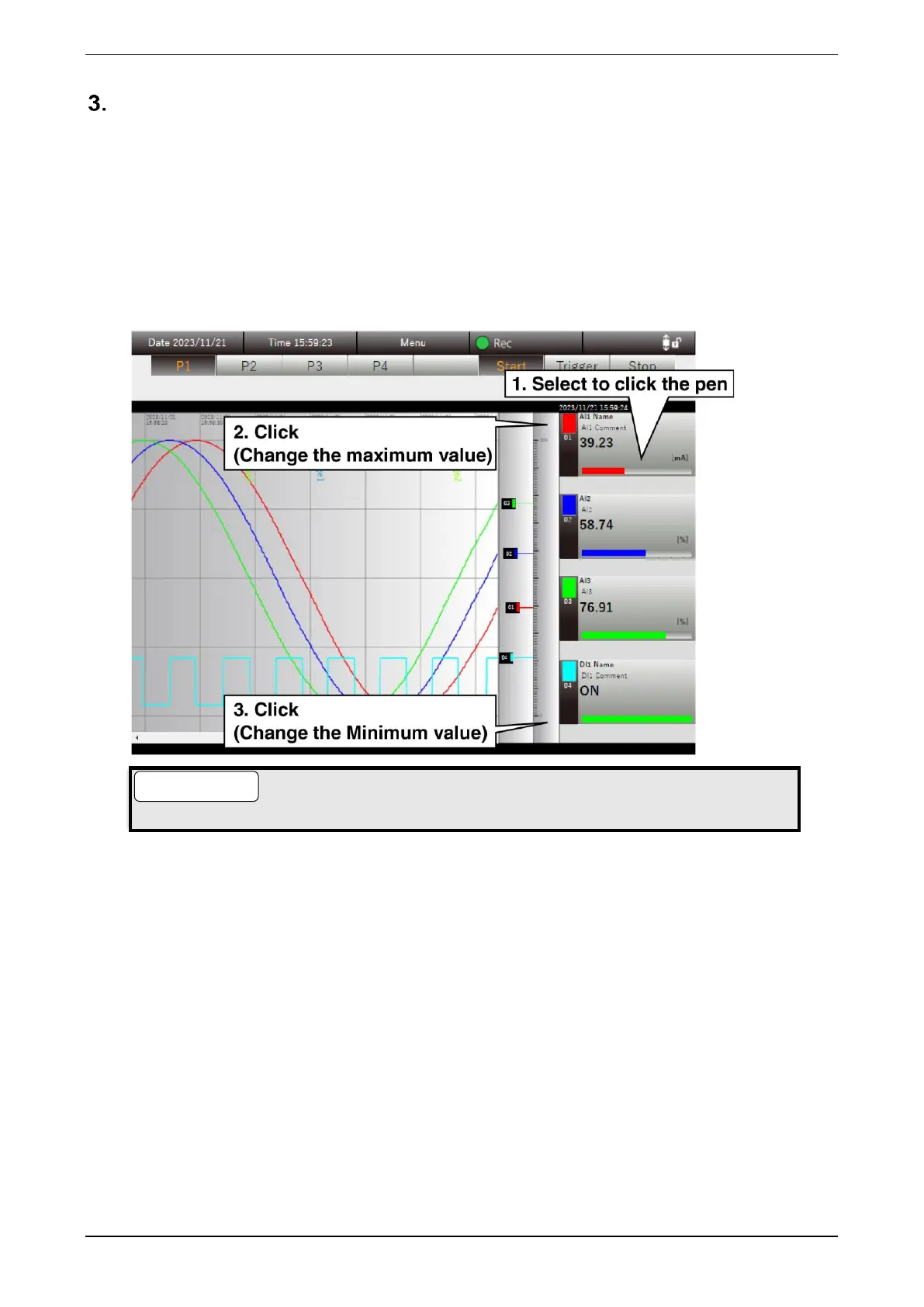
Changing the maximum/minimum value of the scale
The maximum and minimum values of the scale can be changed.
(1) Click the “Digital display area” of the pen to be changed to select it.
(2) To change the maximum value, click on the blank area to the right of the scale; to change the minimum
value, click the blank area to the left of the scale. The Change maximum/minimum value dialog is
displayed.
(3) Enter the desired value and click the [OK] button to change the maximum/minimum value of the scale.
(4) To deselect the pen, click “Scale display area.”
● The changed maximum/minimum values are effective until the browser is closed.



 To Next Page