Reset function value setting
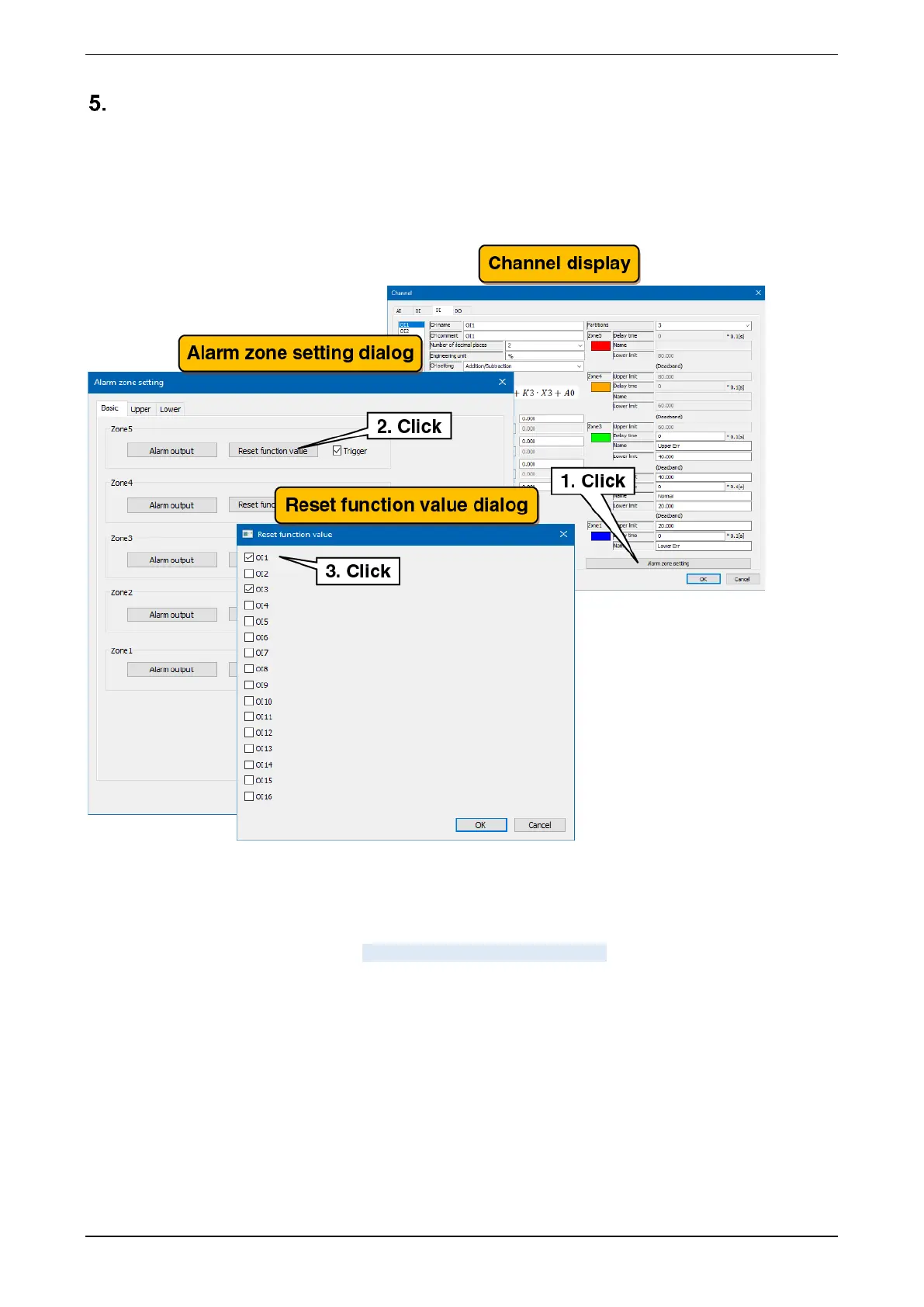
The operation of the specified OI can be reset during zone transition.
(1) Clicking the “Alarm zone setting” button on the “Channel” display show the “Alarm zone setting” dialog.
Clicking the “Reset function value” button in the specified zone show the “Reset function value” dialog.
(2) Select the checkboxes for the OI channels to be set and click the [OK] button.
Set each channel following the above procedure.
The channel setting already made in the “Operation Input (OI)” display can be copied to other channels and
only the necessary parts can be edited. -> 3.2.5 Copy of I/O channel setting



 To Next Page