Setting 3.2 I/O channels
EM-7361 P36
3.2.4 Digital output (DO) settings
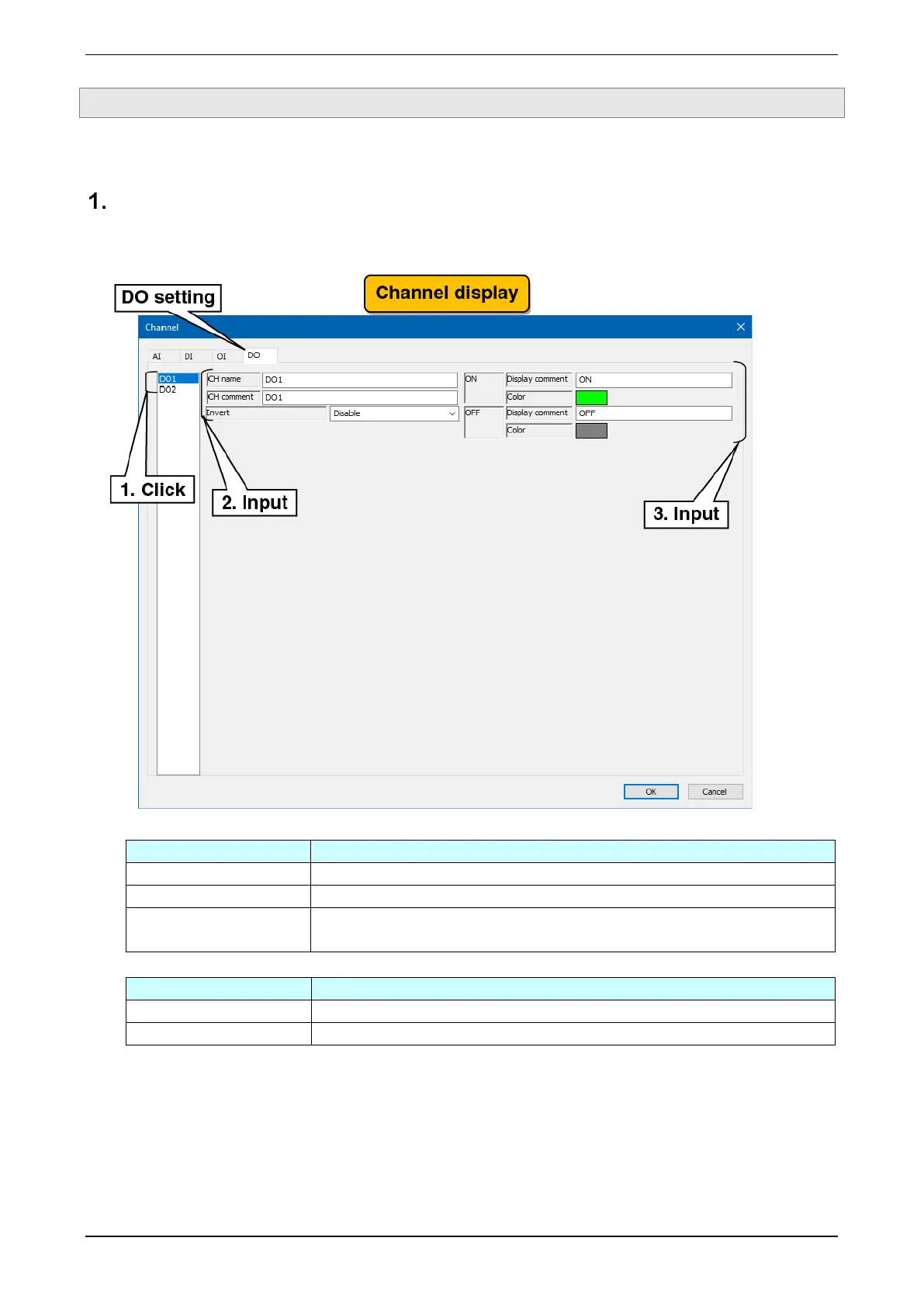
Make the digital output (DO) setting. There are two digital output channels (DO1/DO2).
Basic setting
Make the basic setting for the digital output (DO).
(1) Clicking the channel to be set displays the current setting.
(2) Make the basic setting.
Set the name of the channel within 16 characters.
Set the tag name or other comments about the channel within 16 characters.
If ON/OFF of the output signal and ON/OFF as an application signal are reversed,
select Enabled.
(3) Make the settings for each of ON and OFF.
Set the comment for each of ON and OFF. Set this within eight characters.
Set a color to represent the status on the WEB display for each of ON and OFF.



 To Next Page