EasyManua.ls Logo

MG PC Series - Recording Report; Basic Setting

MG PC Series
79 pages
Print Icon
To Next Page IconTo Next Page
To Previous Page IconTo Previous Page
Loading...
Setting 3.5 Recording report
EM-7361 P48
MG CO., LTD.
www.mgco.jp
Recording report
Make the report setting. PC Recorder has the function to generate daily, monthly, and yearly reports.
AI and OI data can be recorded for 16 channels.
Daily report data for one hour is generated by sampling from data per second as “Momentary value,” “Average
value,” Maximum value (peak value (high),” or “Minimum value (peak value (low)).Monthly report data are
generated from daily report data and yearly report data from monthly report data.
3.5.1 Basic setting
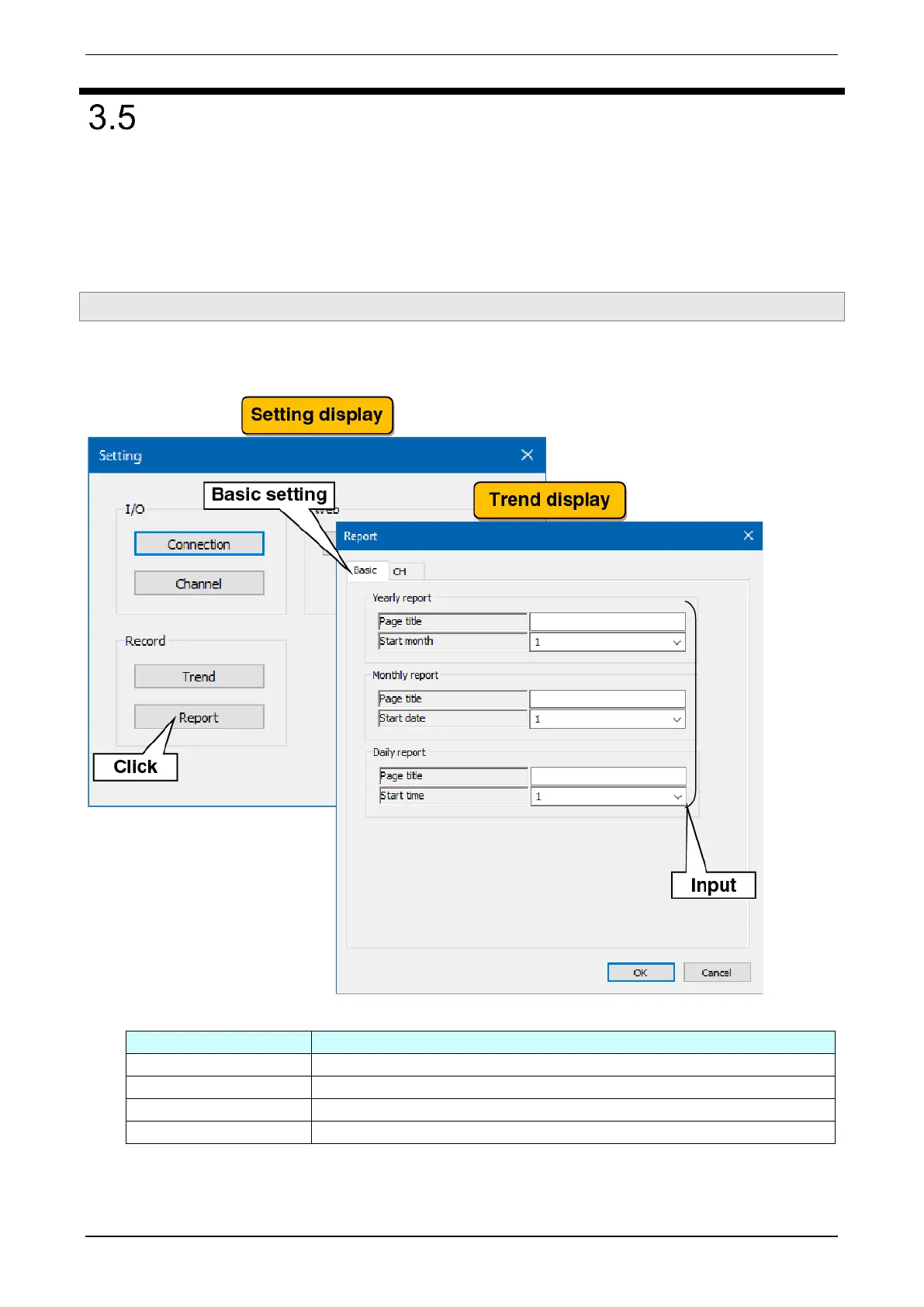
Make the basic setting for daily, monthly, and yearly reports. In reference to the table below, set the following
parameters:

Settings
Description
Page title
Set the report title within 32 characters for each of daily, monthly, and yearly report.
Yearly report / Start month
Select the start month of the yearly report from January to December.
Monthly report / Start date
Select the start date of the monthly report from 1st to 28th.
Daily report / Start time
Select the start time of the daily report from 1 to 24 (o'clock).

Table of Contents

Related product manuals