Setting 3.2 I/O channels
EM-7361 P30
Zone setting
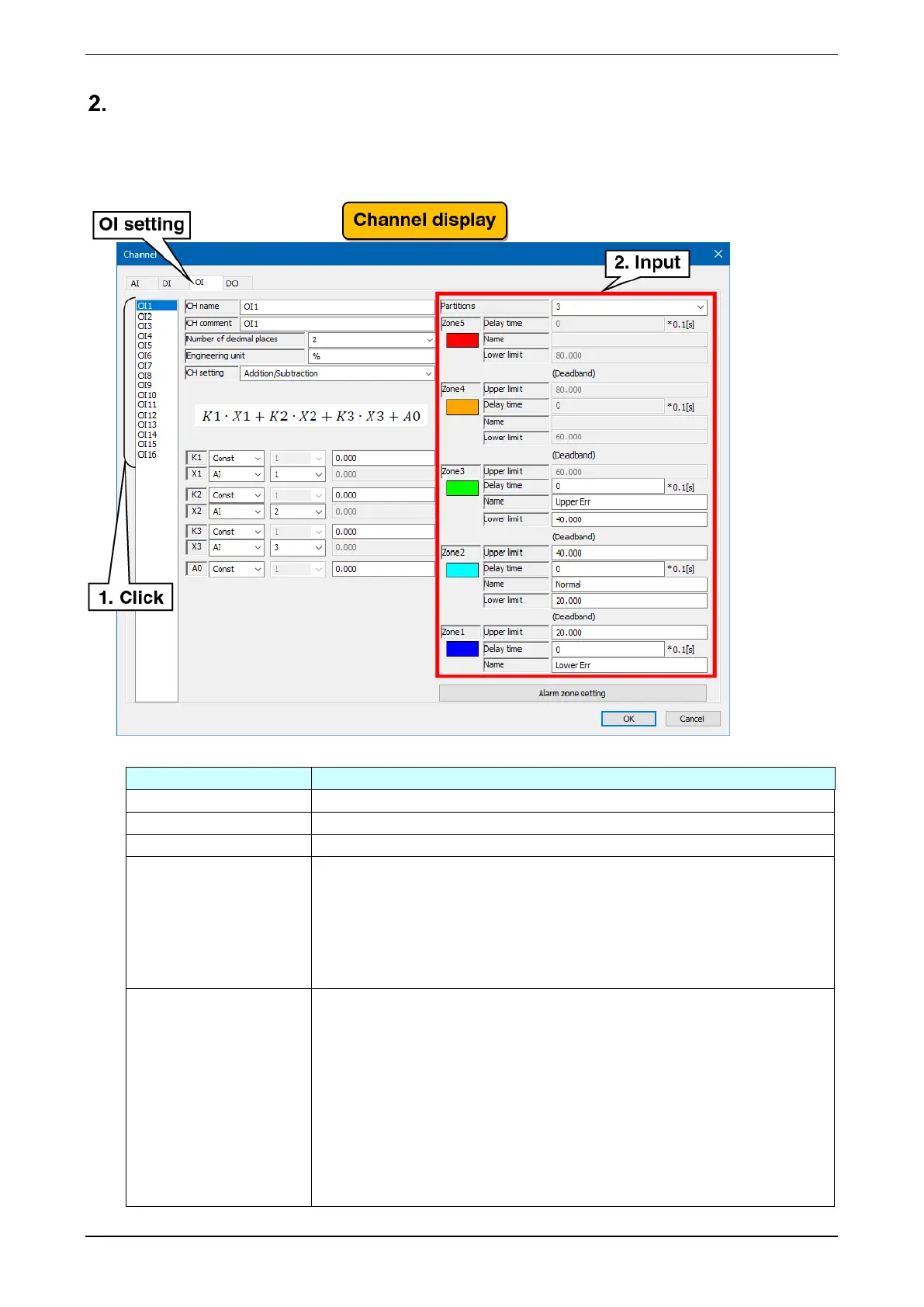
Make the zone setting for operation input (OI).
(1) Clicking the channel to be set displays the current setting.
(2) Make the zone setting. In reference to the table below, set the various parameters.
Set the partitions for use. Selectable from 0 (unused)/2/3/4/5.
Set the name of each zone within 32 characters.
Set a color to represent the zone on the WEB display.
Set the time required for the transition from another zones to the corresponding
zone to be confirmed in the range of 0.0 to 99.9 (seconds).
When Zone 1 is set to five seconds:
The transition to Zone 1 is confirmed five seconds after the input value changes in
the state of Zone 2 and becomes less than or equal to the upper limit of Zone 1. It
remains in Zone 2 until five seconds have elapsed.
Upper limit
/
Lower limit
The upper and lower limits of the zone are set by the engineering unit value. Set
the upper limit > lower limit in order.
● When setting a hysteresis zone:
When setting a hysteresis zone between Zone 1 and Zone 2, set the hysteresis
zone such that it is between the upper limit of Zone 1 and the lower limit of Zone
2. Set the other zones in the same way.
● When setting no hysteresis zone:
When setting no hysteresis zone between Zone 1 and Zone 2, set the same value
for the upper limit of Zone 1 and the lower limit of Zone 2. Set the other zones in
the same way.



 To Next Page