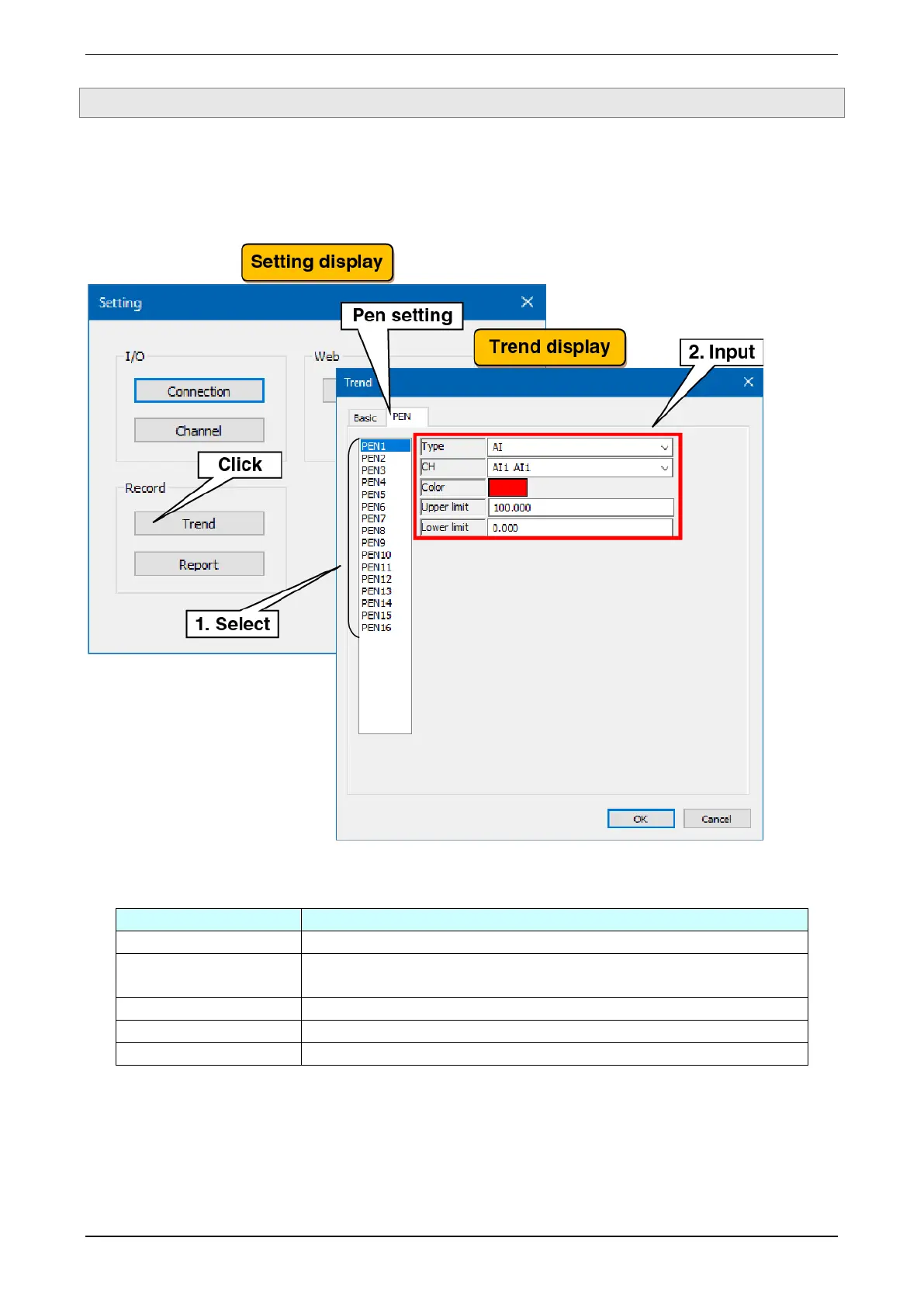
3.4.2 Pen setting
Make the setting for pen assignments and colors for trends recorded to trend files and show on the WEB
display.
For trend pens show on the WEB display, 16 pens in total can be displayed on four pages: pens 1 to 4 on page
1, pens 5 to 8 on page 2.
(1) Select the pen to be set. The current setting data for the selected pen is displayed.
(2) Make pen assignments. Set the pen in reference to the table below and click the [OK] button.
(3) In the same way, set all pens that are recorded to trend files and showed on the WEB display. It is also
possible to copy the settings of a pen that has already been set and then edit only the changes.
Set the channel to be assigned. It can be selected from a list of the input/output
channels selected in the type.



 To Next Page