EasyManua.ls Logo

MG PC Series - Basic Setting; Recording Setting

MG PC Series
79 pages
Print Icon
To Next Page IconTo Next Page
To Previous Page IconTo Previous Page
Loading...
Setting 3.4 Recording trend
EM-7361 P41
MG CO., LTD.
www.mgco.jp
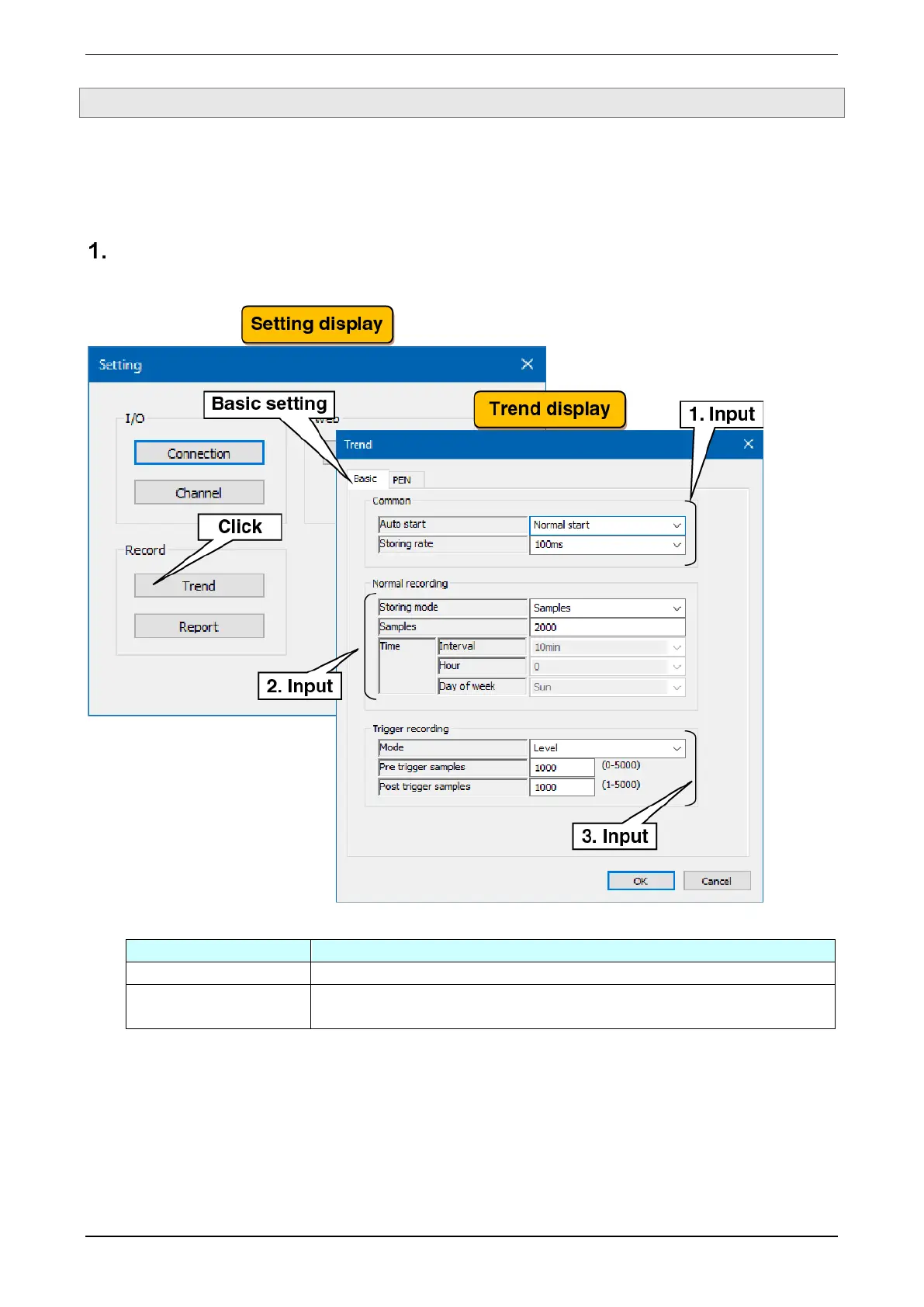
3.4.1 Basic setting
Make the setting to record pen waveforms to a trend file.
When recording pen’s waveforms, event data and comment data during the recording period are recorded in
the same file.
Recording setting
Set the recording conditions for the trend.
(1) Make the common setting. In reference to the table below, set the various parameters.
Settings
Description
Auto start
Select from Stop / Normal start / Trigger start.
Storing rate
Select from 100 ms / 500 ms / 1 sec / 2 sec / 5 sec / 10 sec / 1 min / 2 min / 5 min /
10 min / 30 min / 1 hour.

Table of Contents

Related product manuals