Report file
Click the “Menu ” button and select “Report file ” to go to the “Report file” display.
5.8.1 Display content
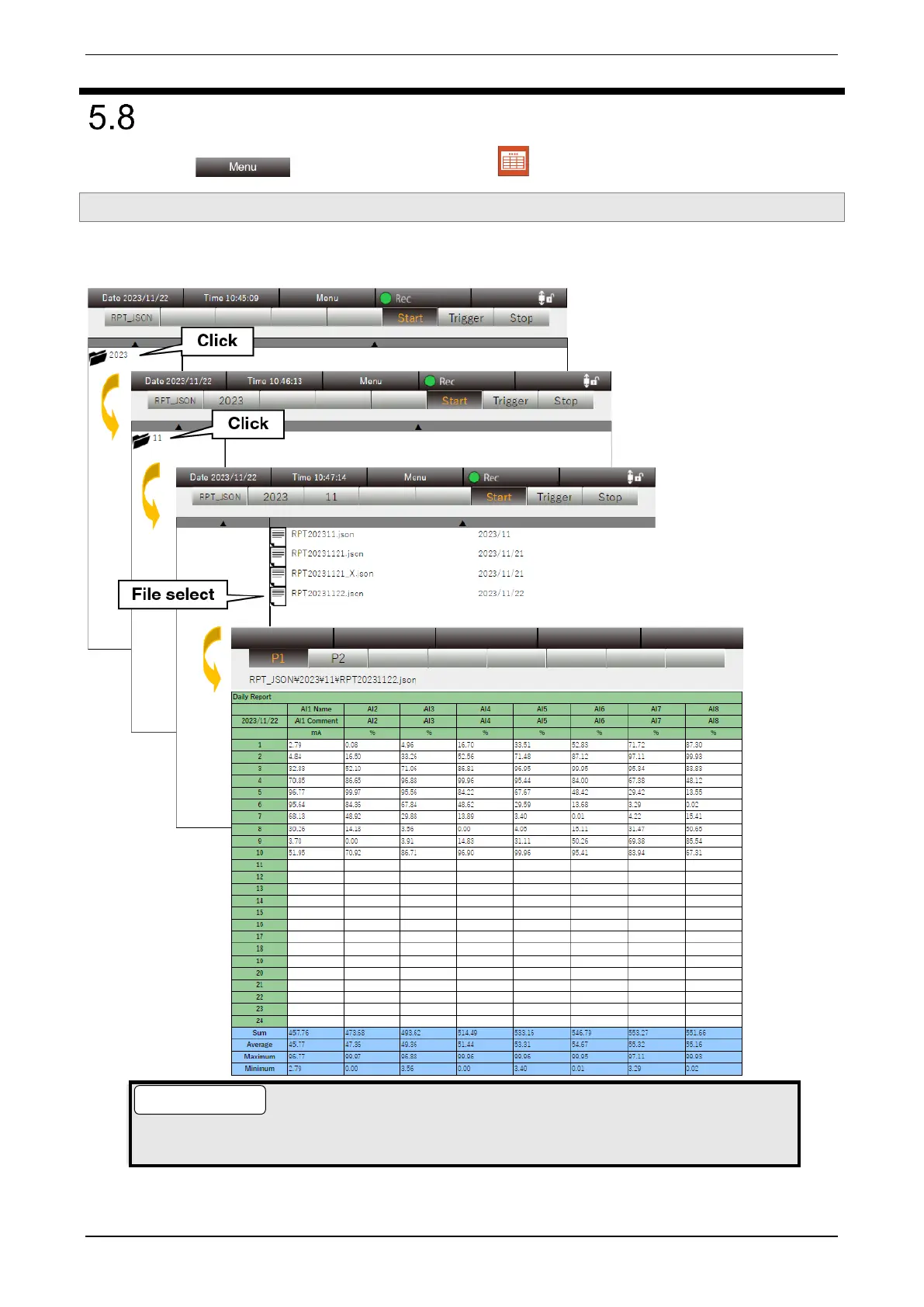
A list of report files stored in the PC is displayed.
Click the “Year/Month/Day” folder and select the report file to view.
● If the settings are changed during the recording of report data, new report data is created and
an “X” is added to the end of the data name.



 To Next Page