Setting 3.3 Web HTTP
EM-7361 P39
Web HTTP
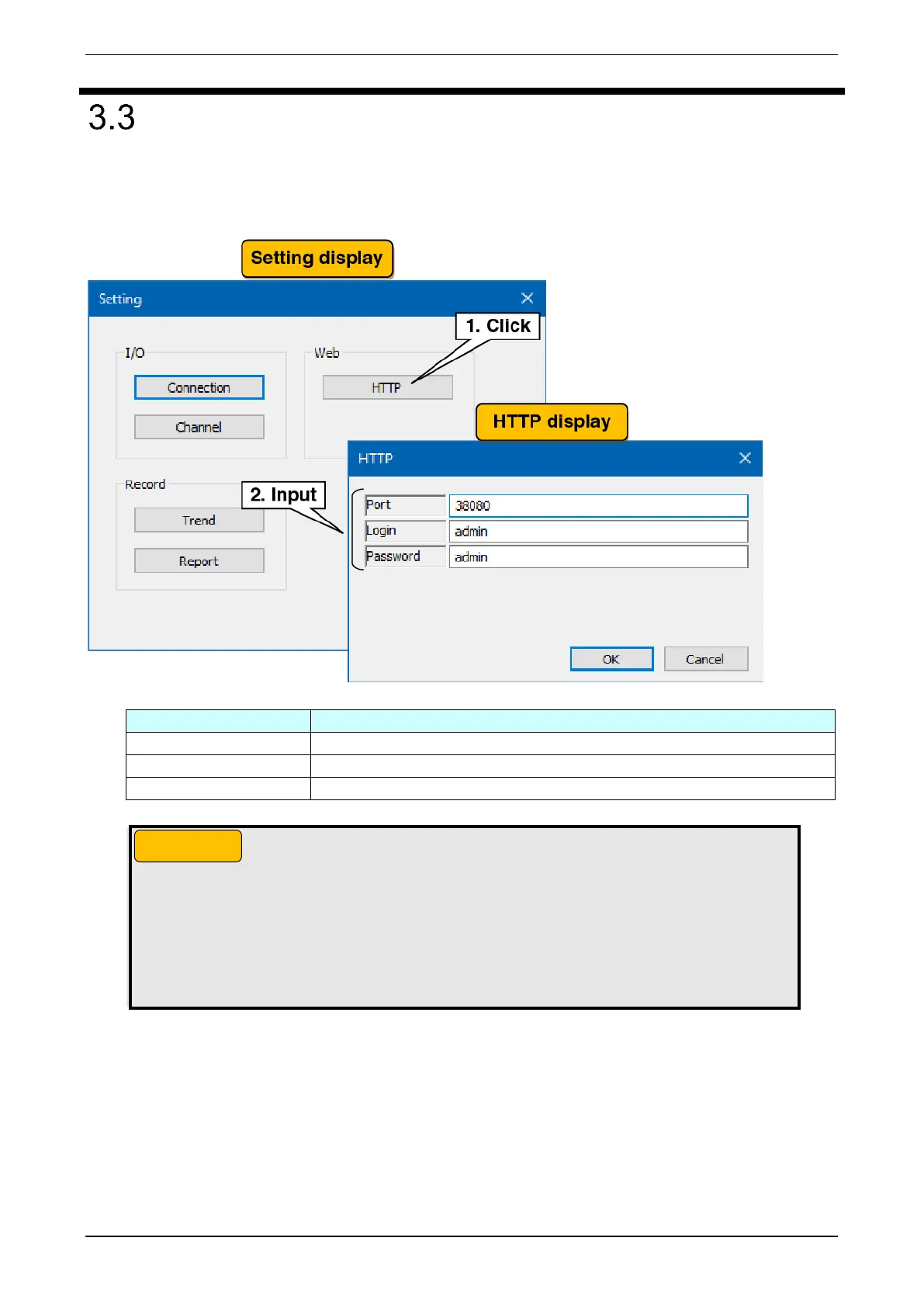
Set up a simple Web server for PC Recorder.
(1) In the “Setting” display, click the “HTTP” button to show the “HTTP” display.
(2) Set the port number for the simple Web server.
(3) Set the login name and password for the simple Web server.
Set the HTTP connection port number for the I/O unit and the PC. (0 to 65535)
Set a login name within 32 characters (alphanumeric characters and “_”).
Set a password within 32 characters (alphanumeric characters and “_”).
● The login ID and password for the simple Web server are simple functions. They do not
guarantee complete security.
● After changing your login ID or password, refresh the cache by clicking the refresh button on
your browser.
● Do not use the default login ID and password.
● We recommend that you change your password on a regular basis.



 To Next Page