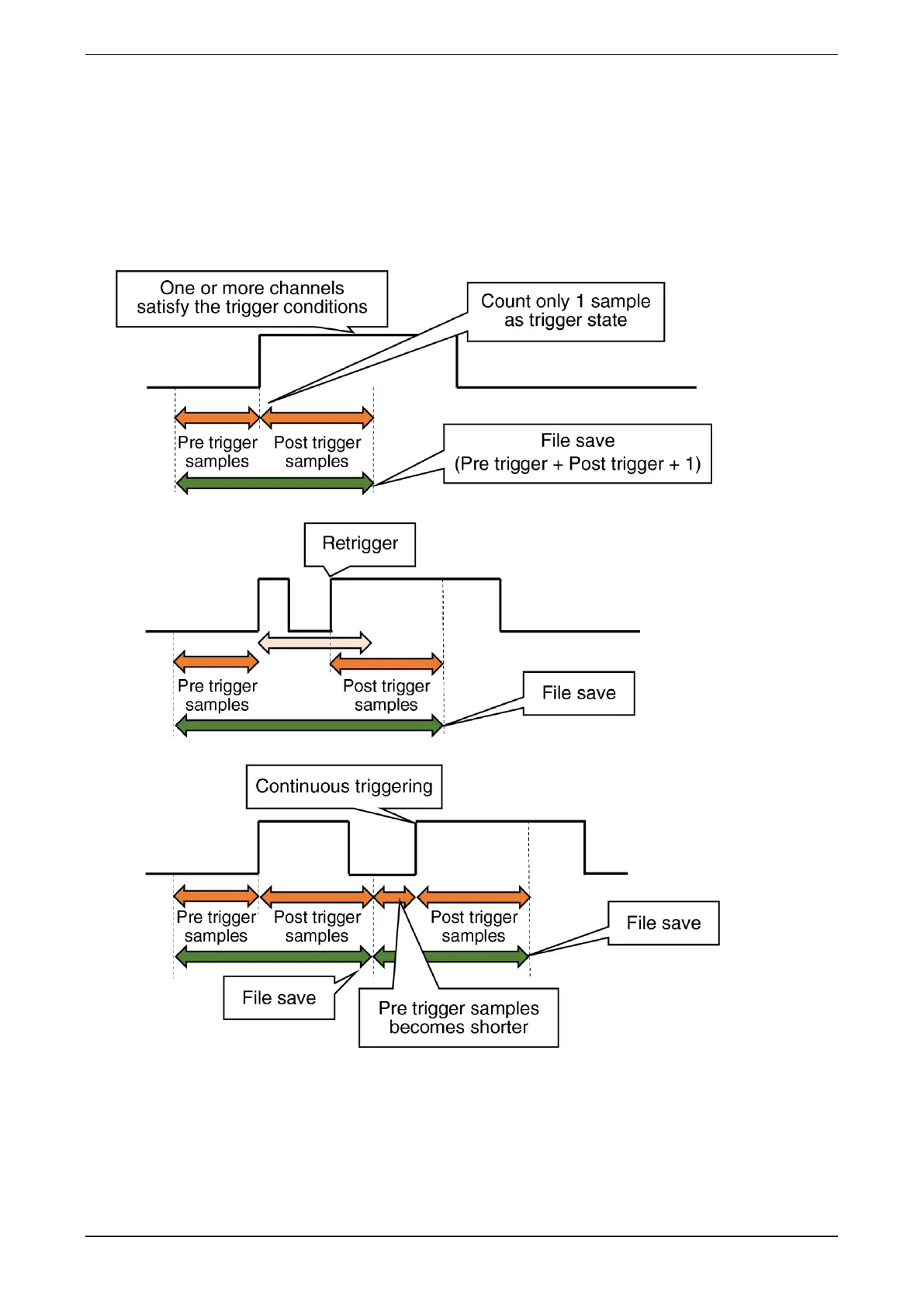
(2) Mode: Edge
When Edge is set in [Mode] of the trigger recording on the “Trend” display, trends are recorded with
reference to the change point where one or more channels satisfy the trigger conditions from the non-
trigger state of all channels among the trigger settings for AI, DI, and OI channels. The data samples to be
saved in the file should be set in [Pre trigger samples] and [Post trigger samples]. The data sample interval
is determined by the [Common] storing rate. For details, refer to the following:



 To Next Page