37
6. SWEEP
Press<Menu> key and select <Sweep> Mode for entering the Sweep Mode page.
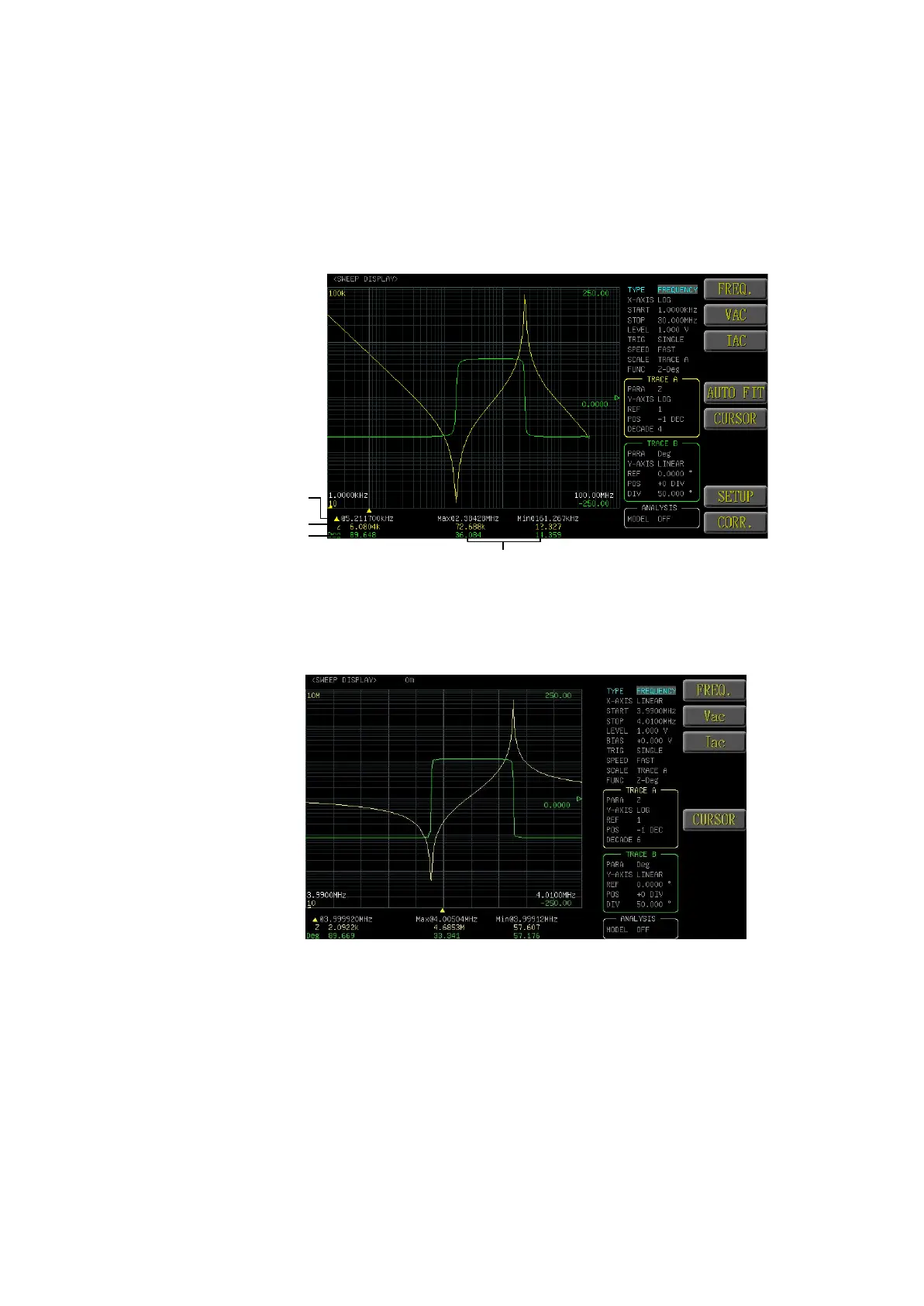
The Sweep Mode displays the component characteristics by visual method and
the user can select voltage, current and frequency sweeping for using as the
horizontal coordinates. If the sweeping result exceeds the vertical range, then the
instrument will adjust the scale automatically; further, more suitable measuring
can be achieved with the use of the cursor.
Horizontal scale of trace A/B cursor
Measuring value of trace A cursor
Measuring value of trace B cursor
Hi limit and low limit of A/B trace
6.1 SWEEP MODE SETUP
Under the Sweep mode page, select <SETUP> function key for accessing the
SWEEP MODE SETUP page.



 To Next Page