59
Concept of Command
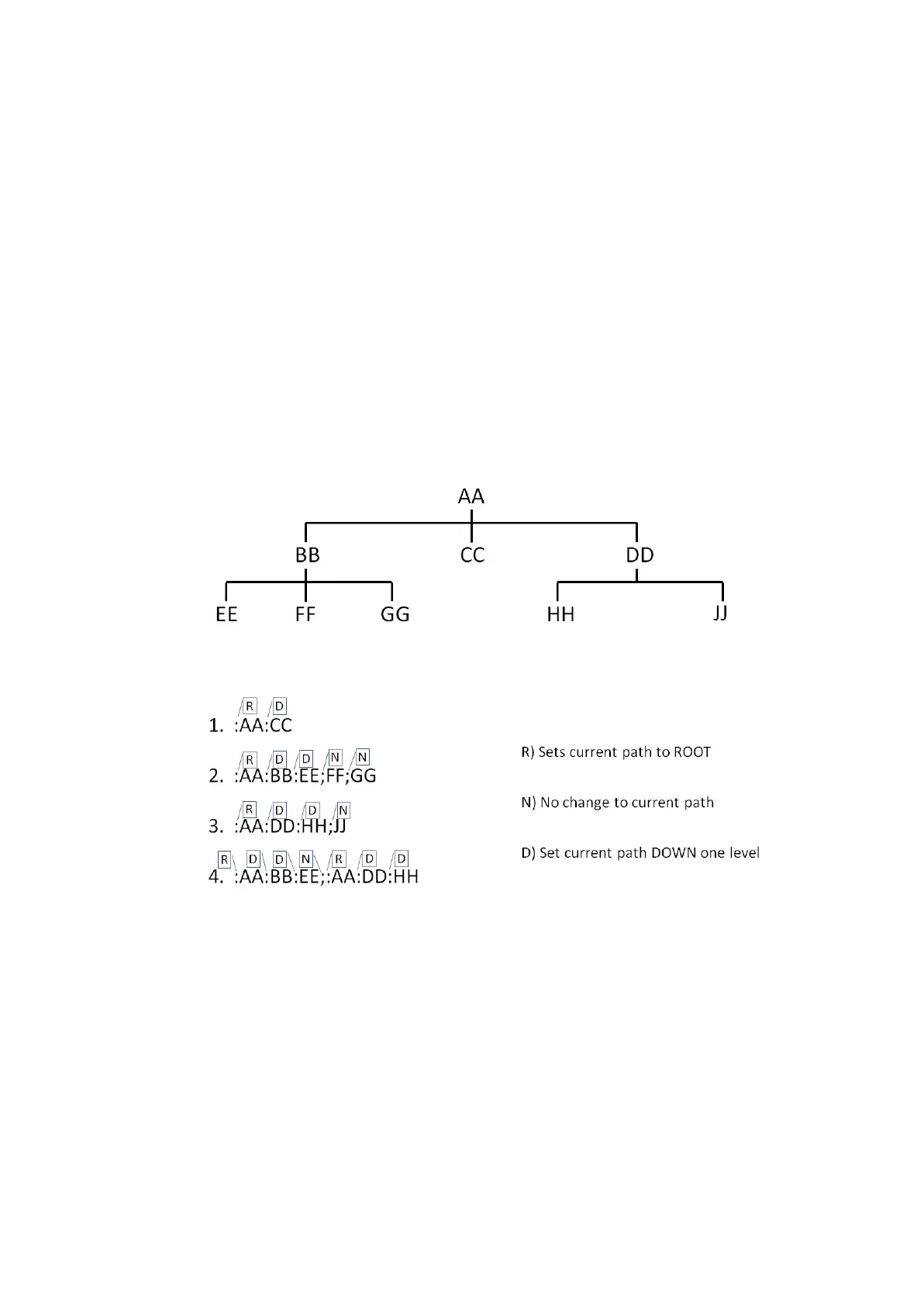
Subsystem Command Tree
The top of the subsystem command tree is called the root command, or simply
the root. To reach the low-level commands, you must specify a particular path.
After Power ON or after *RST, the current path is set to the root. The path
settings are change as follows:
Colon (:) When a colon is placed between two command mnemonics, the
colon moves the current path down on level on the command
tree. When the colon is the first character of a command, it
specifies that the following command mnemonics a root-level
command.
Semicolon (;) A semicolon separates two commands in the same message
without changing the current path.
Proper use of the Colon and Semicolon as follows:
It shows how character input time can be saved by properly using semicolons.
Sending the message
:AA:BB:EE;FF;GG
is equivalent to sending the following three messages.
:AA:BB:EE
:AA:BB:FF
:AA:BB:GG



 To Next Page