21
TouCH BuTTon funCTions:
• to jump to the Maximum Phase Voltage
page, touch the PEAK (F2) button.
• to jump to the Line Voltage page, touch the
LINE (F3) button.
• to jump to the Voltage Waveform page,
touch the WAVE (F4) button.
• otherwise, touch the BACK (F1) button to
return to the VOLTAGE sub-menu.
TouCH BuTTon funCTions:
• to jump to the Maximum Line Voltage page,
touch the PEAK (F2) button.
• to jump to the Phase Voltage page, touch the
PHASE (F3) button.
• to jump to the Voltage Waveform page,
touch the WAVE (F4) button.
• otherwise, touch the BACK (F1) button to
return to the VOLTAGE sub-menu.
3.3.1
pHasE VolTaGE
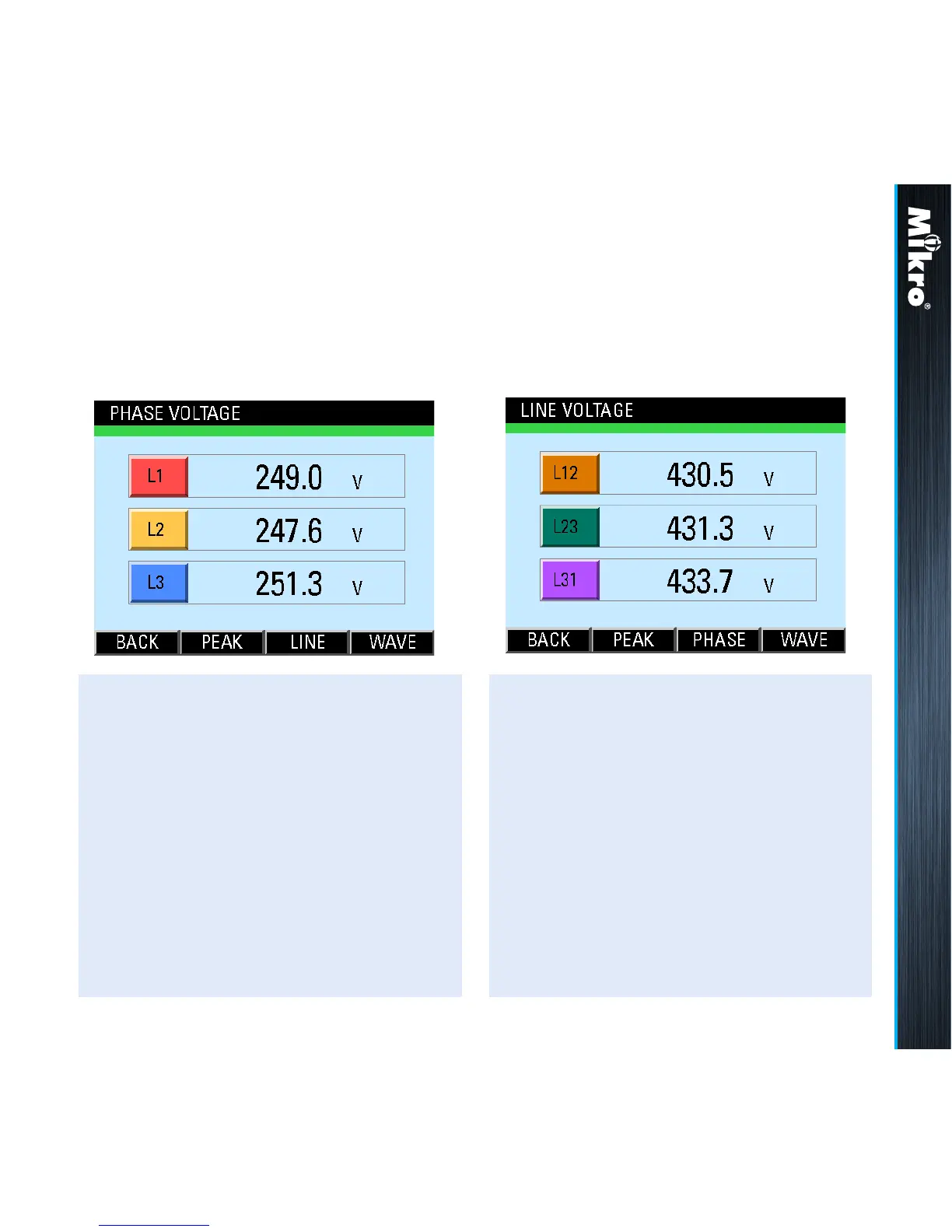
The Phase Voltage page shows the true RMS
voltage of each phase as shown in Fig 20 below:
3.3.2
linE VolTaGE
The Line Voltage page shows the true RMS
voltage between any 2 phases as shown in Fig 21:
Fig 20 : Phase Voltage page
Fig 21 : Line Voltage page
Meter Operations 3.3.1 3.3.2



 To Next Page