67
The LCD Auto Off time duration can be selected
from either 5 mins, 10 mins , 20 mins, 30 mins
& 60 mins or Continuous On. The default time
duration is 10 minutes.
3.8.3.5
DisplaY sETTinGs
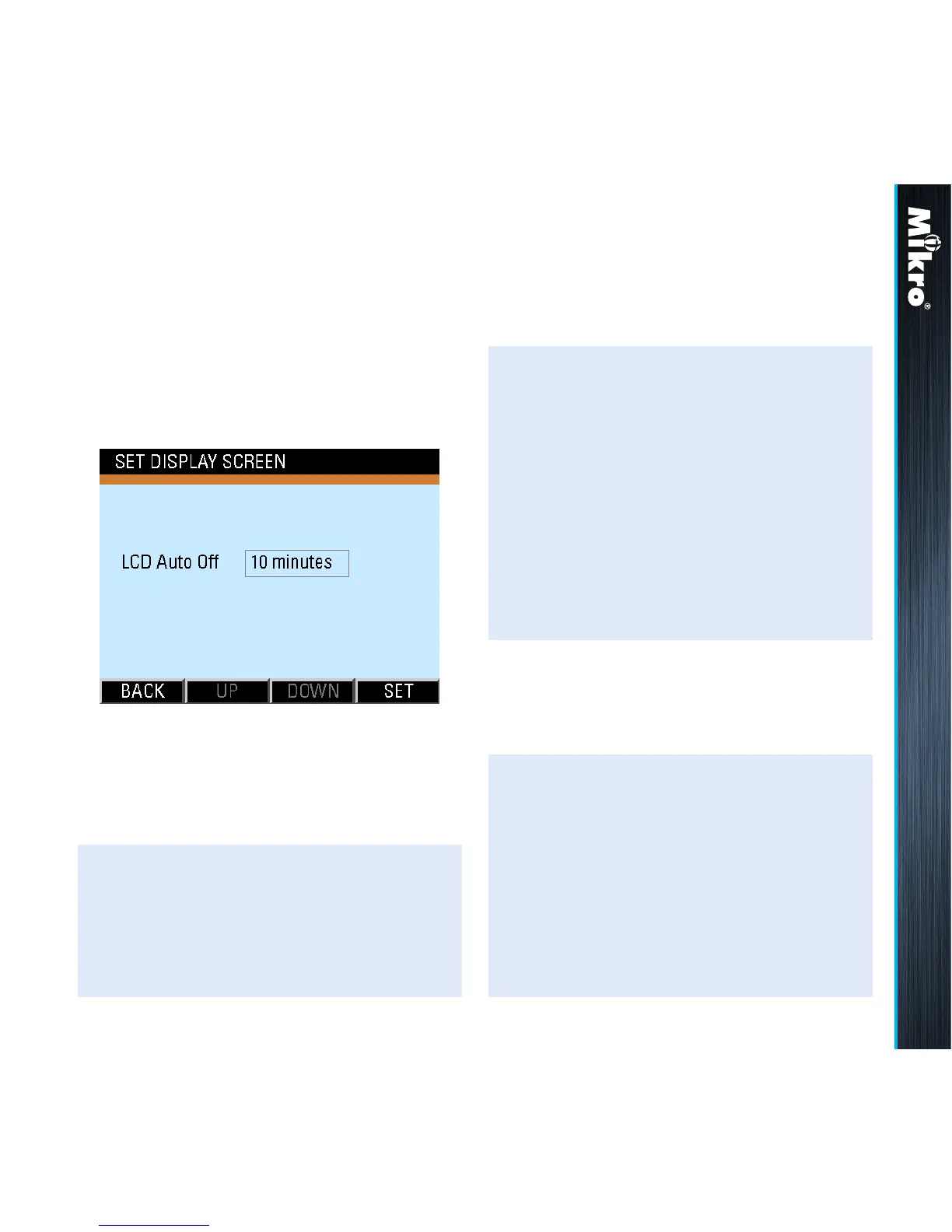
The Display Settings sub-page as shown in Fig
81 displays and allows the setting of touch button
inactivity time duration before the LCD display
is turned off.
TouCH BuTTon funCTions:
• to input new settings, touch the SET (F4) button.
• otherwise, touch the BACK (F1) button to
return to the System Settings page.
Fig 81 : Display Setting sub-page
Meter Operations 3.8.3.5
The user will be prompted to conrm the saving
of settings.
In the input mode, the UP (F2) and DOWN (F3)
buttons will become active and the background
colour of the active eld will be changed to white.
TouCH BuTTon funCTions:
• to abort saving the settings, touch the NO
(F3) button to return to the System Settings
page.
• otherwise, touch the YES (F2) button to save
the settings and the display will return to the
System Settings page.
TouCH BuTTon funCTions:
• to increase the number or select Continuous
On, touch the UP (F2) button.
• to decrease the number, touch the DOWN
(F3) button.
• to save the settings and/or return to the
System Settings page, touch the BACK
(F1) button.



 To Next Page