42
In clearing the recorded values, the user
will be prompted with a Clear Logged Data?
conrmation.
In clearing the recorded values, the user
will be prompted with a Clear Logged Data?
conrmation.
When these recorded values are cleared, the
corresponding time and date records are also
cleared to the default 00:00:00 00-00-2000.
When these recorded values are cleared, the
corresponding time and date records are also
cleared to the default 00:00:00 00-00-2000.
TouCH BuTTon funCTions:
• to conrm clearing the recorded values, touch
the YES (F4) button.
• otherwise, touch the NO (F2) button.
TouCH BuTTon funCTions:
• to conrm clearing the recorded values, touch
the YES (F4) button.
• otherwise, touch the NO (F2) button.
3.5.6
Max/Min frEquEnCY
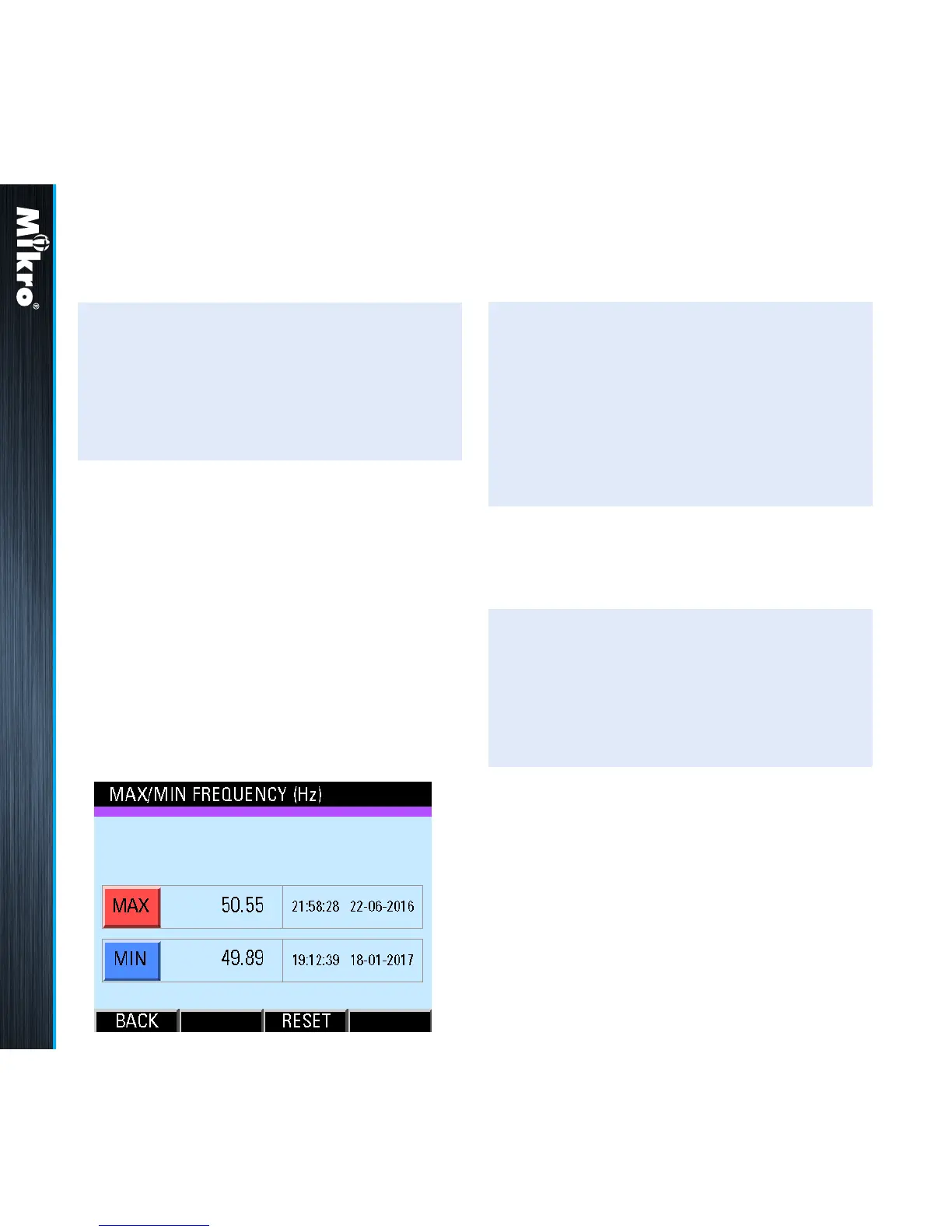
The Max/Min Frequency page shows the
recorded maximum and minimum power frequency
with the corresponding time and date since the last
reset as shown in Fig 50:
Fig 50 : Max/Min Frequency PF page
The time and date records are displayed in the
hour:minute:second day-month-year format.
TouCH BuTTon funCTions:
• to reset the recorded maximum and minimum
frequency values to zero, touch the RESET
(F3) button.
• otherwise, touch the BACK (F1) button to
return to the PF & FREQUENCY sub-menu.
Meter Operations 3.5.5 3.5.6



 To Next Page