52
TouCH BuTTon funCTions:
• to conrm clearing the recorded values,
touch the YES (F4) button.
• otherwise, touch the NO (F2) button.
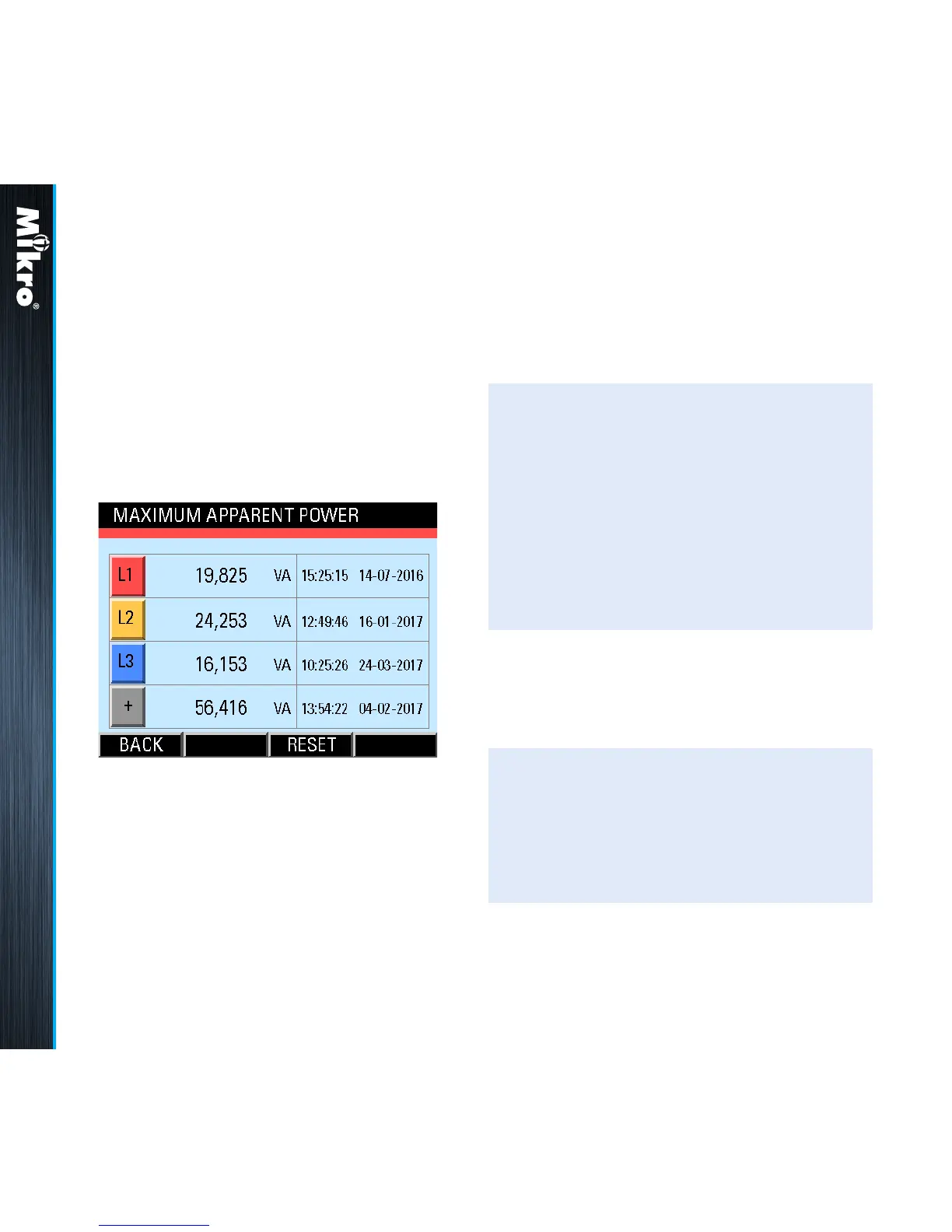
Fig 64 : Maximum Apparent Power page
TouCH BuTTon funCTions:
• to reset the recorded maximum apparent
power values to zero, touch the RESET
(F3) button.
• otherwise, touch the BACK (F1) button to
return to the POWER sub-menu.
In clearing the recorded values, the user will
be prompted with a Clear Logged Data?
conrmation.
The time and date records are displayed in the
hour:minute:second day-month-year format.
When these recorded values are cleared, the
corresponding time and date records are also
cleared to the default 00:00:00 00-00-2000.
3.6.11
MaxiMuM apparEnT
powEr
The Maximum Apparent Power page shows
the recorded maximum apparent power for each
phase as well as the maximum total apparent
power with the corresponding time and date
since the last reset as shown in Fig 64:
Meter Operations 3.6.11



 To Next Page