17
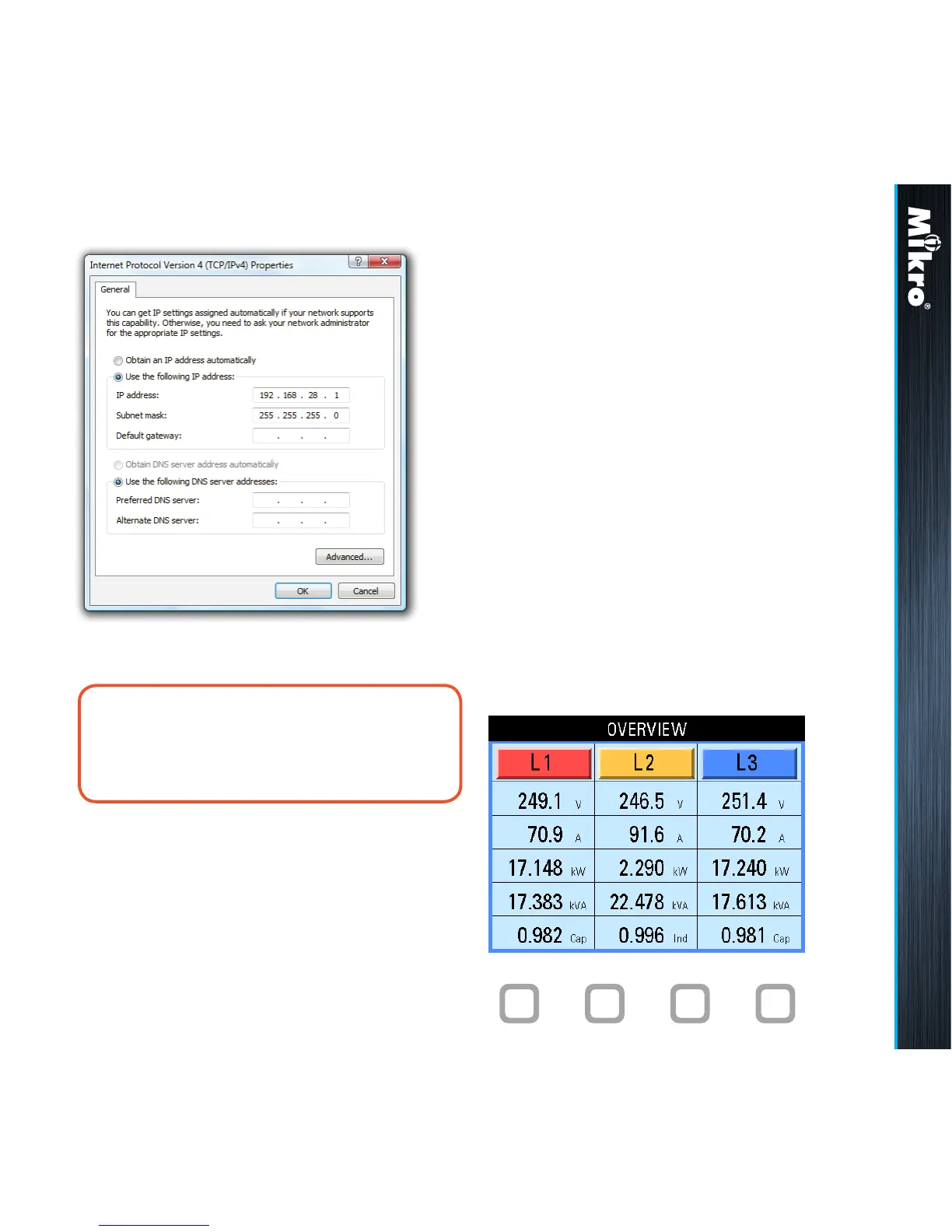
Fig 14 :
Internet Protocol Version 4 (TCP/IPv4) Properties window
noTE:
The last digit of the IP address may be varied
from 1 up to 255 but care must be taken to
use only a vacant IP address.
Meter Operations 2.4 3 3.1
3
METEr opEraTions
The power meter front panel user interface comes
with a large colour LCD display and 4 touch buttons,
labelled F1, F2, F3 and F4 as shown in Fig 15.
To touch the button, simply place a nger on the
square below the labels corresponding to the menu
item at the bottom of the display.
3.1
oVErViEw paGE & Main
MEnu
Upon power up, the power meter will display an
OVERVIEW page, listing a summary of basic
parameters for all phases as shown in Fig 15:
g) click on the OK button to exit. Repeat pressing
the OK button in the Local Area Connection
Properties window.
Fig 15 : OVERVIEW page
F1 F2 F3 F4



 To Next Page